Need help?
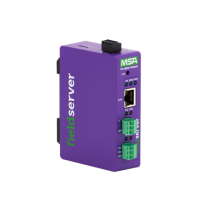
Do you have a question about the MSA FS-ROUTER-BAC2 and is the answer not in the manual?
Describes how to mount the gateway using the DIN rail mounting bracket.
Details how to connect the RS-485 R1 and R2 serial ports, including wiring.
Explains how to connect the Ethernet port for communications and configuration.
Instructions for logging into the FieldServer's web interface for the first time.
Explains how to choose the web server security profile for the FieldServer.
Configuration settings for the Ethernet 1 interface, including DHCP and static IP.
Detailed settings for configuring the BACnet Router, including device and network parameters.
Configuration for BACnet/IP wired connections, including ports and BBMD settings.
Settings for BACnet MS/TP, BACnet Ethernet, and the BACnet Explorer.
Guides on performing a diagnostic capture for technical support to accelerate problem diagnosis.
 General
| Brand | MSA |
|---|---|
| Model | FS-ROUTER-BAC2 |
| Category | Network Router |
| Language | English |


 To Next Page