12.2.1Create Users
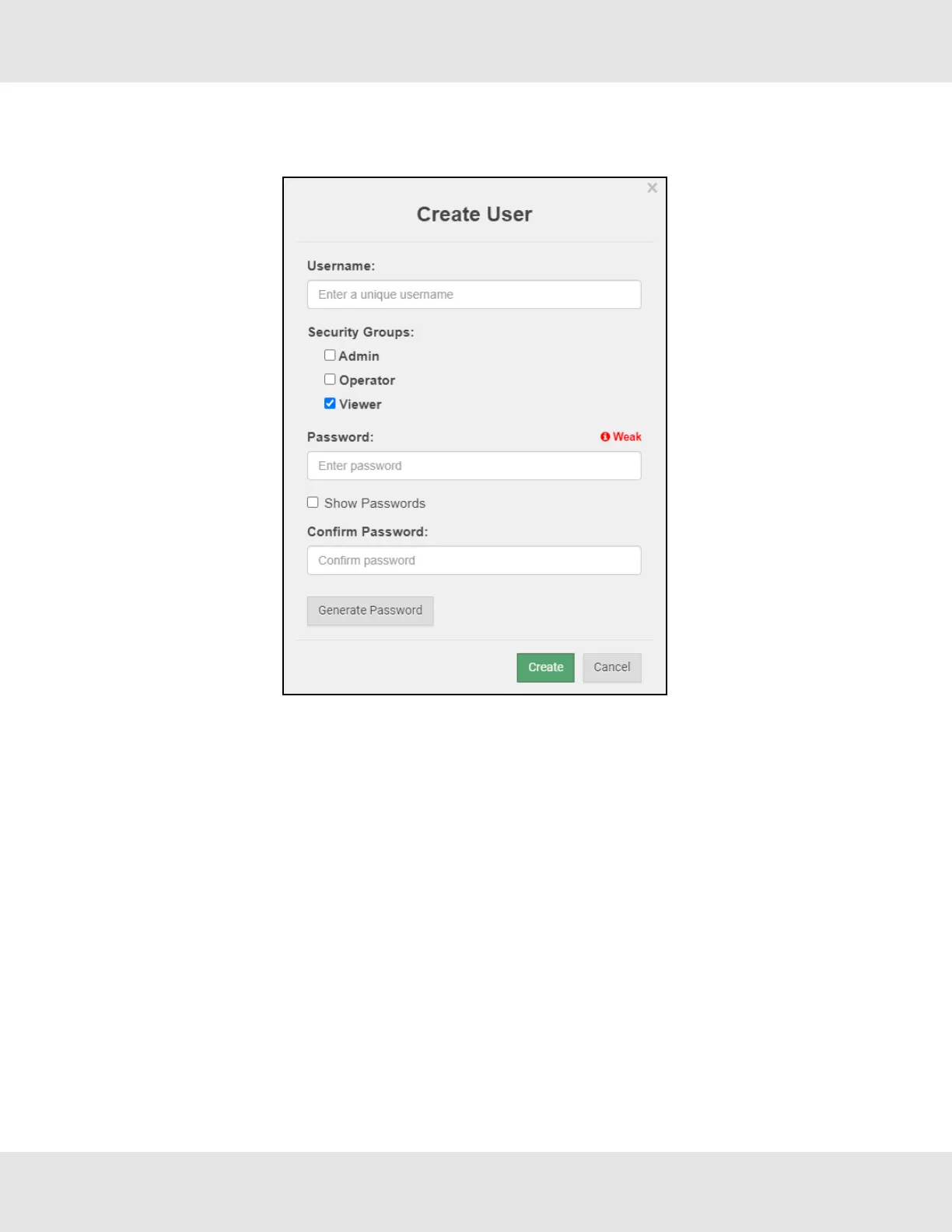
• Click the Create User button.
• Enter the new User fields: Name, Security Group and Password.
◦ User details are hashed and salted
NOTE:The password must meet the minimum complexity requirements. An algorithm automatically checks the
password entered and notes the level of strength on the top right of the Password text field.
• Click the Create button.
• Once the Success message appears, click OK.
BACnet Router Start-up Guide 47



 To Next Page