8.2.2 Multiple Connections
• Network Number – set up the BACnet network number for the connection. Legal values are 1-65534. Each network
number must be unique across the entire BACnet internetwork. . All devices that are interconnected by the same IP
network and that can reach one another through local IP broadcasts (including local IP broadcasts forwarded by BBMD)
should be treated as a single BACnet network segment, and hence all routing ports connected to this segment should
have the same globally unique network number.
NOTE:Each BACnet network segment, regardless of technology, must have a unique network number. For
example, a single RS-485 MS/TP segment or BACnet/IP subnet, can each be regarded as a BACnet network
segment. All routing ports that connect directly to the same segment should also assign the same globally
unique network number to that segment.
• Enable – enable or disable the connection; note that BACnet/IP Primary is always enabled.
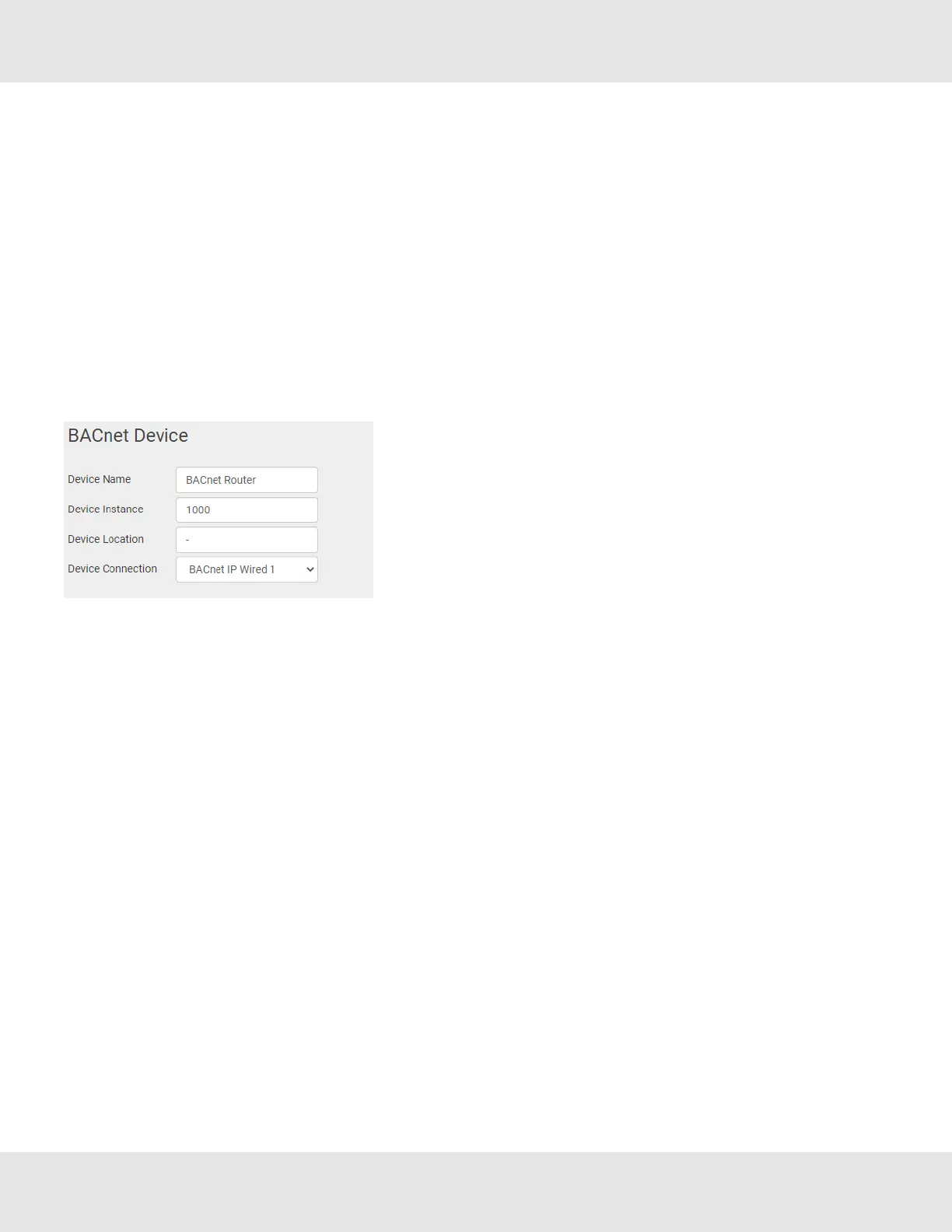
8.2.3 BACnet Device
• Device Instance and Device Name – a BACnet Router must provide
a Device Object. Configure its name and Instance Number here. Take
care to select a Device Instance Number that is unique across the
entire BACnet internetwork.
• Device Location – enter a location for the Device. The location may
not contain any commas.
• Device Connection – select which connection to bond the BACnet
device settings.
20 BACnet Router Start-up Guide



 To Next Page