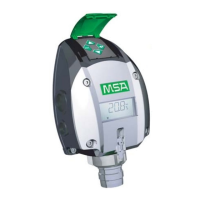
Model S4100C
21
4.5 Calibration Check
• Place the magnet on the General Monitors Logo on the Nameplate. The
instrument will display “ - - -“ for 5 seconds and then enter the menu routine.
Remove the magnet. Select “CCA” by briefly reapplying the magnet when the
display scrolls around. The instrument will acknowledge the selection by rapid
flashing “CCA” for 1 second and continue to display “CCA” for another 7 seconds
while it takes a zero gas reading. The display will then slow-flash the gas
concentration. The analogue output will remain at calibration level.
NOTE: The sensor should be exposed to clean air conditions for at least 2
minutes prior to entering Calibration check mode, such that the zero reading
taken by the instrument is valid.
NOTE: Calibration Check mode may be terminated at this point by briefly re-
applying the magnet.
• Use General Monitors Portable Purge with flow rate 300-400ml/min, or
Calibration Chamber to apply gas at the required concentration level. The
instrument will measure and display gas concentrations. Observe that the gas
reading settles at the required level. Should the final reading fall outside the
required limits, a full calibration is required. If so proceed as follows:
• Place the magnet on the General Monitors Logo on the Nameplate. The
instrument will display “- - -“ for 5 seconds and then show “ACA”. Select by briefly
re-applying the magnet. The instrument will acknowledge the selection by rapid
flashing “ACA” for 1 second. The instrument will then display “AC” followed
shortly by “CP”. Continue as described in Calibration.
• While in Calibration Check the display will continue to slow-flash the reading and
the analogue output remains at calibration level until the gas has been removed
and the concentration at the sensor has dropped below 3.5% LEL, when the
instrument will exit Calibration Check mode and return to normal operation.
If the above procedure is unsuccessful, refer to the Trouble Shooting section in
this manual.
4.6 Power up Routine
Immediately following power-up, the instrument will carry out “Display Test”, then
blank the display for 1 second, display “Software Revision” and then display “Power
up in progress” followed by normal operation. The analogue output will be at 4.0mA
and the Fault open collector output energised.


 To Next Page