AWARD
®
BIOS Setup
3-37
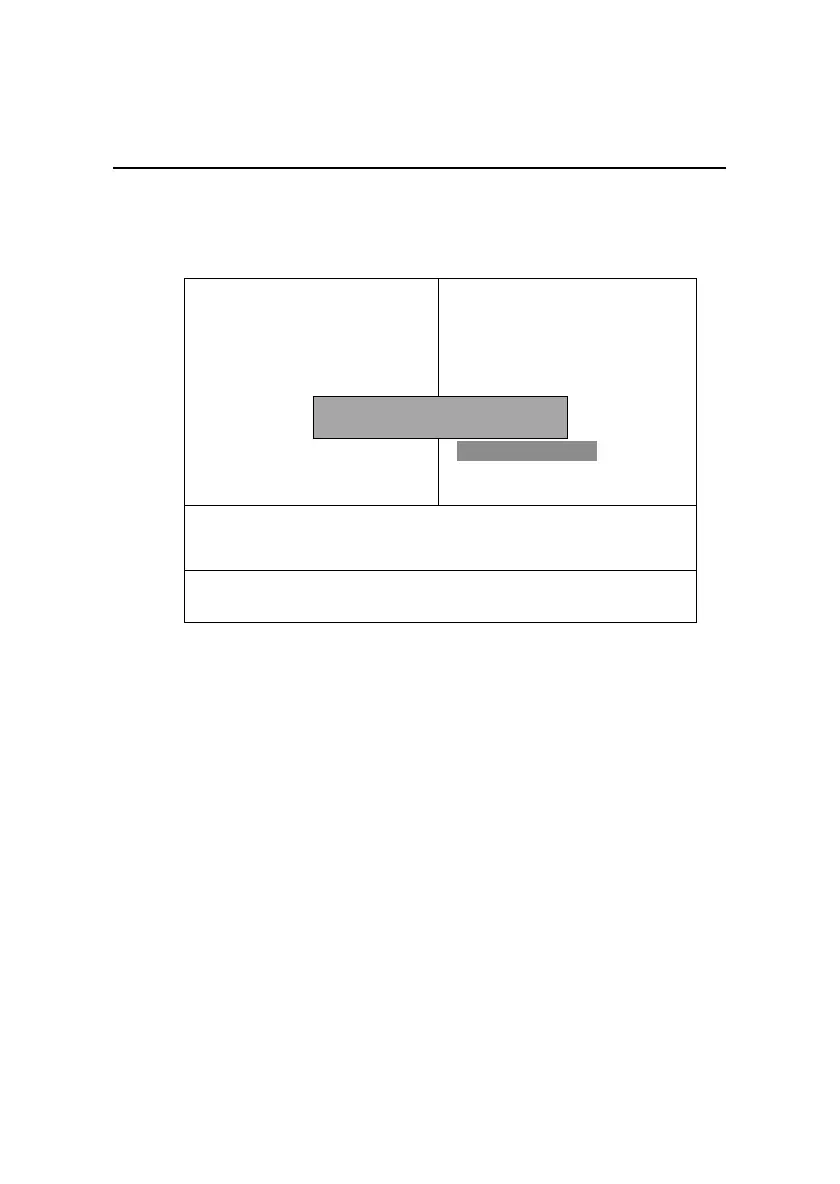
Save & Exit Setup
When you want to quit the Setup menu, you can select this option to save the
changes and quit. A message as below will appear on the screen:
Typing Y will allow you to quit the Setup Utility and save the user setup
changes to RTC CMOS.
Typing N will return to the Setup Utility.
!Frequency/Voltage Control
Load Fail-Safe Defaults
Load Optimized Defaults
Set Supervisor Password
Set User Password
Save & Exit Setup
Exit Without Saving
CMOS Setup Utility - Copyright(C) 1984-2000 Award Software
!Standard CMOS Features
!Advanced BIOS Features
!Advanced Chipset Features
!Integrated Peripherals
!Power Management Setup
!PnP/PCI Configurations
!PC Health Status
ESC : Quit F9 : Menu in BIOS ↑ ↓ ← → : Select Item
F10 : Save & Exit Setup
Save Data to CMOS
SAVE to CMOS and Exit (Y/N)? Y



 To Next Page