Appendix A
A-10
Connecting to internet through USB PC to PC & another PC with modem
If there is no existing Office/Home LAN and your computer does not have a
modem, you still can connect USB PC to PC to internet through another
computer with a modem installed. The function is available in Windows®
98SE and ME.
To access internet through another computer with modem, you need to
setup Internet Connection Sharing on all computers connected via USB
PC to PC cables. Instructions are as follows:
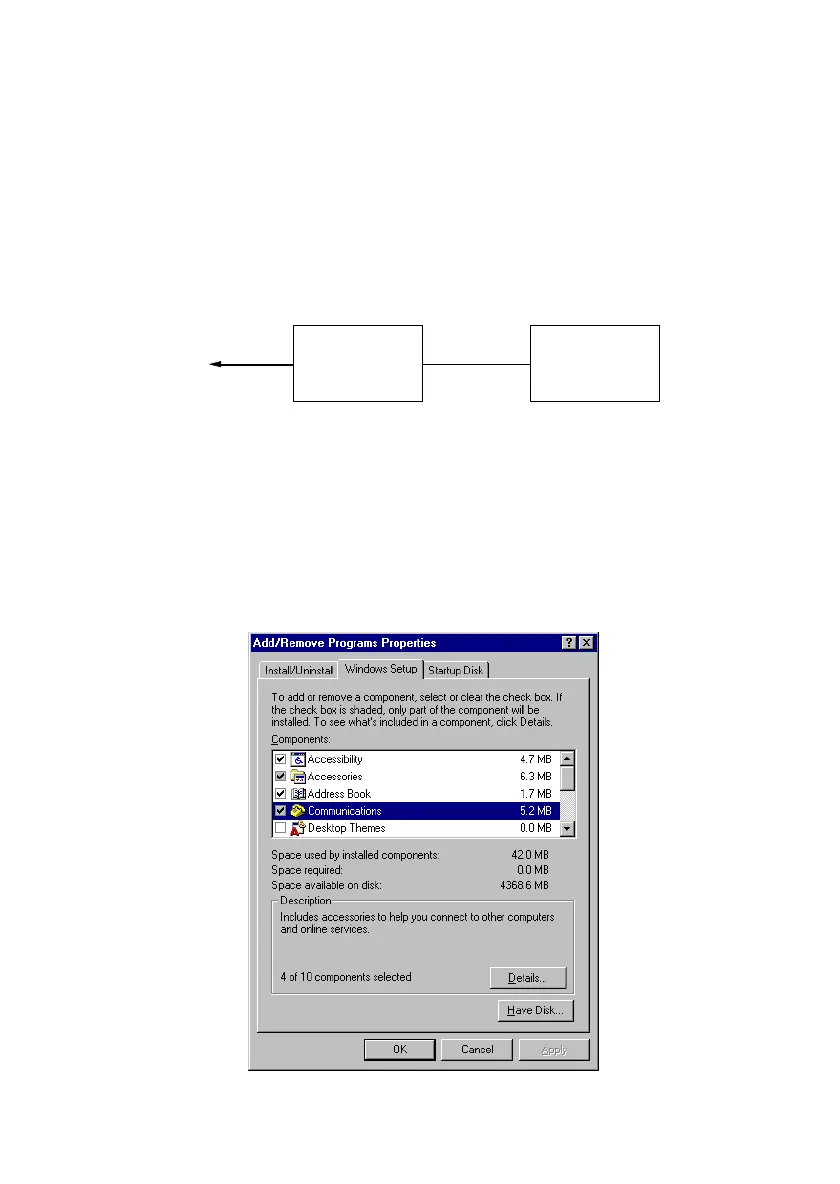
a. Go to Control Panel.
b. Double click Add/Remove Programs and the Add/Remove
Programs Properties window appears.
c. Select Windows Setup tag and double click
PC with modem
installed
Your PC with USB
PC to PC function
Internet
USB PC to PC cable
Phone Line



 To Next Page