C-23
Intel ICH10R SATA RAID
▍
MS-7609
recovery voLuMe creation
Important
Creatng a recovery volume wll permanently delete any exstng data on the drve se-
lected as the recovery drve. Back up all mportant data before begnnng these steps.
Ths opton may or may not be avalable dependng on your system conguraton. If you
do not see the opton lsted, refer to Recovery Volume Creaton n Advanced Mode.
A recovery volume can be created usng ether Basc mode or Advanced mode n the
Intel Matrx Storage Console.
Recovery Volume n Basc Mode Creaton■
To create a recovery volume n Basc mode, use the followng steps:
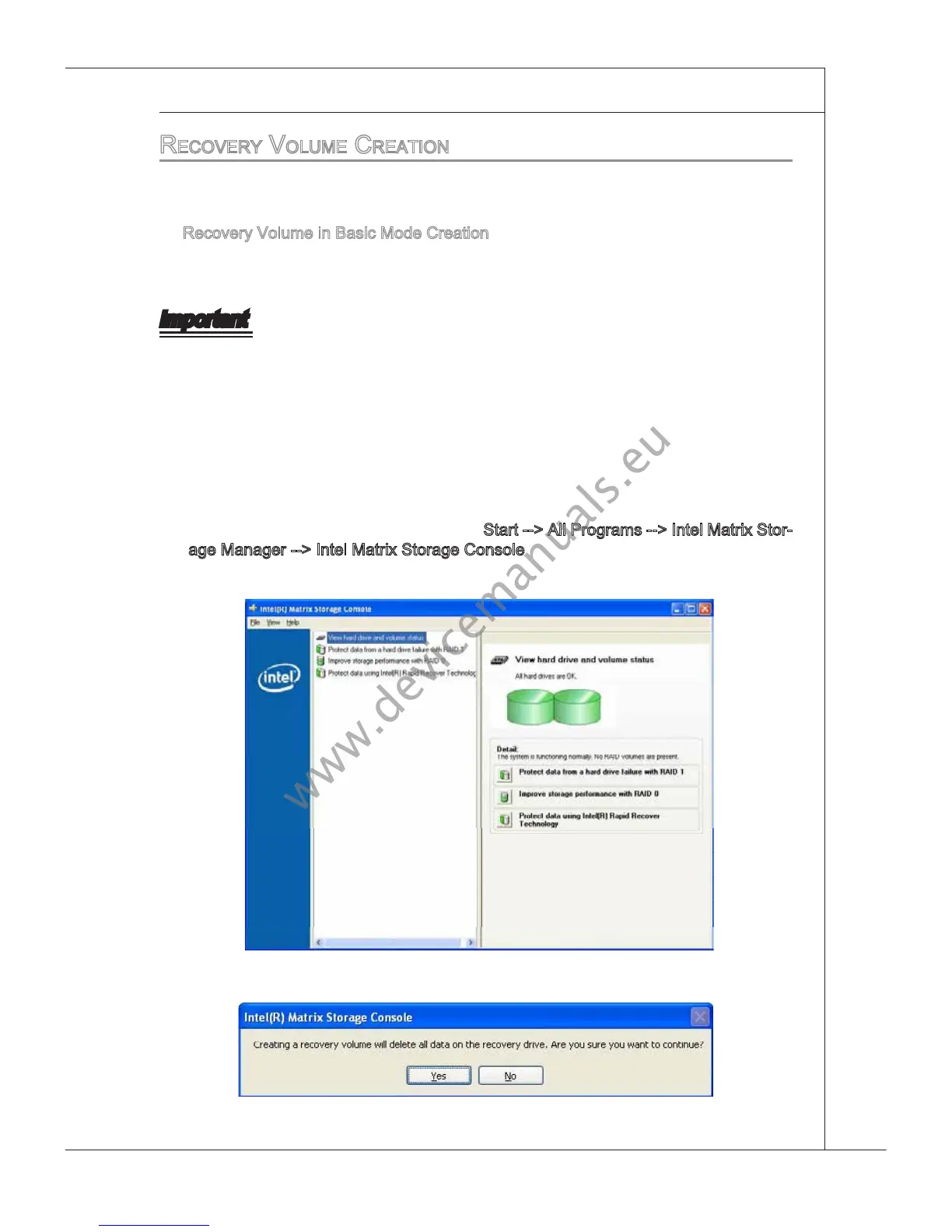
Open the Intel Matrx Storage Console. (
Start --> All Programs --> Intel Matrx Stor-
age Manager --> Intel Matrx Storage Console)
Select Protect data usng IntelR Rapd Recover Technology.
1.
2.
Select Yes to conrm volume creaton.3.



 To Next Page