dot
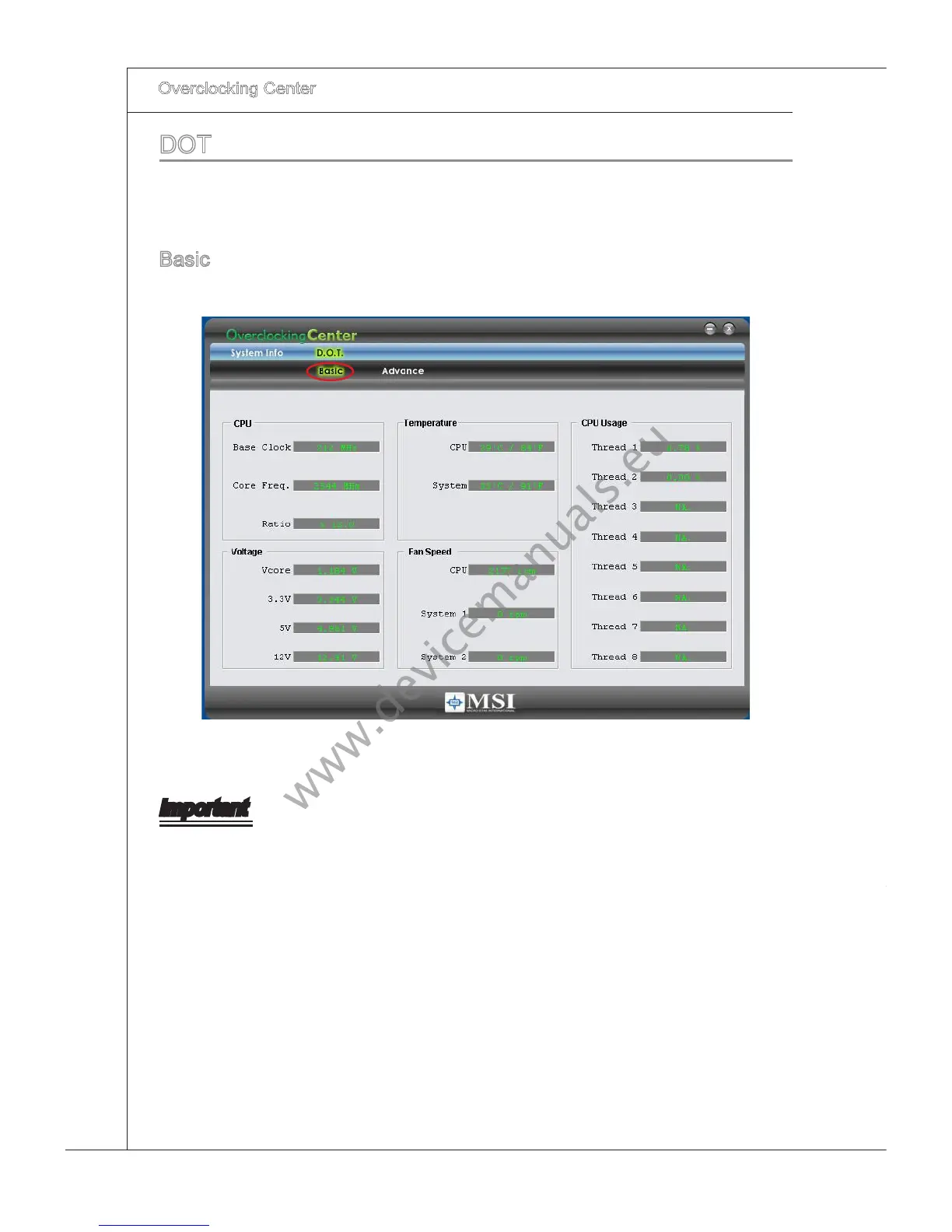
Clck DOT to enter the DOT screen. In DOT, you can read the basc system status n
Basc menu or you can adjust advanced values for overclockng n Advance menu.
Basc
In the Basc menu, t provdes nformaton on CPU state, temperature, voltage, fan
speed and CPU usage.
Important
You may change the values of each envronment settng/ default settng n Advance
menu. Please refer the followng secton for more detals.



 To Next Page