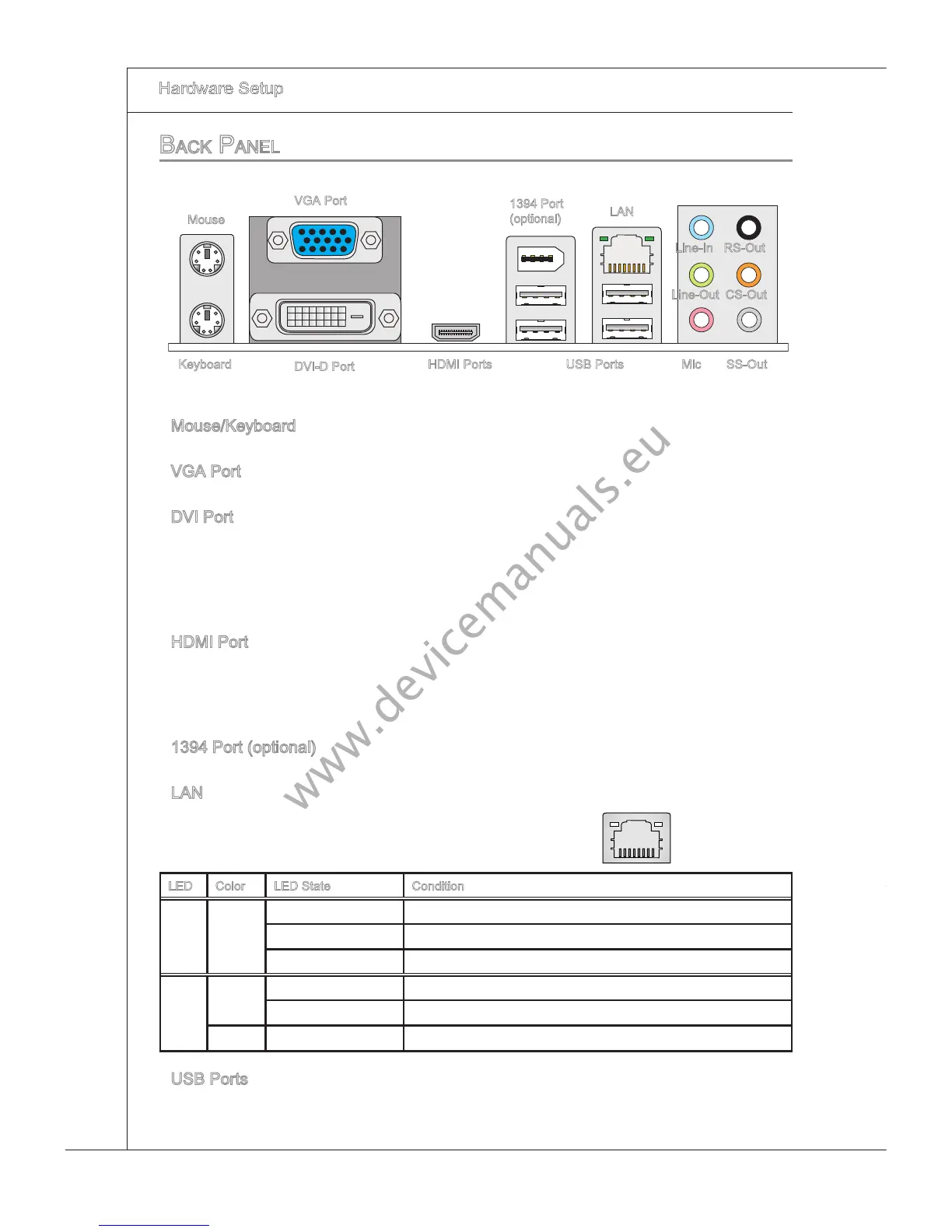
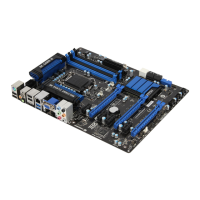
back paneL
Mouse/Keyboard
The standard PS/2
®
mouse/keyboard DIN connector s for a PS/2
®
mouse/keyboard.
VGA Port
The DB15-pn female connector s provded for montor.
DVI Port
The DVI (Dgtal Vsual Interface) connector allows you to connect a LCD montor. It pro-
vdes
a hgh-speed dgtal nterconnecton between the computer and ts dsplay devce.
To connect an LCD montor, smply plug your montor cable nto the DVI connector, and
make sure that the other end of the cable s properly connected to your montor (refer to
your montor manual for more nformaton.)
HDMI Port
The Hgh-Denton Multmeda Interface (HDMI) s an all-dgtal audo/vdeo nterface
capable of transmttng uncompressed streams. HDMI supports all TV format, nclud-
ng standard,
enhanced, or hgh-denton vdeo, plus mult-channel dgtal audo on a
sngle cable.
1394 Port (optonal)
The IEEE1394 port on the back panel provdes connecton to IEEE1394 devces.
LAN
The standard RJ-45 LAN jack s for connecton to
the Local Area Network (LAN). You can connect a
network cable to t.
LED Color LED State Condton
Left Yellow O LAN lnk
s establshed.
On(Steady state) LAN lnk
s establshed.
On(brghter & pulsng) The computer s communcatng wth another computer on the LAN.
Rght Green O 10 Mbts/sec data rate
s selected.
On 100 Mbts/sec data rate
s selected.
Orange On 1000 Mbts/sec data rate
s selected.
USB Ports
The USB (Unversal Seral Bus) port s for attachng USB devces such as keyboard,
mouse, or other USB-compatble devces.
▶
▶
▶
▶
▶
▶
▶
Mouse
1394 Port
(optonal)
DVI-D Port
LAN
Lne-In
Lne-Out
Mc
RS-Out
CS-Out
SS-OutUSB Ports
Yellow Green/ Orange
Keyboard
VGA Port
HDMI Ports



 To Next Page