Switch
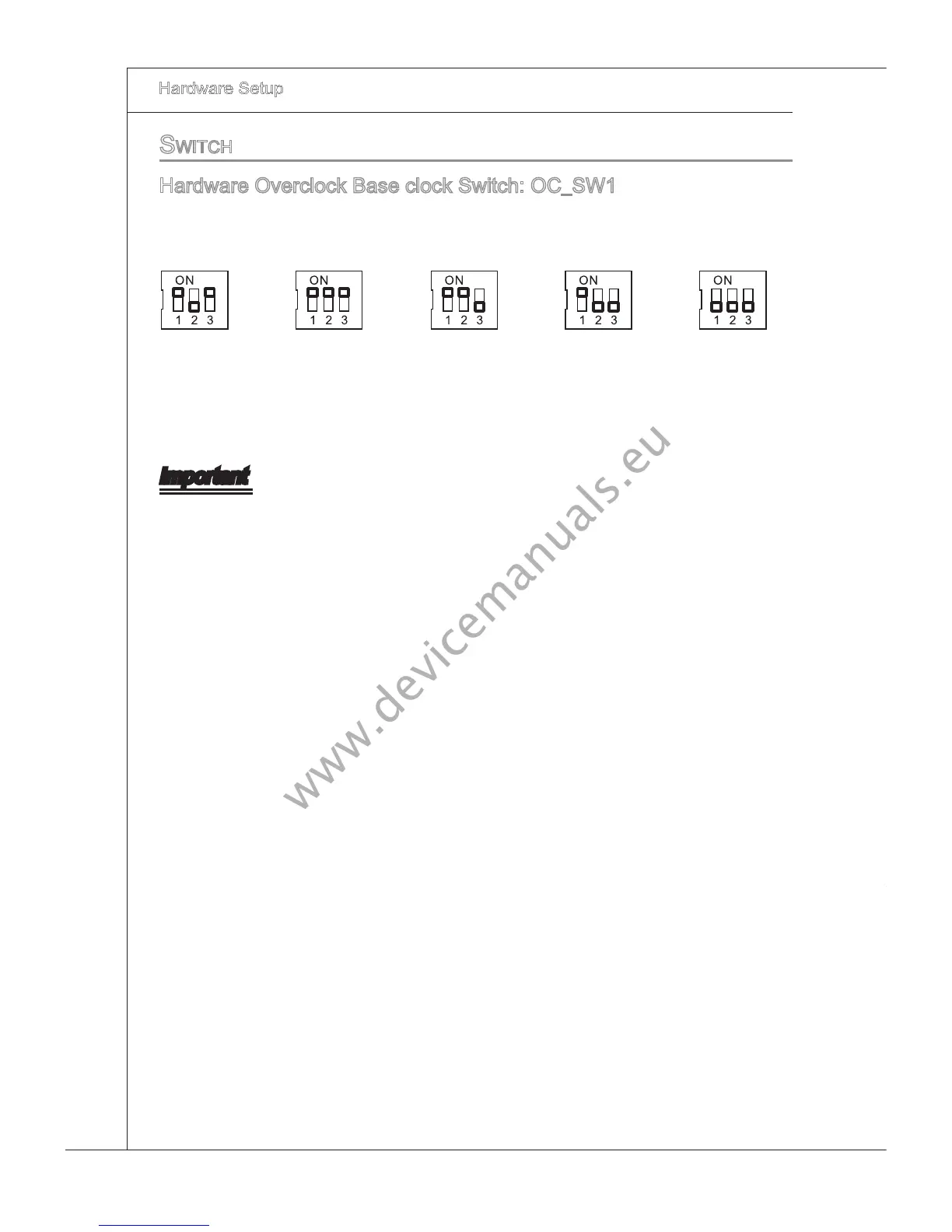
Hardware Overclock Base clock Swtch: OC_SW1
You can overclock the Base clock to ncrease the processor frequency by changng
ths swtch. Follow the nstructons below to set the base clock.
200->400 MHz
266->400 MHz
333->400 MHz
266->333 MHz200->333 MHz200->266 MHzDefault
Important
Make sure that you power o the system before changng the swtch.
HW overclockng may cause nstablty or crash durng boot, then please re-set the
swtch to default.
You can also overclock by settng BIOS. BIOS overclockng may also cause crash
durng boot and then please reboot the system 3 tmes to restore default BIOS set
-
tngs. For more deta
ls, please refer to the BIOS chapter.
•
•
•



 To Next Page