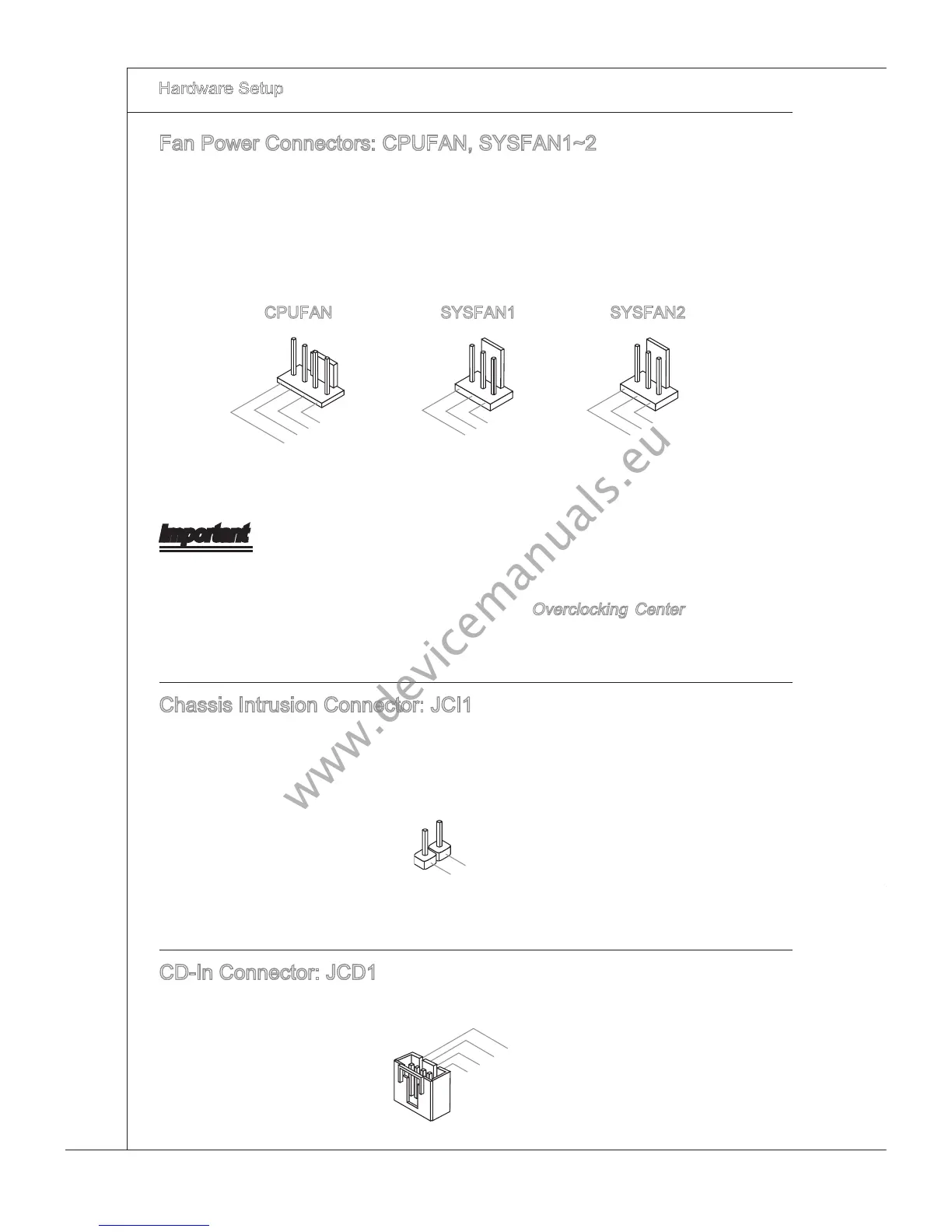
Fan Power Connectors: CPUFAN, SYSFAN1~2
The fan power connectors support system coolng fan wth +12V. When connectng the
wre to the connectors, always note that the red wre s the postve and should be con-
nected to the +12V; the black wre s Ground and should be connected to GND. If the
manboard has a System Hardware Montor chpset on-board, you must use a specally
desgned fan wth speed sensor to take advantage of the CPU fan control.
CPUFAN SYSFAN1 SYSFAN2
Important
Please refer to the recommended CPU fans at processor’s ocal webste or consult
the vendors for proper CPU coolng fan.
CPUFAN supports fan control. You can nstall
Overclockng Center utlty that wll
automatcally control the CPU fan speed accordng to the actual CPU temperature.
Fan cooler set wth 3 or 4 pns power connector are both avalable for CPUFAN
Chasss Intruson Connector: JCI1
Ths connector connects to the chasss ntruson swtch cable. If the chasss s opened,
the chasss ntruson mechansm wll be actvated. The system wll record ths status
and show a warnng message on the screen. To clear the warnng, you must enter the
BIOS utlty and clear the record.



 To Next Page