MS-7327 Mainboard
1-6
Setup audio output to HDMI port
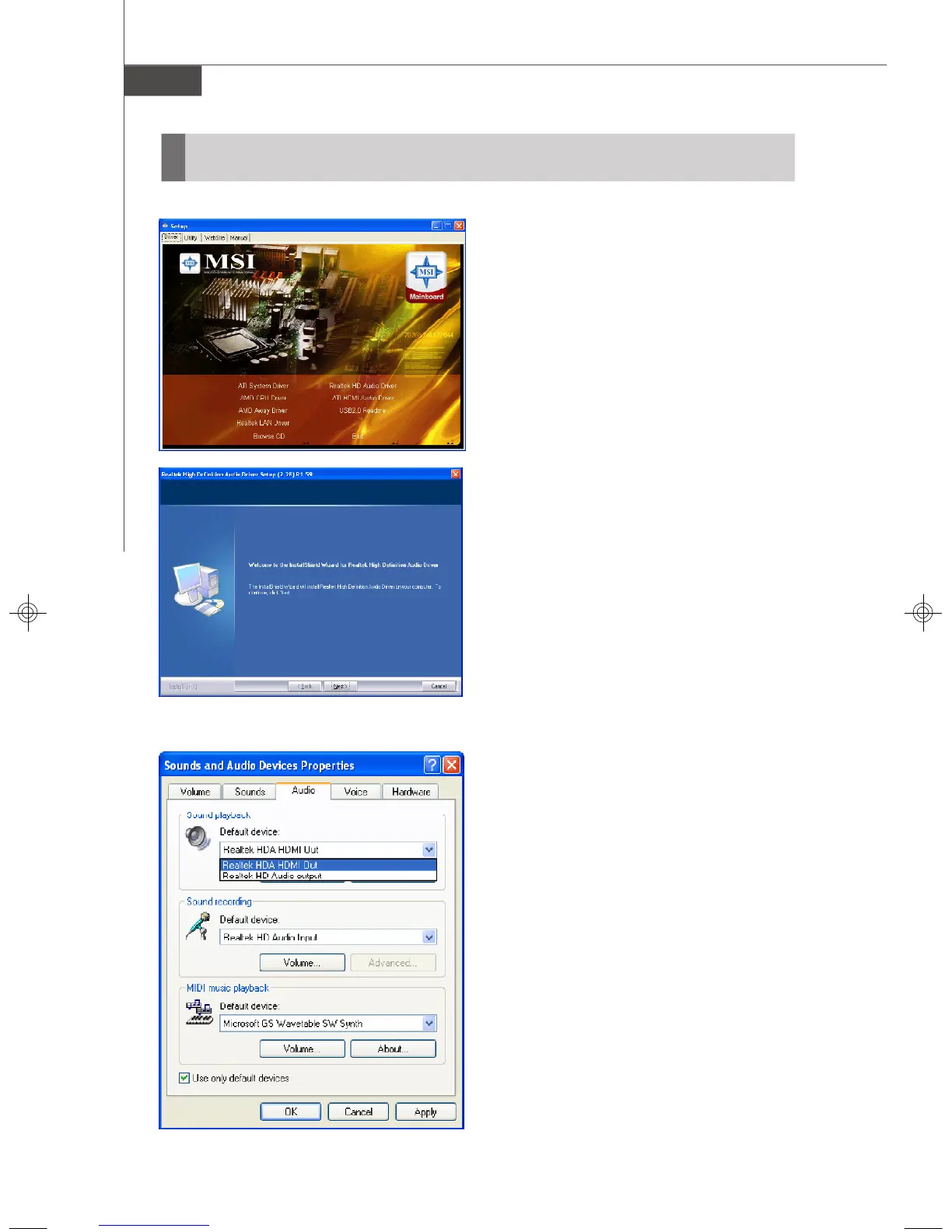
To install the ATI HDMI Audio driver follow
these steps
1. Insert the application CD into the CD-
ROM drive. The setup screen will
automatically appear.
2. Click ATI HDMI Audio Driver.
3. Click Next to install the driver.
4. Restart the computer after the driver
installation procedure.
Install ATI HDMI Audio Driver
Setup Sounds and Audio Devices
Go to: Start -> Control Panel -> Sounds
and Audio Devices
When the ATI HDMI Audio Driver is
correctly installed, there will be one
device for the Realtek HDA HDMI Out in
Sound playback under Sounds and Audio
Devices Properties. Select the item and
then click the OK button
7327v1.0-1.p65 2007/4/13, 上午 10:396




 To Next Page