2-9
Hardware Setup
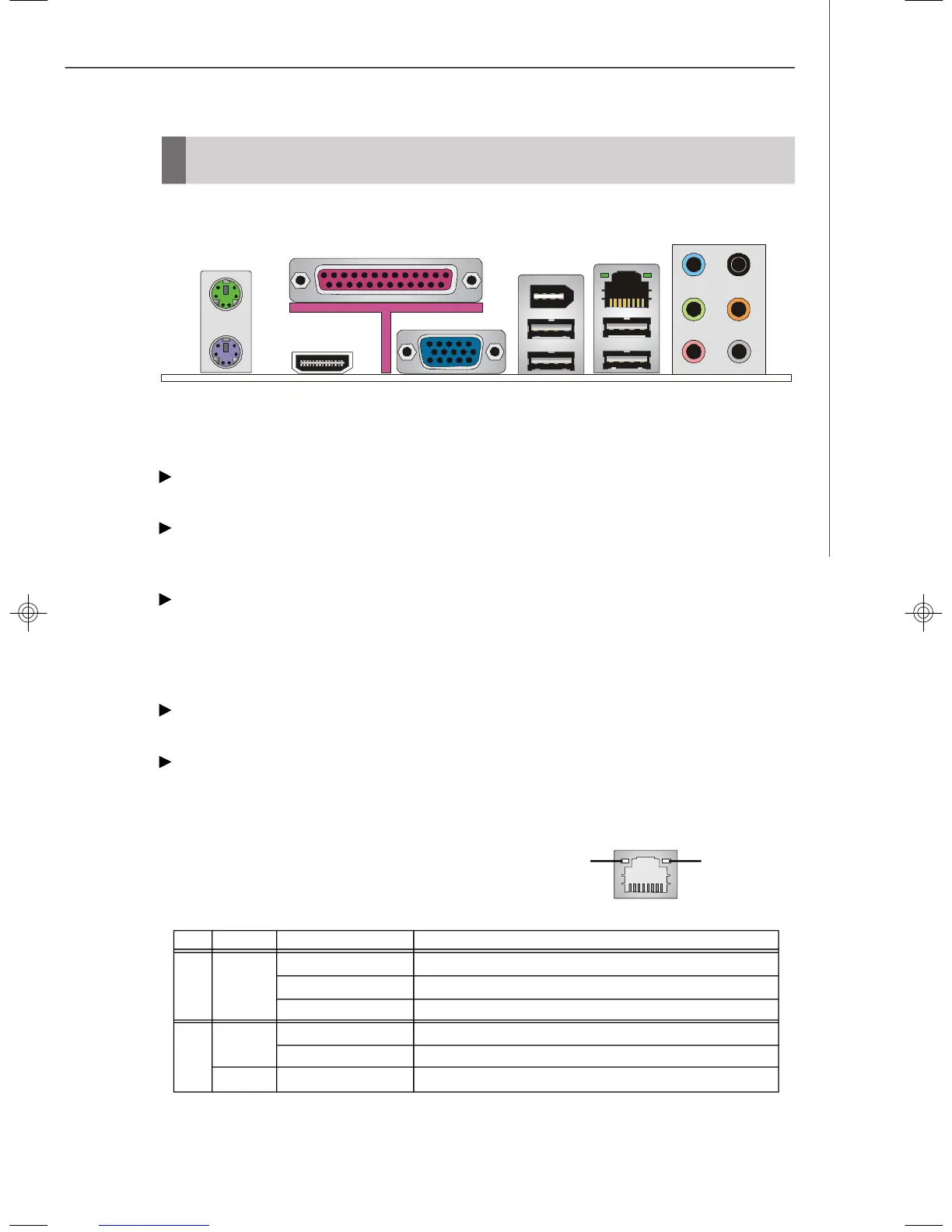
Back Panel
Keyboard
USB Ports
L-In
Mouse
LAN
Parallel Port
RS-Out
CS-Out
SS-Out
L-Out
Mic
HDMI
PS/2 Mouse/Keyboard Connector
The standard PS/2
®
mouse/keyboard DIN connector is for a PS/2
®
mouse/keyboard.
Parallel Port
A parallel port is a standard printer port that supports Enhanced Parallel Port (EPP)
and Extended Capabilities Parallel Port (ECP) mode.
HDMI Port (optional)
The High-Definition Multimedia Interface (HDMI) is an all-digital audio/video interface
capable of transmitting uncompressed streams. HDMI supports all TV format, includ-
ing standard, enhanced, or high-definition video, plus multi-channel digital audio on a
single cable.
IEEE 1394 Port (optional)
The 1394 port on the back panel provides connection to 1394 devices.
LAN (RJ-45) Jack
The standard RJ-45 jack is for connection to single Local Area Network (LAN). You
can connect a network cable to it.
Link IndicatorActivity Indicator
LED Color LED State condition
Off LAN link is not established.
Left Orange On (steady state) LAN link is established.
On (brighter & pulsing)The computer is communicating with another computer on the LAN.
Green Off 10 Mbit/sec data rate is selected.
Right On 100 Mbit/sec data rate is selected.
Orange On 1000 Mbit/sec data rate is selected.
VGA
1394
7327v1.0-2.p65 2007/4/13, 上午 10:399




 To Next Page