2-8
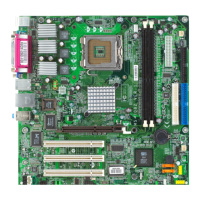
MS-7067 M-ATX Mainboard
Installing DDR Modules
1. The DDR DIMM has only one notch on the center of module. The module will only fit
in the right orientation.
2. Insert the DIMM memory module vertically into the DIMM slot. Then push it in until the
golden finger on the memory module is deeply inserted in the socket.
3. The plastic clip at each side of the DIMM slot will automatically close.
Volt
Notch
DDR Module Combination
Install at least one DIMM module on the slot. Memory modules can be installed
on the slots in any order. You can install either single- or double-sided modules to
meet your own needs.
Memory modules can be installed in any combination as follows:
S: Single Side D: Double Side
The mainboard provides 2 slots for 184-pin DDR SDRAM DIMM (Double In-Line
Memory Module) modules and supports the memory size up to 2GB. You can install
DDR400/333/266 modules on the DDR DIMM slots (DIMM 1~2).
For the updated supporting memory modules, please visit http://www.msi.com.
tw/program/products/mainboard/mbd/pro_mbd_trp_list.php.
Memory
MSI Reminds You...
You can barely see the golden finger if the module is properly inserted
in the socket.
Slot Memory Module Total Memory
DIMM 1 S/D 64MB~1GB
DIMM 2 S/D 64MB~1GB
Maximum System Memory Supported 64MB~2GB



 To Next Page