2-18
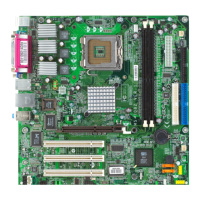
MS-7067 M-ATX Mainboard
The motherboard provides the following jumpers for you to set the computer’s
function. This section will explain how to change your motherboard’s function through
the use of jumpers.
Jumper
BIOS Flash Jumper: BIOS_WP (Optional)
This jumper is used to lock or unlock the boot block area on BIOS. When
unlocked, the BIOS boot block area can be updated. When locked, the BIOS boot
block area cannot be updated.
Clear CMOS Jumper: CLR_CMOS
There is a CMOS ROM onboard that has a power supply from external battery
to keep the data of system configuration. With the CMOS ROM, the system can
automatically boot OS every time it is turned on. If you want to clear the system
configuration, set the CLR_CMOS (Clear CMOS Jumper ) to clear data.
MSI Reminds You...
You can clear CMOS by shorting 2-3 pin while the system is off.
Then return to 1-2 pin position. Avoid clearing the CMOS while the
system is on; it will damage the mainboard.
CLR_CMOS
1
Clear Data
1
3
Keep Data
1
3
BIOS Flash UnlockedBIOS Flash Locked
BIOS_WP



 To Next Page