2-14
Hardware Setup MS-98F3
Slot
Mini-PCIe (Peripheral Component Interconnect Express)
Slot
The Mini-PCIe slot is provided for 3G module, wireless LAN card, TV tuner card,
Robson NAND Flash card and mSATA devices.
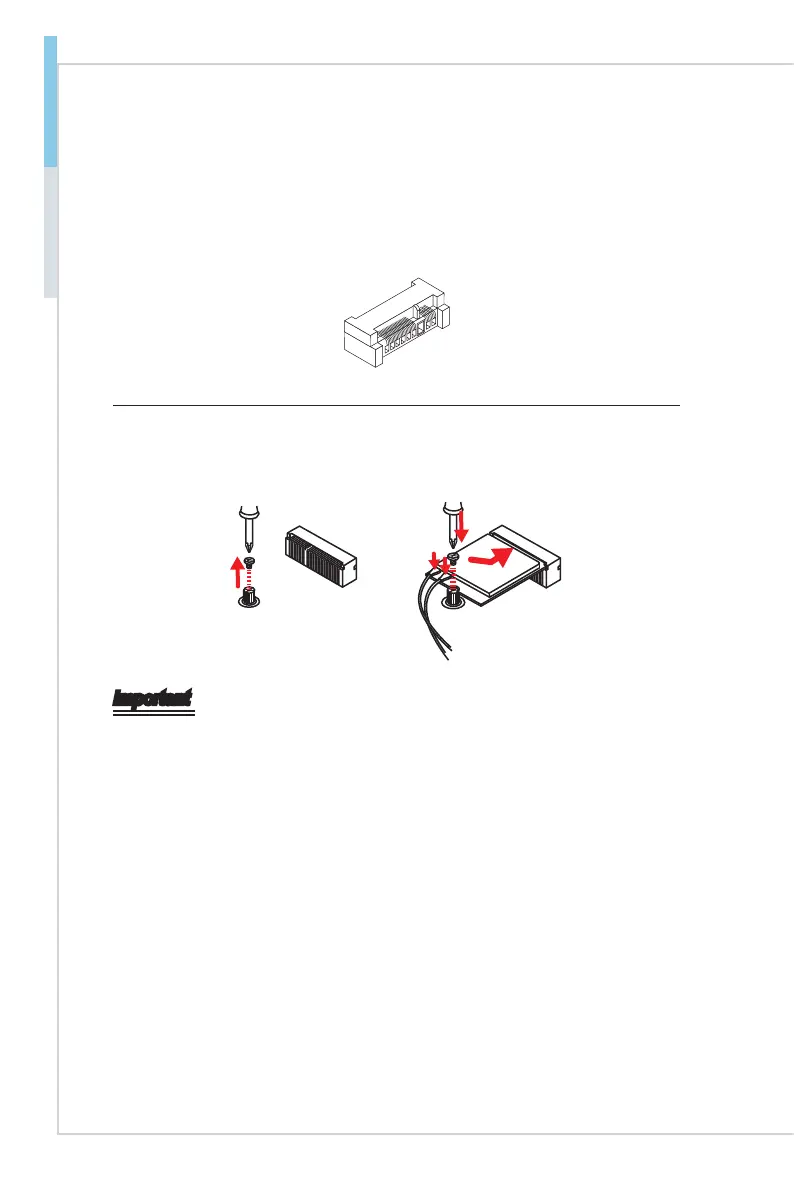
M.2 Slot (Key E, 2230)
Please install the Wi-Fi/ Bluetooch card into the M.2 slot as shown below.
Important
When adding or removing expansion cards, make sure that you unplug the power
supply rst. Meanwhile, read the documentation for the expansion card to cong-
ure any necessary hardware or software settings for the expansion card, such as
jumpers, switches or BIOS conguration.


 To Next Page