3-4
BIOS Setup MS-S0121
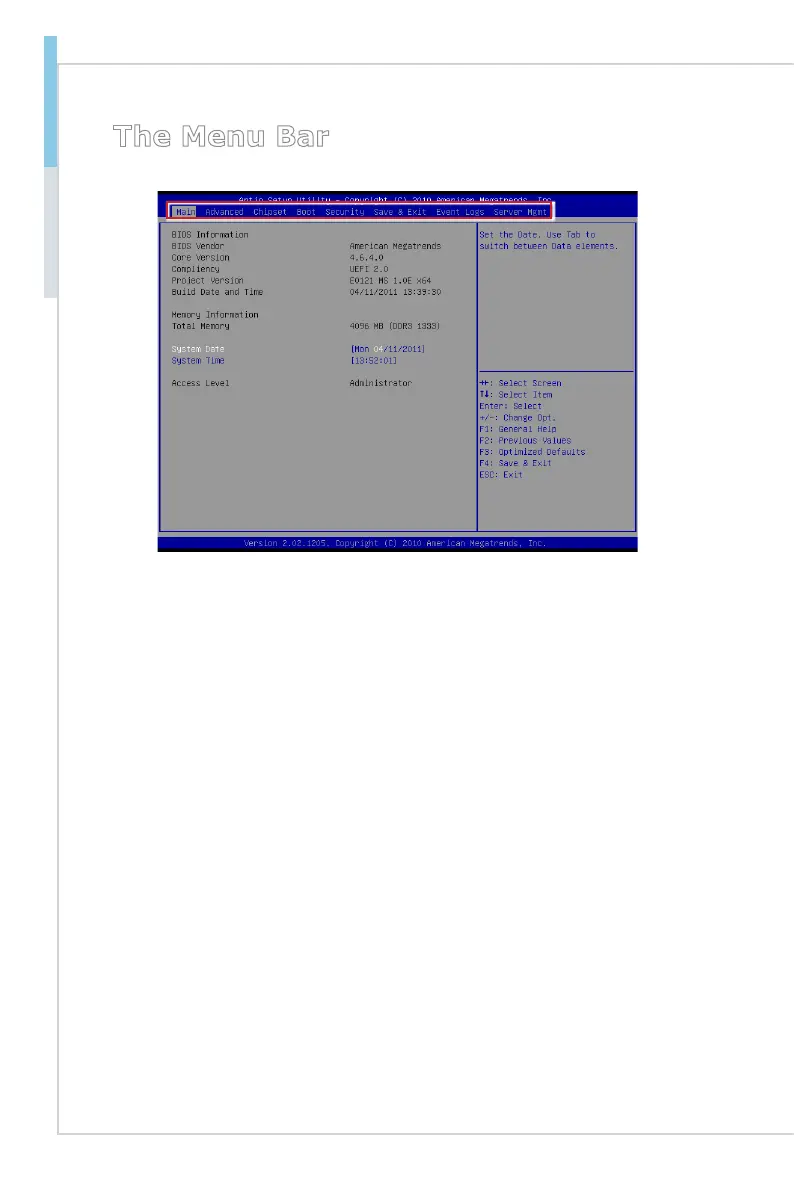
The Menu Bar
Main
Use this menu for basic system congurations, such as time, date, etc.
Advanced
Use this menu to set up the items of special enhanced features.
Chipset
This menu controls the advanced features of the onboard Northbridge and South
-
bridge.
Boot
Use this menu to specify the priority of boot devices.
Security
Use this menu to set supervisor and user passwords.
Save & Exit
This menu allows you to load the BIOS default values or factory default settings
into the BIOS and exit the BIOS setup utility with or without changes.
Event Logs
This menu offers event log options.
Server Mgmt
Use this menu to congure server management features.
▶
▶
▶
▶
▶
▶
▶
▶


 To Next Page