2-11
Hardware Setup MS-S0121
Connector
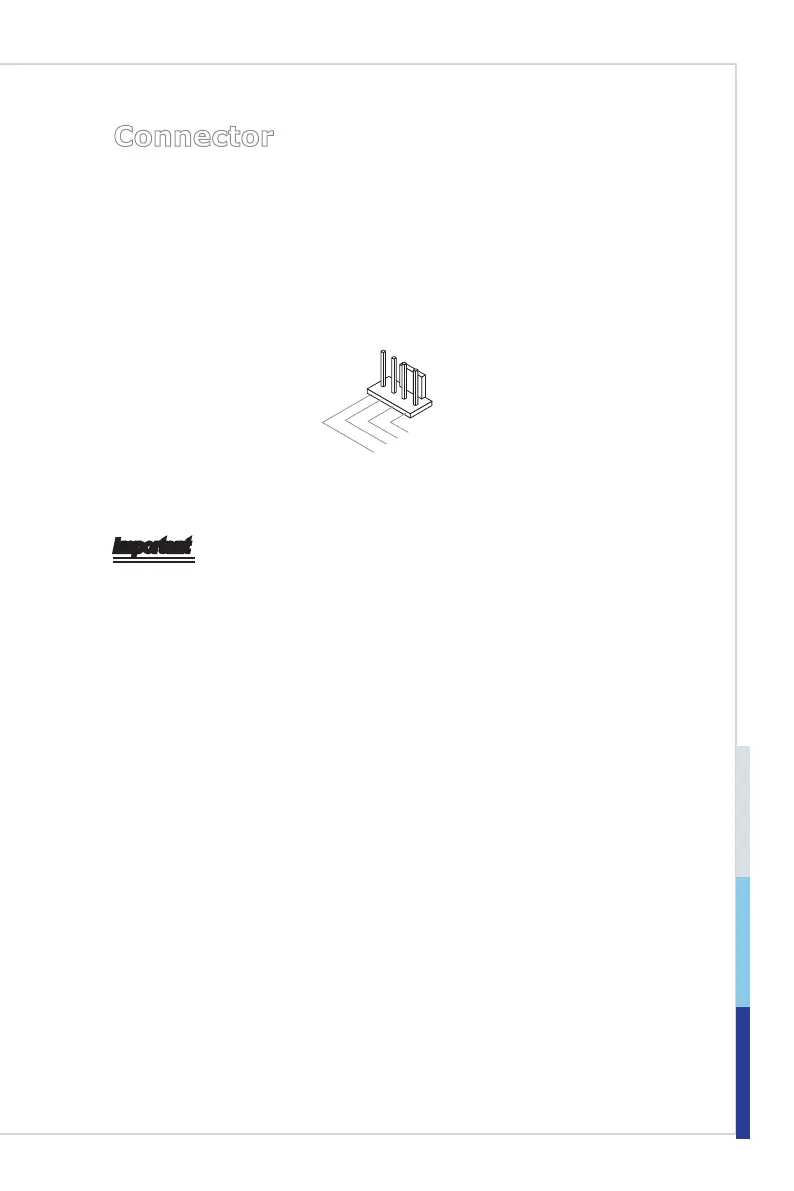
Fan Power Connector: CPU_FAN1, SYS_FAN1 ~ SYS_FAN3
The fan power connectors support system cooling fan with +12V. When con-
necting the wire to the connectors, always note that the red wire is the positive
and should be connected to the +12V; the black wire is Ground and should be
connected to GND. If the mainboard has a System Hardware Monitor chipset
onboard, you must use a specially designed fan with speed sensor to take advan-
tage of the CPU fan control.
1
.Ground
2.+12V
3.Sensor
4.Contro
l
Important
Please refer to the recommended CPU fans at processor’s ofcial website or
consult the vendors for proper CPU cooling fan.
Fan cooler sets with 3- or 4-pin power connector are both available.
•
•


 To Next Page