EasyManua.ls Logo

MTD 310 - Page 7

MTD 310
21 pages
Print Icon
To Next Page IconTo Next Page
To Previous Page IconTo Previous Page
Loading...
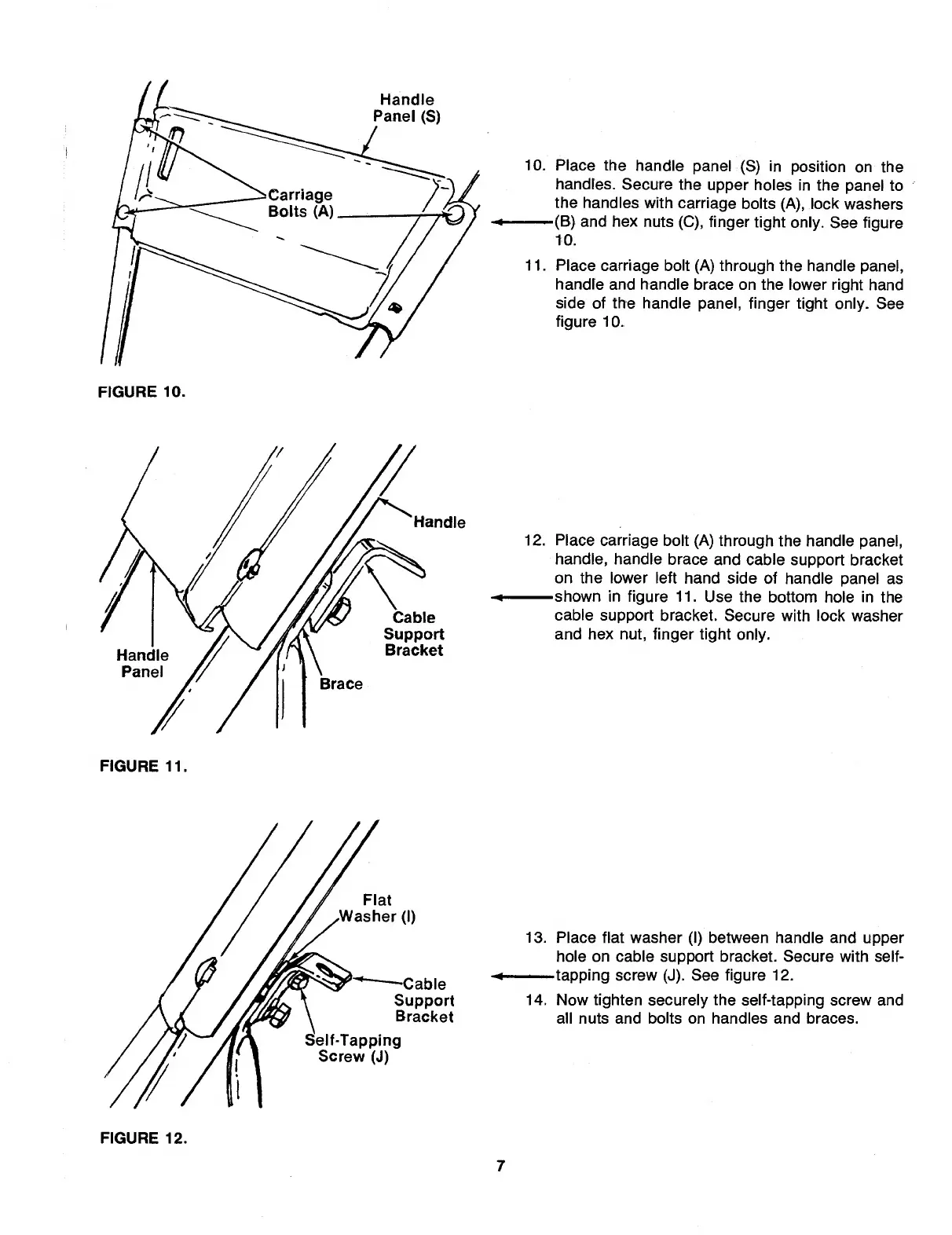
Handle
Panel
(S)
FIGURE
11.
10.
Place
the
handle
panel
(S)
in
position
on
the
handles.
Secure
the
upper
holes
in
the
panel
to
the
handles
with
carriage
bolts
(A),
lock
washers
(B)
and
hex
nuts
(C),
finger
tight
only.
See
figure
10
.
11.
Place
carriage
bolt
(A)
through
the
handle
panel,
handle
and
handle
brace
on
the
lower
right
hand
side
of
the
handle
panel,
finger
tight
only.
See
figure
10.
12.
P
lace
carriage
bolt
(A)
through
the
handle
panel,
handle,
handle
brace
and
cable
support
bracket
on
the
lower
left
hand
side
of
handle
panel
as
-shown
in
figure
11.
Use
the
bottom
hole
in
the
cable
support
bracket.
Secure
with
lock
washer
and
hex
nut,
finger
tight
only.
13.
Place
flat
washer
(I)
between
handle
and
upper
hole
on
cable
support
bracket.
Secure
with
self-
-tapping
screw
(J).
See
figure
12.
14.
Now
tighten
securely
the
self-tapping
screw
and
all
nuts
and
bolts
on
handles
and
braces.
FIGURE
12.
7

Related product manuals