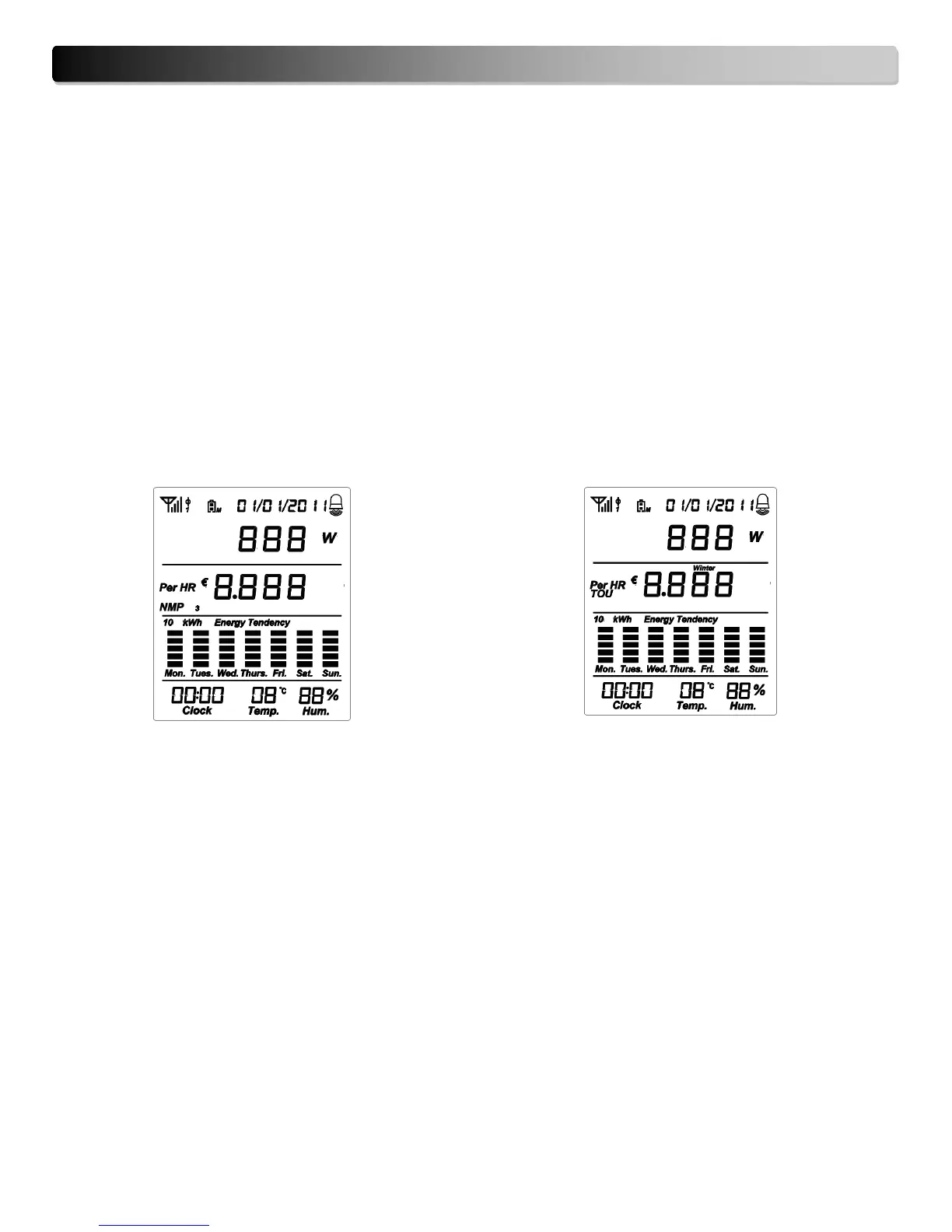
7. Display Information
Soon after successfully pairing the monitor and transmitter, the LCD screen will automatically return to the
default display.
The LCD screen will depend on user’s tariff choice, TOU (Time of Use) tariff or NMP (Normal Meter Pricing),
the default tariff mode is TOU. See pages 10-12 on how to setup tariff mode.
TOU (Time of Use): This tariff setting allows you to set tariff rates according to two seasons, Summer and
Winter rates. For each season you can set four (4) tariff rates applicable to every day in the weekday,
Monday to Friday and a fifth tariff rate for the weekend, Saturday and Sunday. TOU is based on the Ontario
tariff rate system.
NMP (Normal Meter Pricing): Program from 1 to 3 tariffs per day, for every day of the week.


 To Next Page