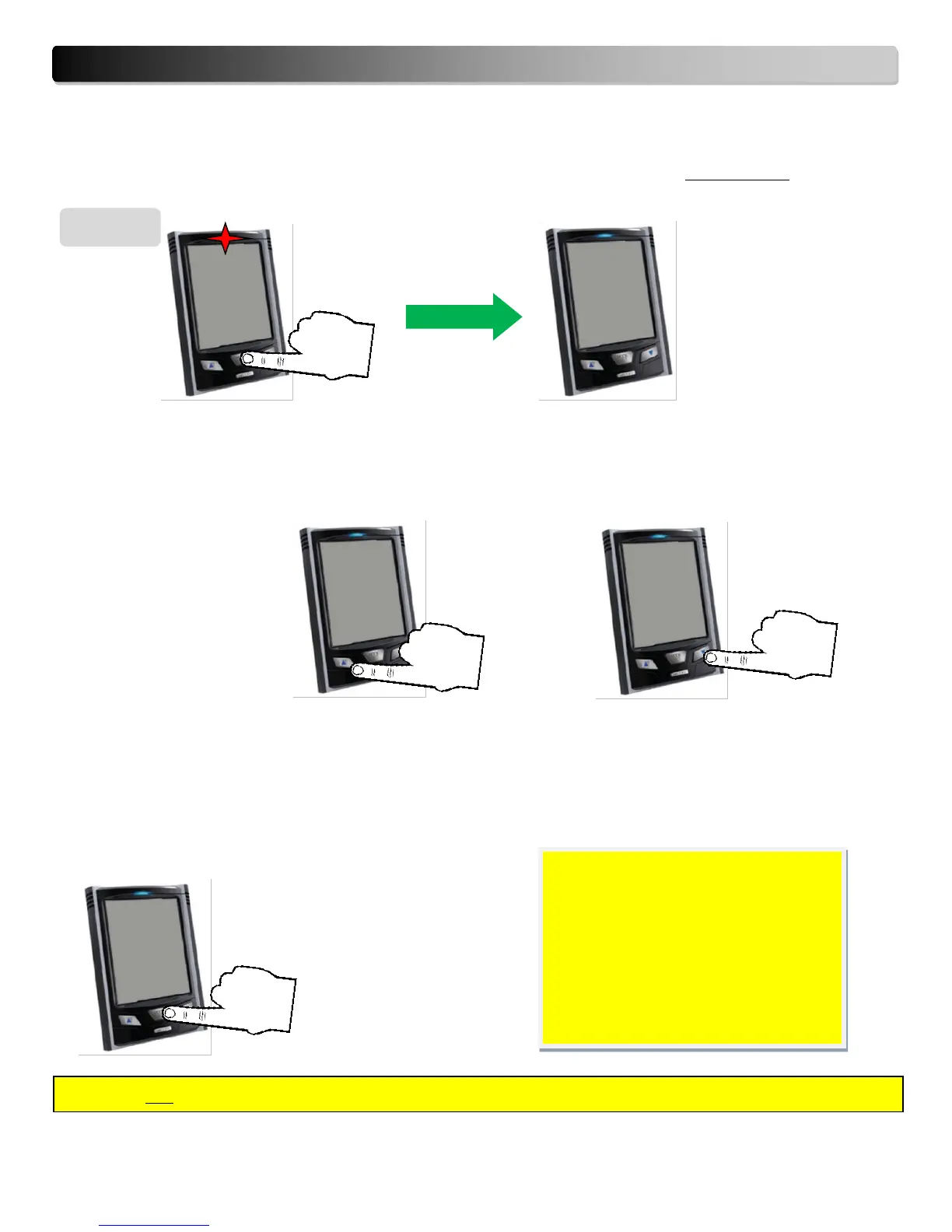
9. Getting into Setting Mode & Set-up Instructions
While the default screen is displayed, press and hold down the SET/MODE key for 3 seconds, until the
red LED starts blinking, then release the SET/MODE key. The monitor is now in Setting Mode.
Scrolling Through the Setting Modes
To scroll through the setting modes (Voltage, Currency, TOU, NMP, CO₂, Max.P, Time, Date, Temperature
and Buzzer), press the UP or DOWN arrow keys.
Selecting a Specific Setting Mode
To select a Specific Setting Mode (Voltage, Currency, TOU, NMP, CO₂, Max.P, Time, Date, Temperature or
Buzzer), use the UP and Down keys to select, followed by the MODE/SET key to enter the selection.


 To Next Page