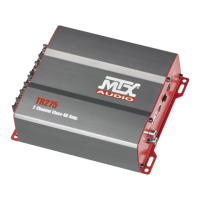
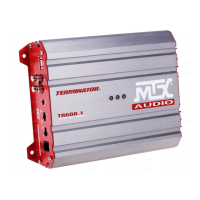
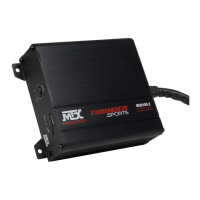
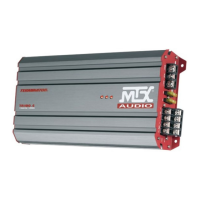
Control Panel :
Gain Control (Gain) : The gain control matches the input sensitivity of the amplier to the source unit being used.
The operating range varies from 100mv to 6V.
Adjusting the gain
1. Turn the gain control on the amplier all the way down (counter clockwise).
2. Turn up the volume control on the source unit to approximately 3⁄4 of maximum.
3. Adjust the gain control on the amplier until audible distortion occurs.
4. Adjust the gain control down until audible distortion disappears.
5. The amplier is now calibrated to the output of the source unit.
X-Over Switch (X-Over) :
In “LP” position, the active low pass (LP) x-over is turned on. Use this position for subwoofer application.
In “HP” position, the active high pass (HP) x-over is turned on. Use this position for speaker application.
In “O” position, the x-over is turned o. The amp is in wide range mode.
PowerOn/Protection LED : The LED illuminates red when the amp is switched on. When the amps is in shortcir-
cuit or thermal protection, the LED is blinking.
RCA Inputs (Input) : These RCA inputs are used with source units that have RCA or Line level outputs. (Source
units need a minimum level of 100mV output for proper operation of the amplier).
MTX recommends only high quality twisted pair cables (such as StreetWires) to decrease the possibility of radi-
ated noise entering the system.
Speaker level inputs (HLI) : This input will allow the amplier to operate from source units with speaker-level
outputs. Output speaker leads from the source unit should be tied directly to the wire harness provided with
the amplifier.
Note : When speaker level inputs are used, a remote turn on wire must used to switch the amplier on and o.
(+12V) Power Terminal (+12V) : This is the main power input for the amplier and must be connected directly to
the positive terminal of the vehicles battery for proper operation. Use caution when installing (+12) power cable
in the vehicle. Avoid running this cable parallel with RCA cables, antennas, or other sensitive equipment due to
massive currents that can induce noise into the audio system. It is also very important to have a tight, secure con-
nection for maximum performance. MTX recommends using 10mm
2
power wire with the MTX TR100.4 amplier.
Remote Terminal (REM) : The amplier can be turned on by applying 12 volts to this terminal. Typically this volt-
age is supplied by a wire from the source unit marked “remote” or “power antenna”.
Ground Terminal (GND) : A proper ground is required for your amplier to operate at peak performance. A short
ground cable the same diameter as the power cable should be used to attach the ground terminal directly to
the chassis of the vehicle. Always remove paint, dirt or debris to expose bare metal where the ground will be
attached.
Speaker Terminals (Speakers) : Connect speakers to these terminals. Observe speaker polarity throughout the
system. Improper phase can result in loss of bass response and/or poor overall sound quality.
Bridge Mode : When bridging the amplier, use the right negative terminal and the left positive terminal only.
Warning : do not bridge the amplier with an impedance lower than 4Ω.
Fuse (20A) : When fuse blow, replace them with the same value. Never use a higher rated fuse !


 To Next Page
 Loading...