www.mucarco.com
www.mucarco.com
1413
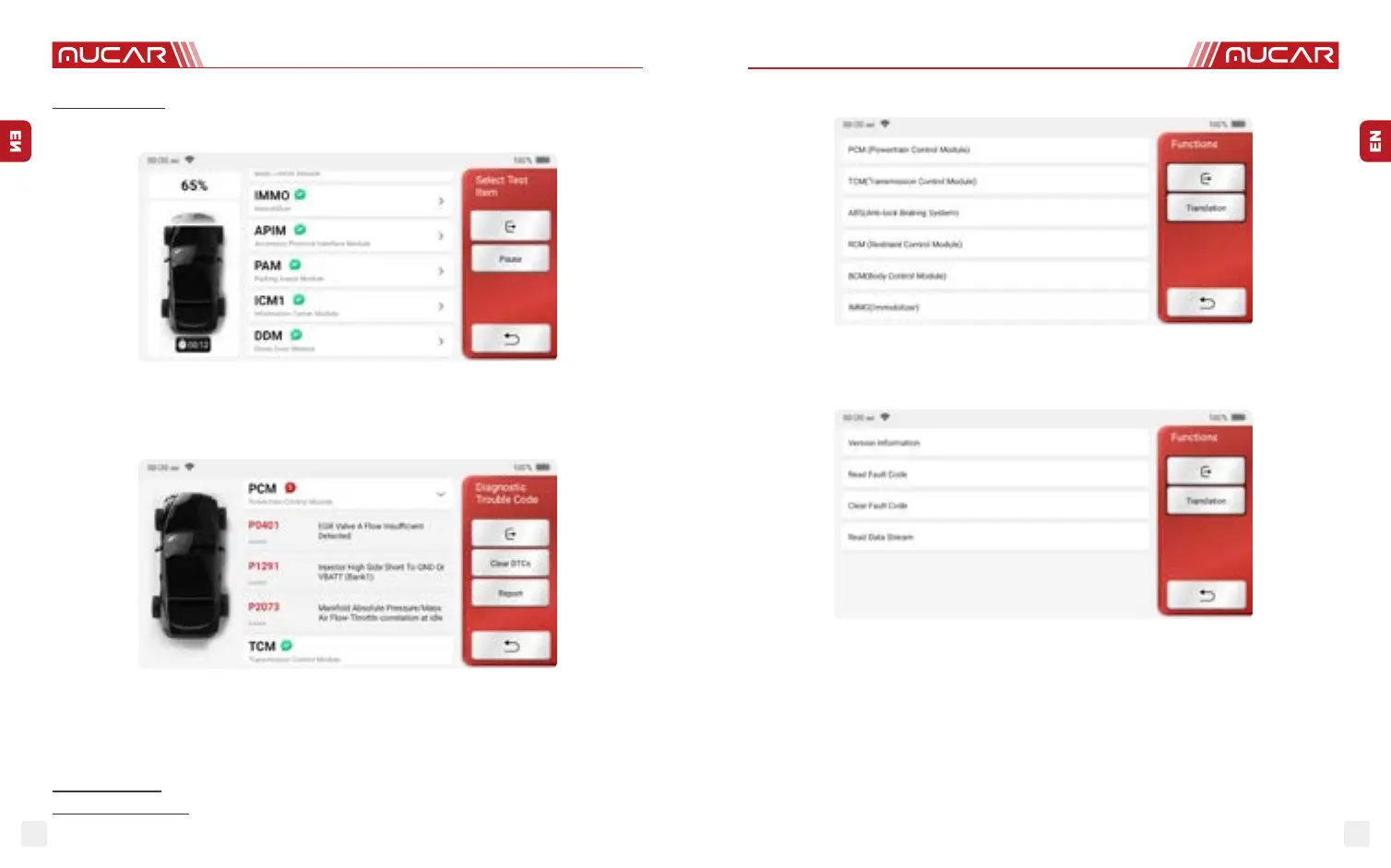
A. Health Report: this mode is to quickly check the vehicle and display the vehicle health
report (it’s available only when the the diagnosis software support this function). After
clicking “quick test”, the system starts scanning DTC separately and show the result.
If you want to pause the scan, click “Pause”.
After the scan is over, the system will display the diagnostic report directly. The DTC can
be hidden by clicking the button after it.
The system with DTC will be displayed on the screen in red font, and the specic number
of DTC will be shown. A DTC-free system will be displayed as "OK".
Click the system name to see the specic denition of the DTC.
B. System Scan: Automatically scan all systems of the vehicle.
C. System Selection: Manually choose the automotive electronic control system.
2. Choose the system: Click “PCM” (e.g.), and the screen will enter selection interface.
3. Choose the function: click the function to be tested.
Tips: The diagnosis menu varies with dierent vehicles.
A. Version Information
As shown in the picture, click “Version Information” to read the current version information
of the car ECU.
B. Read Fault Code
This function is to read the DTC in the ECU memory, helping maintenance person to
quickly identify the cause of the vehicle breakdown.
Tips: Reading the DTC when troubleshooting a vehicle is only a small step in the entire diagnostic


 To Next Page
 Loading...