www.mucarco.com
www.mucarco.com
43
1.1.5 User Agreement
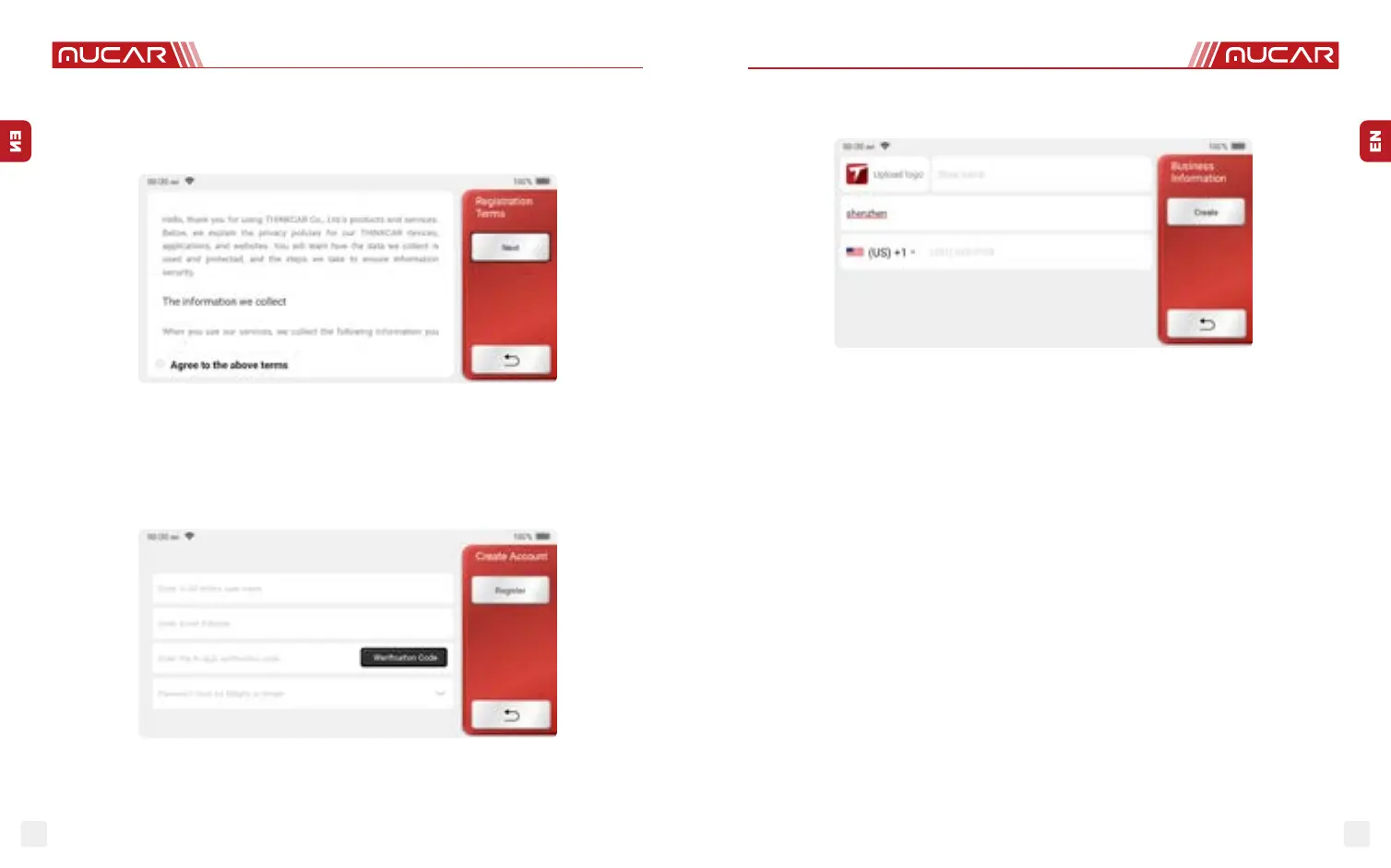
Please read all the terms and conditions of the user agreement carefully. Choose “Agree
all the above terms”, and click the “Agree” button to complete the registration process.
Then the page will jump to the “Congratulations on your successful registration” interface.
Initial settings are nished after the above steps. It will automatically jump to the work
interface after 3 seconds.
1.1.6 Create an Account
You need to register an account through your e-mail box. If you have owned other products
of MUCAR series, you can directly log in by using the account available.
1.1.7 Typing in Business Information
Typing in the repair shop information, which will be shown in the diagnostic report.
2 General information
2.1 On-Board Diagnostics (OBD) II
The rst generation of On-Board Diagnostics (OBD I) was developed by the California
Air Resources Board (ARB) and implemented in 1996 to monitor some of the emission
control components on vehicles. As technology evolved and the desire to improve the
OnBoard Diagnostic system increased, a new generation of On-Board Diagnostic system
was developed. This second generation of OnBoard Diagnostic regulations is called “OBD
II”. The OBDII system is designed to monitor emission control systems and key engine
components by performing either continuous or periodic tests of speci c components
and vehicle conditions. When a problem is detected, the OBDII system turns on a warning
lamp (MIL) on the vehicle instrument panel to alert the driver typically by the phrase of
“Check Engine” or “Service Engine Soon”. The system will also store important information
about the detected malfunction so that a technician can accurately nd and x theproblem.
Here below follow three pieces of such valuable information:
1) Whether the Malfunction Indicator Light (MIL) is commanded ‘on’ or ‘o ’;
2) Which, if any, Diagnostic Trouble Codes (DTCs) are stored;
3) Readiness Monitor status.
2.2 Diagnostic Trouble Codes (DTCs)
OBD II Diagnostic Trouble Codes are codes that are stored by the on-board computer
diagnostic system in response to a problem found in the vehicle. These codes identify a
particular problem area and is intended to provide you with a guide as to where a fault



 To Next Page
 Loading...