Machine Training Schedule
Company :
Date:
Contact :
Serial No:
Technician :
The following persons have been trained in the procedures shown below:
Trainee: Trainee:
Trainee: Trainee:
Description Yes/No
Basic operation procedures in GUI software including:
Adding Tools and Tool Descriptions
Mapping Tools to ATC
Other:
Other:
Other:
Other:
Basic operation procedures on the Multicam machine:
Machine On/Off procedure
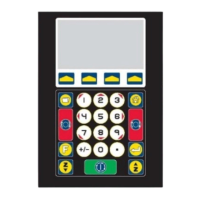
Using Sub Console
Selecting Folders and Files
Starting a Job (Start Button)
Pausing a Job (Stop Button)
Seeking a shape within a job
FUNC 9 Aborting a job
FUNC 12 Machine Homing
FUNC 25 Individual Tool Tip
FUNC 26 Multiple Tool Tip
FUNC 31 Pick Up a Tool
FUNC 34 Put Tool Away
FUNC 50 Turning Appliances ON/OFF
FUNC 50.1 Setting Appliances AUTO/OFF
Vacuum Table operation on material without bows
Use of Clamps for bowed material
Correct Lubrication procedure for Oscillating Knifes
Safe use of automatic, semi-automatic or manual clamping devices
Use of PPE to prevent injury through cuts by cutting tools and blades
Other
Basic maintenance procedures on the Multicam machine:
Draining Micro Filter
Cleaning Air filter (if a vacuum table)
Dust Extraction bag emptying
General cleaning procedure
Technician Signature___________________Customer Signature____________________


 To Next Page