User Manual
3. Panel Operation
3.1.1 Turn On/Off the Channel Output
Press the On/Off key to turn on/off the channel.
3.1.2 Set the Output Voltage/Current
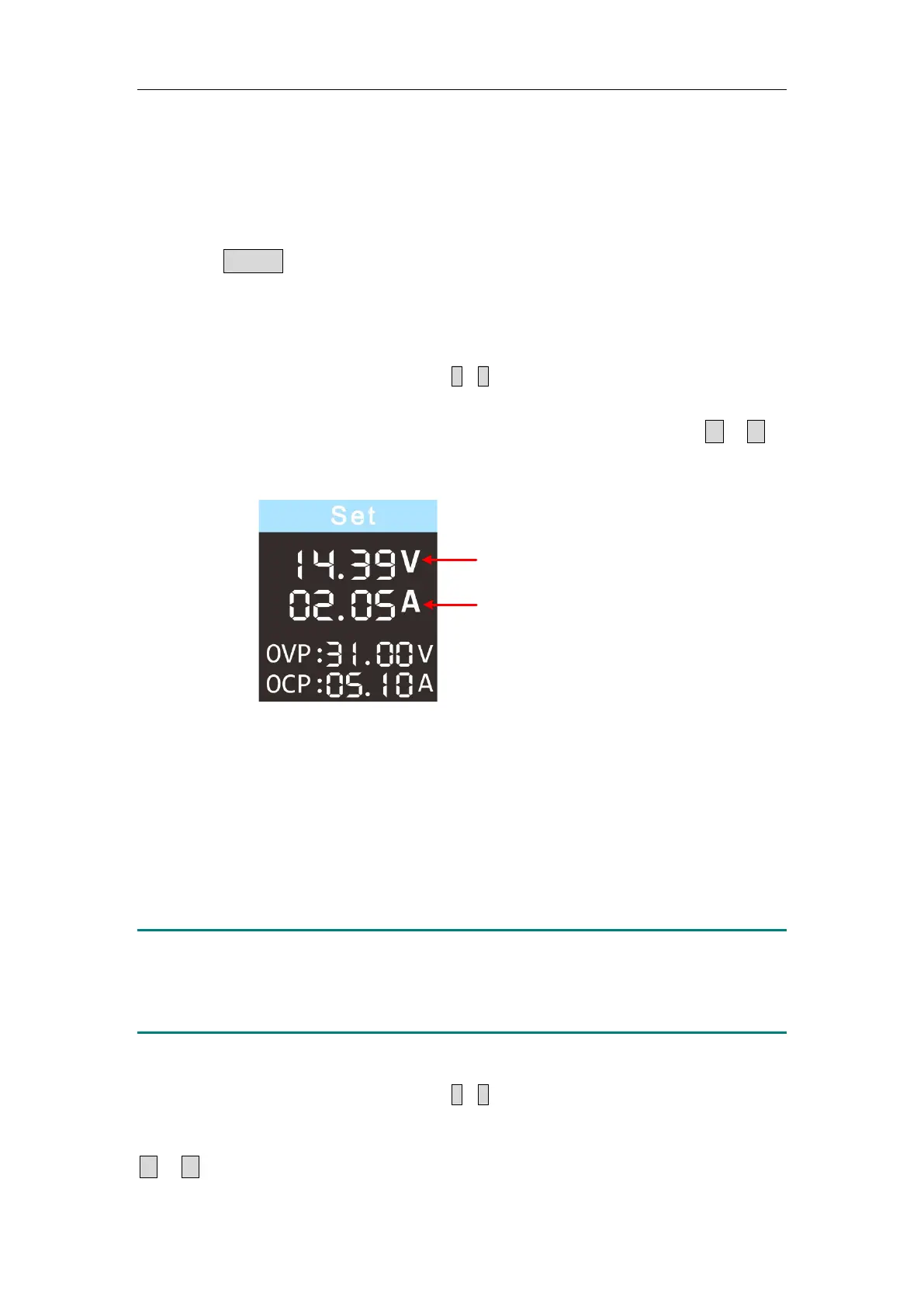
In the channel setting area, press the
/
keys to move the red cursor
between parameters. After selecting the output voltage/current setting value,
turn the rotary control to change the current cursor value, and press
/
key to move the cursor position.
Set values of voltage
Set values of current
3.1.3 Over Voltage/Current Protection
When the Over Voltage Protection (O.V.P) or Over Current Protection (O.C.P)
is enabled, once the output voltage/current reaches the set value of
O.V.P/O.C.P, the instrument will cut off the output, a warning will show on the
screen.
Note:
When the instrument disables the output due to protection, after you
make some adjustments, the channel must be restarted to output
normally.
This function can keep the power output from exceeding the load rating to
protect the load.
In the channel setting area, press the
/
keys to move the red cursor
between parameters. After selecting the overvoltage/overcurrent protection
value, turn the Rotary control to change the current cursor value, and press the
/
direction key to move the cursor position.


 To Next Page