Multicomp-pro
6. Set the relative value.
Press the Rel softkey to turn on or off the relative operation. For relative operation,
the multimeter subtracts the pre-specified value of REL operation from the actual
measurement result and displays the result. See page
28, R
elative Value.
Measuring DC Current
This section describes how to configure DC current measurements.
Operating Steps:
1. Enable the DCI measurement.
Press on the front panel to enter DCI measurement mode.
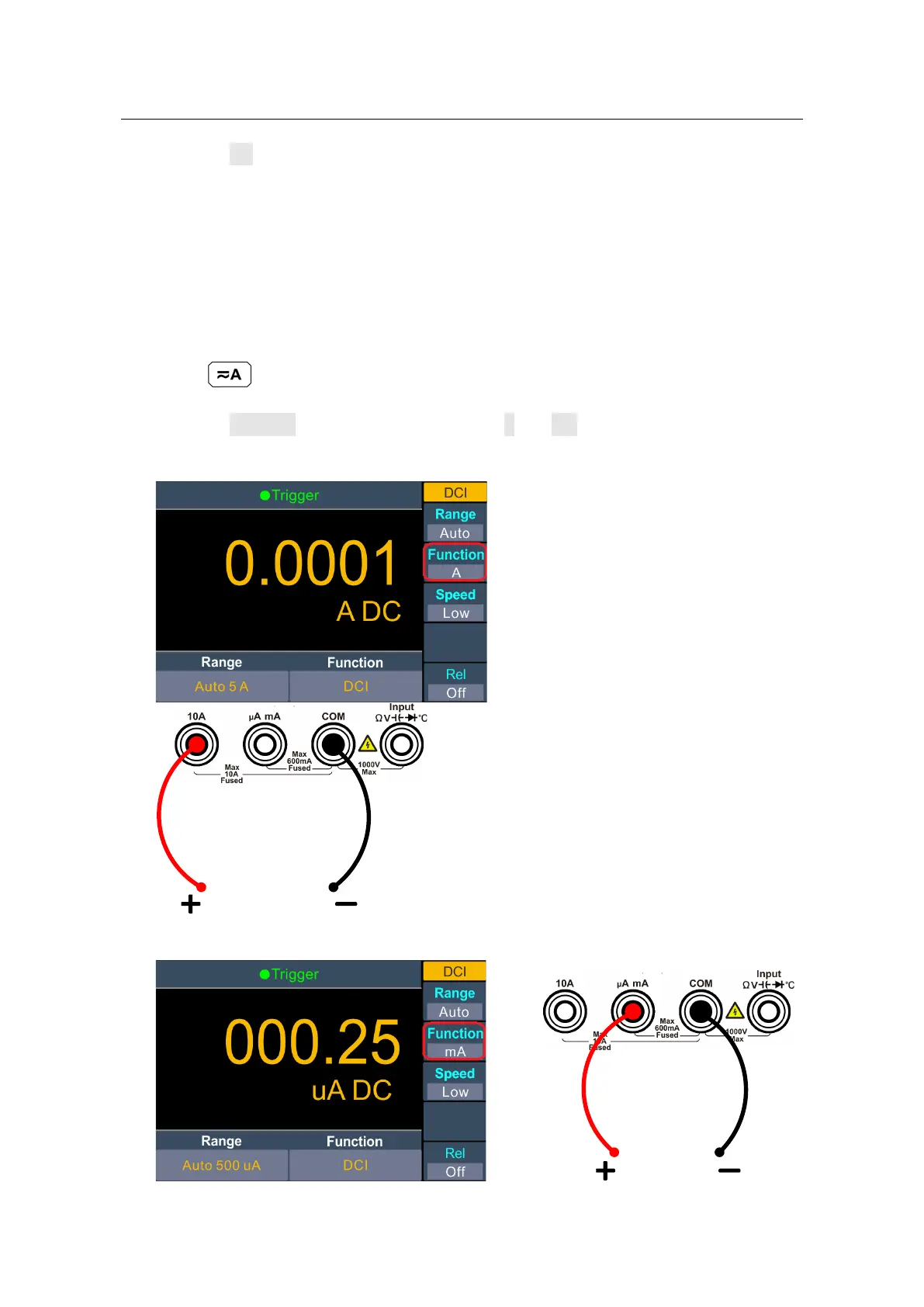
2. Set the function.
Press the Function softkey to switch between A and mA.
3. W
hen the Function is set as A, connect the test lead as below.
When the Function is set as mA, connect the test lead as below.


 To Next Page