Multicomp-pro
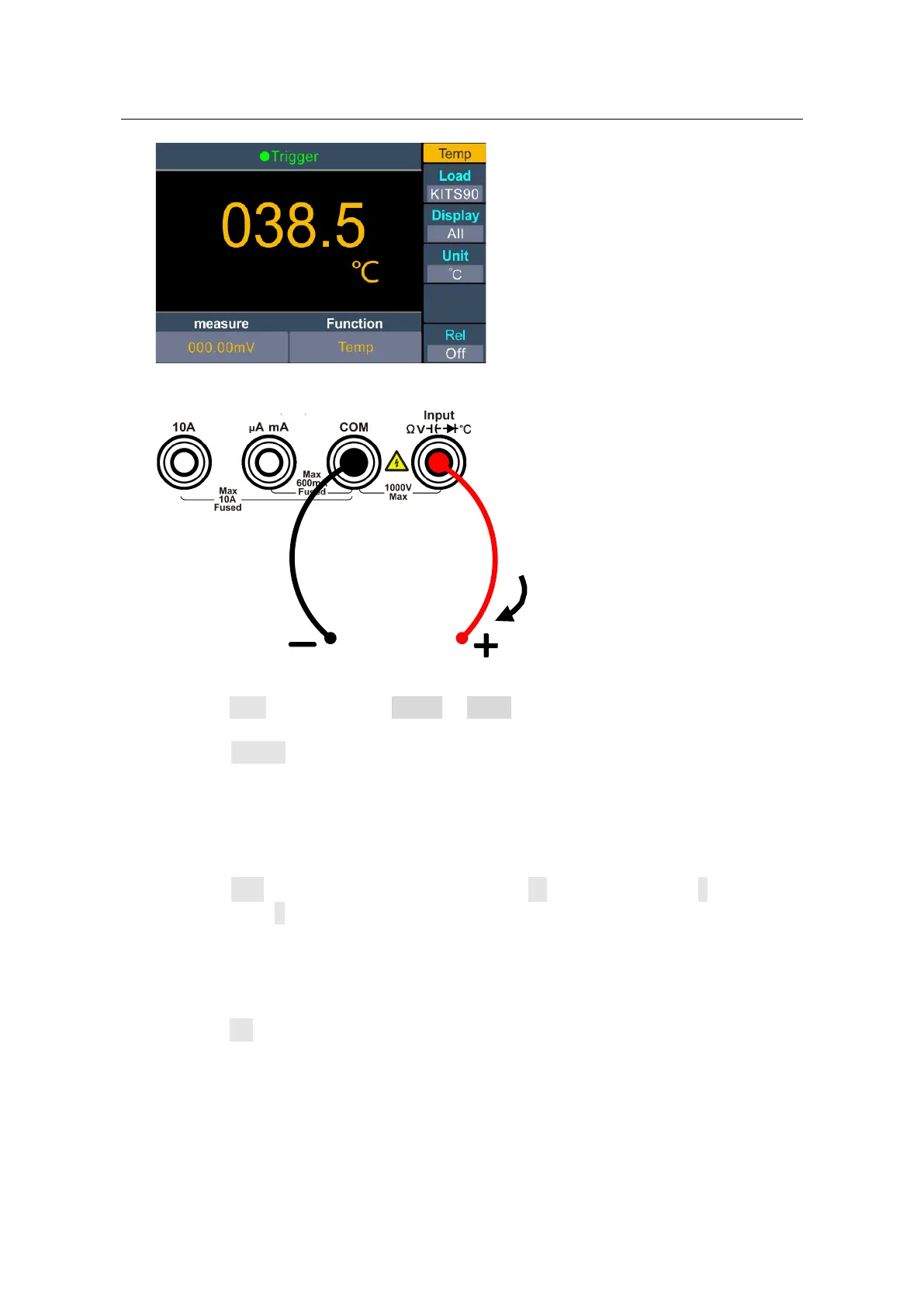
2. Connect the test lead.
3. Set the sensor configuration file.
Press the Load softkey, choose KITS90 or Pt100.
4. Set the display.
Press the Display softkey to set the display mode of the result.
Temp: only the temperature value will be displayed;
measure: only the measurement value will be displayed.
All: both the temperature value (on the main display) and the measurement value
will be displayed.
5. Set the temperature unit.
Press the Unit softkey to display temperature in ℃ (degrees Celsius), ℉ (degrees
Fahrenheit), or K (Kelvin).
The conversion relations between these units are:
℉ = (9/5) ×℃ + 32
K ≈℃ + 273.15
6. Set the relative value.
Press the Rel softkey to turn on or off the relative operation. For relative operation,
the multimeter subtracts the pre-specified value of REL operation from the actual
measurement result and displays the result. See page
28, Relative Value.
I
Temp
Transducer


 To Next Page