18
Section 3
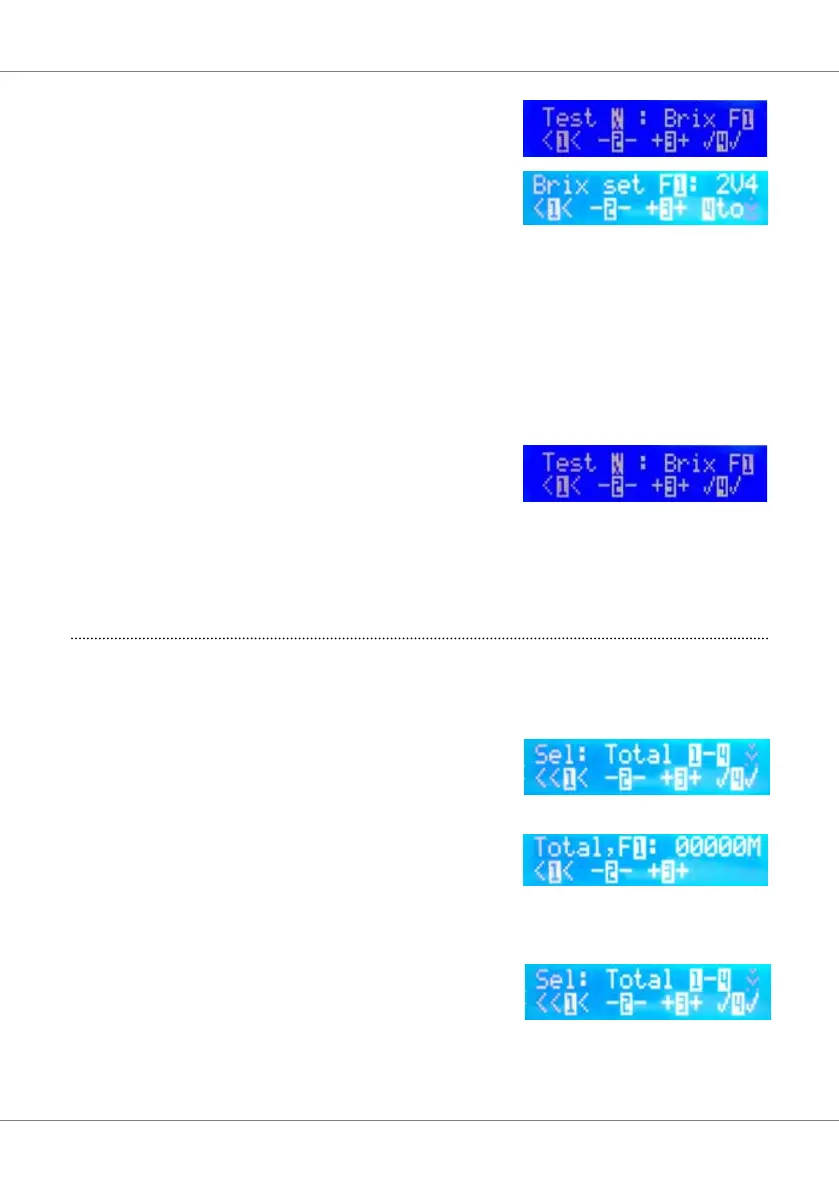
Whilst still in the brix screen, using button 2(-)
& 3(+) select the syrup avour to brix.
Press button. This will take you to the screen to
adjust the syrup pump voltage: Example: 2V4
equates to 2.4 volts.
With a measuring cup / brix cup, under the
dispense nozzle, press button 4. to dispense a
7 sec. syrup pour.
Adjust the pump voltage using buttons 2(-) and 3(+)
toincreaseordecreasethesyruppumpowrate.
Repeat until the correct volume is dispensed.
Press button 1 to move back to the previous
screen. Press button 3(+) to toggle to the next
syrupavour(avour2)
Repeatasaboveuntilallfoursyrupavourshave
been set-up. Press button 1 twice to bring you out
of the Brix screens and back to the main menu.
6. Syrup pump run time total (Information
data only).
Press button 3(+) to move to the next screen.
This screen shows the total run time for each syrup
pump in minutes.
Press button 4 to go to the count screen to
display the total run time for syrup pump 1.
Press buttons 2(-) and 3(+) to toggle between the
run time screens for pumps 2, 3 and 4.
Pressing button 1 will move you back to the total
screen to allow you to move to the next menu
screen.



 To Next Page