39
Section 4
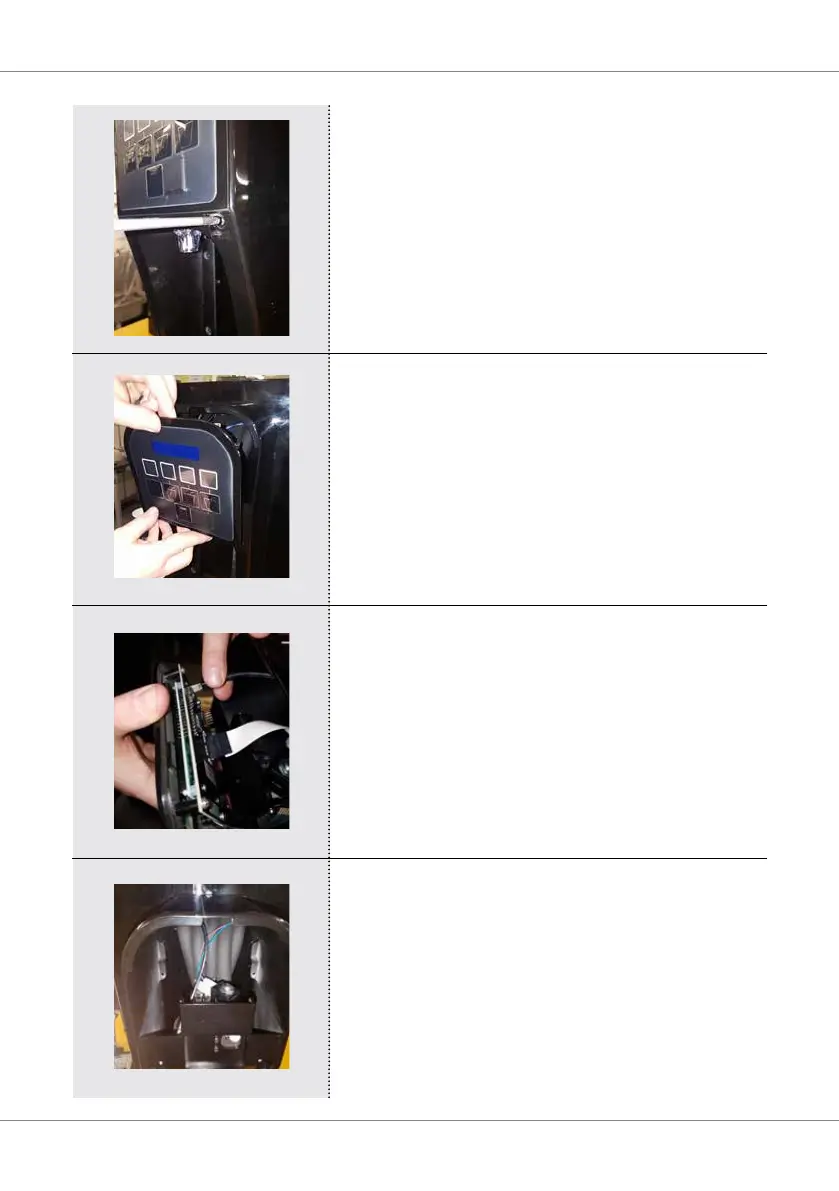
Remove the two screws from the membrane panel.
The membrane panel will now lift out of the tower.
Note: Don’t pull away from the unit until USB lead is
disconnected
(see below).
Disconnect the USB lead from the back of the
display.
Once the membrane/display panel is removed
wipe around the front of the unit with a damp
cloth,thendryowithaseparatecleancloth.
Then carefully wipe over the membrane/display
panelwithadampcloth,thendryowitha
separate clean cloth.
Caution! Avoid getting water on the diplay pcb.
always ensure the pcb is dry before reassembly.



 To Next Page