
 To Next Page
T
Todd EvansAug 2, 2025
How to correct a reversed control surface on Multiplex Toy?
- ZzavalapatrickAug 2, 2025
If a control surface is reversed on your Multiplex Toy, check the transmitter settings and adjust them as needed.

How to correct a reversed control surface on Multiplex Toy?
If a control surface is reversed on your Multiplex Toy, check the transmitter settings and adjust them as needed.
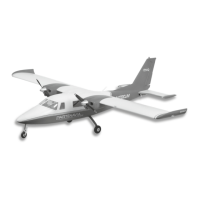
Why is my Multiplex PARTENAVIA P.68 Toy aircraft underpowered?
If your Multiplex Toy aircraft is underpowered or experiencing reduced flight times, try these steps: First, recharge the battery. Second, make sure the ESC has adequate cooling. Finally, if the issue persists, replace the battery with a new one.
How to fix Multiplex PARTENAVIA P.68 Toy when it's not responding to throttle?
If your Multiplex Toy aircraft isn't responding to the throttle but responds to other controls, try the following: * Calibrate the ESC according to the manual. * Activate the throttle on the radio. * Check the motor wires and connect or repair them as needed.
What to do if Multiplex PARTENAVIA P.68 Toy motor loses power during flight?
If the motor of your Multiplex Toy is losing power during flight, you can try the following: * Recalibrate the ESC. * Check the battery, transmitter, receiver, and motor, and replace any defective components. * Land the aircraft immediately and recharge the battery.
How to reduce excessive vibration in Multiplex Toy?
To address excessive propeller noise or vibration in your Multiplex Toy, consider these actions: * Tighten or replace any damaged parts. * Balance the propeller or EDF unit. * Remove and correctly reinstall the propeller. * Ensure the mounting is tight and all parts are correctly fitted.
What to do if Multiplex PARTENAVIA P.68 control surface is not moving?
If a control surface on your Multiplex Toy isn't moving or responds slowly, consider these steps: * Replace or repair any damaged parts and adjust the controls. * Check all wires and ensure the connections are secure. * Repair or replace any damaged wires or connectors.
Why does my Multiplex PARTENAVIA P.68 Toy receiver LED flash slowly?
A slow LED flash on the receiver of your Multiplex Toy could indicate a receiver power loss. Check the connection between the ESC and the receiver. Also, check if servo is damaged and if the linkages are in place.
Model must be used in hobby sector only with recommended accessories for safe functioning.
Even with proper operation, risks exist; third-party liability insurance is mandatory.
Check all parts before use; contact service for faulty parts; manufacturer reserves right to make changes.
RC models are not toys; require understanding, skills, discipline, and safety awareness.
Model has static limitations; nosedives/reckless maneuvers cause damage.
Special adhesive for ELAPOR® models; avoid activators for strong bonding.
Lists key features like brushless motors, LED lights, landing gear, and battery compartment.
Lists item names and corresponding part numbers for replacement.
Instructions for fitting the main landing gear using screws and landing gear cover.
Steps for placing and fixing the horizontal stabilizer and connecting linkage rod.
Steps for inserting wing spar, attaching wing halves, and fixing the main wing.
Sequence for installing spinner set and propellers, noting CW/CCW placement.
Adjusting linkages to indicated positions for control horns and servos.
Procedure for connecting the battery, securing it, and adjusting CG.
Guidance on adjusting the center of gravity by moving the battery or adding ballast.
Check correct operation of ailerons when control lever moves left or right.
Check correct operation of elevator when control lever moves upward or downward.
Check correct operation of rudder when control lever moves left or right.
Visual check of flaps deployment and effect on the aircraft.
Table detailing low and high dual rates for Aileron, Elevator, Rudder, and Flaps.
Addresses issues with throttle or other controls not responding.
Solutions for excessive propeller noise or vibration during operation.
Troubleshooting for reduced flight duration or underpowered aircraft.
Diagnoses for control surfaces not moving, slow response, or reversed operation.
Identifies causes and solutions for motor losing power during flight.
Troubleshooting slow LED flash on the receiver, indicating power loss.
Details programmable ESC features like brake, battery type, and startup mode.
Instructions for calibrating throttle range before initial use.
Step-by-step guide for powering on the transmitter and connecting the battery.
Explains startup failure, over-heat, and throttle signal loss protections.
Addresses common problems like motor not working or abnormal alert tones.
Guides on entering program mode, selecting items, setting values, and exiting.

 General