MAYCO LS450 CONCRETE PUMP • OPERATION MANUAL — REV. #2 (02/23/21) — PAGE 39
1. Press the ON/OFF button on the radio (wireless)
remote control to turn on the power. Hold the RESET
switch up. The display will now show:
Screen 9
2. After 5 seconds, the display will show:
Screen 9
3. The hand-held remote control module is now ready
for use.
Remote Control Cable Operation (25 Feet)
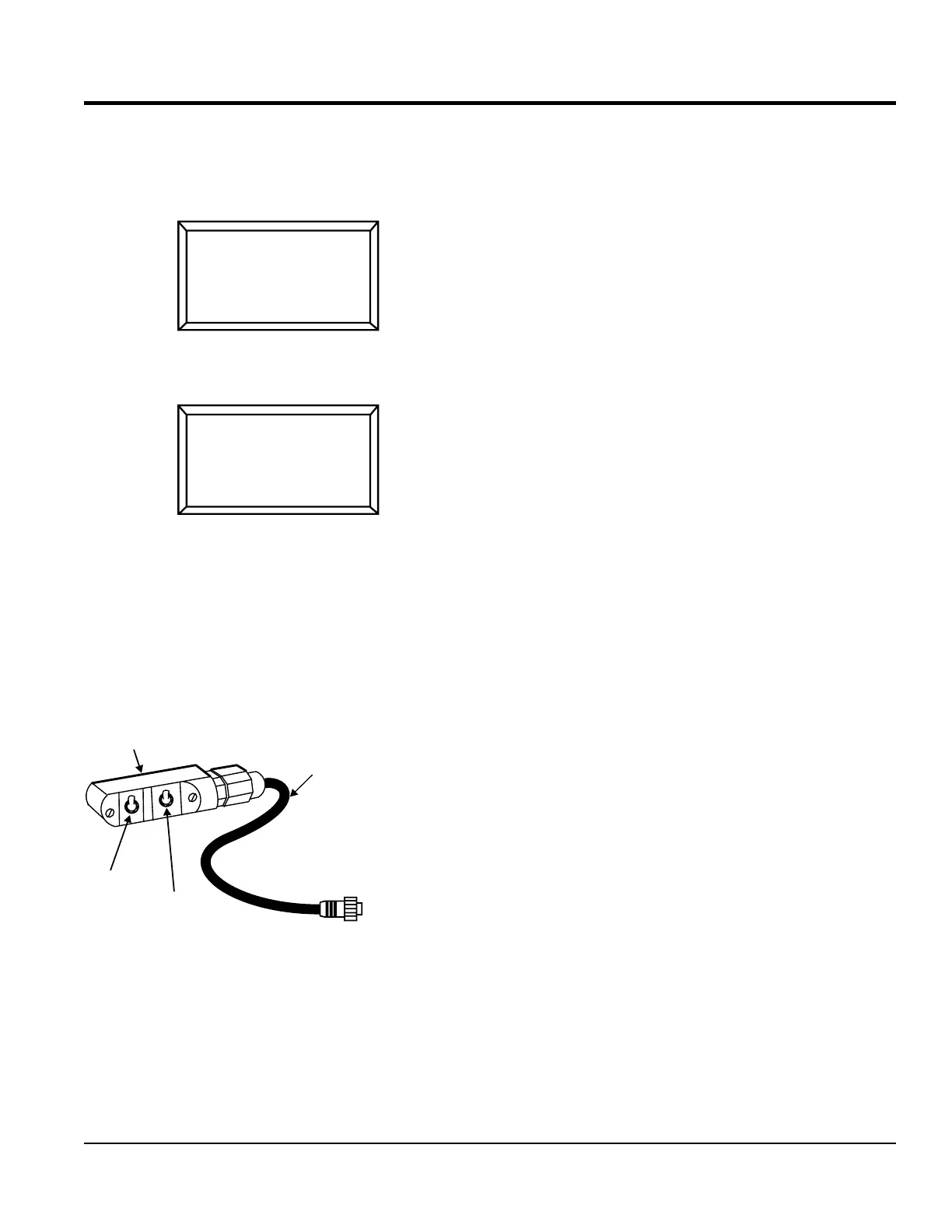
The remote control cable (Figure 41) has the following
controls:
Pump ON/OFF — Starts and stops forward pumping.
Pump REV — Starts pumping in reverse direction.
Figure 41. Remote Control Cable
Connect the remote control cable (Figure 41) to the
receptacle labeled remote located on front of the digital
panel.
RADIO ADDRESS
NOW SCANNING
FOR NEW
TRANSMITTER
9
RADIO ADDRESS
COMMUNICATING
PRESS RESET TO
LEARN A NEW ONE
9
CABLE UNIT
REMOTE CONTROL CABLE UNIT
25 FT. CABLE
PUMP REV
PUMP ON/OFF
TO CONTROL BOX
CONNECTOR
Before the remote control cable can be used, the pumping
volume rate must be set.
1. Start the pump as outlined in the Operation section
of this manual.
2. Place the pumping control switch in the LOCAL
position.
3. Using the momentary volume control switch, adjust
the pumping rate (volume) to the desired strokes per
minute.
4. Once the desired pumping rate has been achieved,
place the pumping control switch in the REMOTE
position.
OPERATION


 To Next Page