Page 2
VLL VLN
A
A
Avg
KA
PS
5 0 0 4 1 5
5 0 0 4 1 5
5 0 0
f r q
5 0 0
C r t
N E T
t r f
O R
s
4
3 P
u A L
4 1 5
Voltage
RPM
(5 - 10000)
Primary C.T. Value
VL1L2
VL2L3
VL3L1
Password 39
Value
Transformer
Network
3 Phase
(3Ø-4W /3Ø-3W /
1Ø-2W)
r s t
n O
L d r
Load
hour
Reset
P A s
3 9
R D
Pole
p O L
1Ø-2W NETWORK CONNECTION
1) Average Page :-
2) Load hour & RPM Page :-
S O
v
v
v
IL1
IL2
IL3
1) If Phase sequence is not correct then PS LED will turn ON.
4 Wire
Current
Current
Frequency
VLL
VLL VLN
VLN
A
Avg
Avg
KA
KA
PS
PS
u 2 3 0
L D H
I
5 0 0
2
1
5 0 0
1 3 0
Load Hour
r p
4
(1-28)
VLL
VLL
VLN
VLN
A
A
Avg
KA
KA
PS
5 0 0
1 0 2
1 0 2
1 0 2
1 3 0
4 1 5
L D H
2
5 0 0
4 1 5
5 0 0
4 1 5
VL1L2
VL2L3
VL3L1
DP
Password 29
L O A
P E R
D H
E N B
5
O U R
(Enable/Disable)
Load
Hour
P A s
5 0
2 9
R D
(5-50)
If Enable
Percentage
If Disable
If Disable
(Enable/Disable)
v
IL1
IL1
IL2
IL2
IL3
IL3
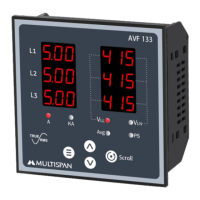
2) If Current exceed 999Amp, KA LED will turn ON.Display
will be as show below.
3) In Load hour page blinking DP is indicating that load
hour is incrementing.
Avg
PS
Actual load hour = 21 hours 30 minutes.
Password 19
P A s
S O
1 9
R D
C E N
T A
If Enable
E N B
r p
RPM
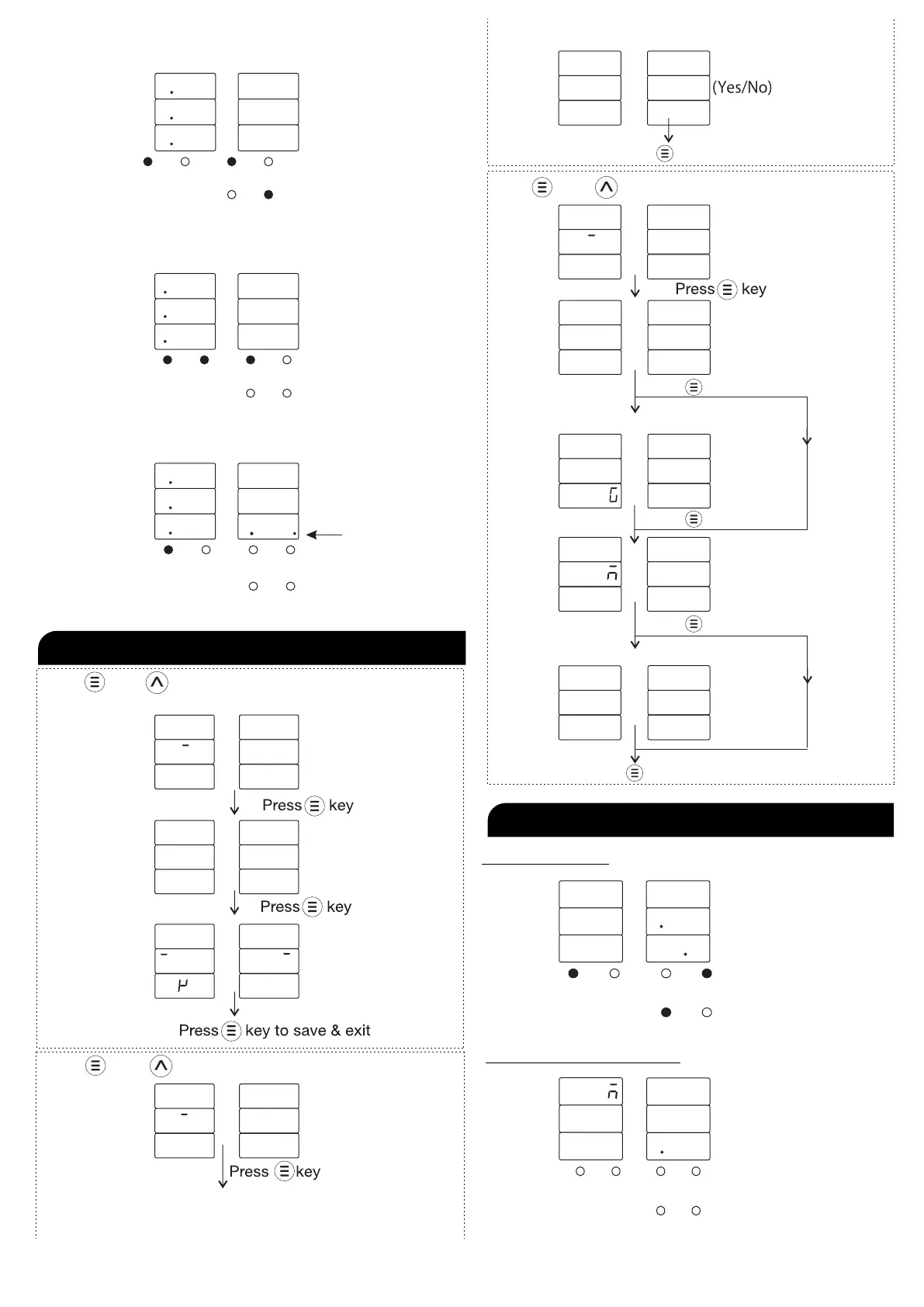
PARAMETER SETTING
v
NOTE :
To be continued
Press key & key together for C.T ratio selection & network
connection
Press key & key together for reset load hour
Press key to save & exit
Press key & key together for load hour & RPM.
Press key
Percentage
Press key
Press key
Press key to save & exit
P E R


 To Next Page