EasyManua.ls Logo

MULTISPAN AVF-133 - User Manual

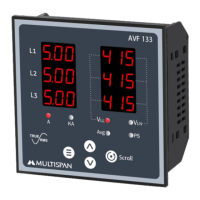
MULTISPAN AVF-133
4 pages
Print Icon
To Next Page IconTo Next Page
Loading...
Page 1
Please Refer page-2 for wiring connection
30 to 300V (L - N)
5 to 10000 Selectable
< 0.2 VA
< 0.2 VA
45.0 to 65.0 HZ
Up to 9999 Hr 59 min
System Frequency
Indication
100 to 270V AC,50/60Hz
All Phase Amp, Avg Amp
VLL ,VLN , Avg
Up to 6A Continuous
50 to 500V (L - L)
0.5 To 5 Amp
Operator mode:
Parameter setting mode:
To enter in parameter setting mode
To change page
KEY OPERATION
SYMBOLFUNCTION
+
Current AC
To increment value
To decrement value in
parameter setting mode.
To set the parameter value and
to be save and exit from menu.
Scroll & hold
4VA
Class 0.5 (Standard)
Primary CT Ratio
Overload
Load Hour
CALCULATED PARAMETERS
Voltage
Current
Frequency
Phase Sequence
Power Supply
Burden
Voltage AC
ACCURACY
Burden
Direct Voltage AC
Secondary Current Ac
Burden
Frequency
AUXILIARY POWER SUPPLY
AVF-133
3 Phase VAF Meter
Menu, Inc ,Dec , Scroll
A , KA , VLL , VLN , Avg,
3 Digit , 6 Line 7 Seg.
0.36” Red LED
FEATURES
Display
Key
Working Temperature
Storage Temperature
Relative Humidity
LED Indication
INPUT
0 to 55°C
0 to 55°C
95 % RH Non - Condensing
ENVIRONMENTAL CONDITION
IP-65 (Front side As per
DIMENSION
DISPLAY, KEY & LED
PS
Protection Leval
IS/IEC 60529 : 2001)
Wiring System: 3Ø-4W, 3Ø-3W,1Ø-2W
Load Hour , RPM, Phase sequence by LED indication
Separate display for Amp indication
Size (mm)
Panel Cutout
96 (H) x 96 (W) x 55 (D) mm
92 (H) x 92 (W) mm
TERMINAL CONNECTION
TECHNICAL SPECIFICATION
1
2
3
4
7
8
9
12
13
14
10
11
5
6
L
N
3Ø-4W / 3Ø-3W /
System:
Current: 0.5 To 5A AC
1Ø-2W
CT Selection:
18
15
VL
VL
VL
N
S1
S1
S1
S2
S2
S2
(L-L): 50-500V AC
(L-N): 30-300V AC
Voltage:
5/5 to 10KA/5
Accuracy Class: 0.5
100
270V AC
~
50/60 HZ
4VA
!
Made in India
www.multispanindia.com
1920
17
16
CAT III
1 2 3
L1
L2
L3
Question and Answer IconNeed help?

Do you have a question about the MULTISPAN AVF-133 and is the answer not in the manual?

Summary

Display, Key & LED

Display

Details the 3-digit, 6-line, 7-segment red LED display.

Key

Explains the functions of the keys: Menu, Inc, Dec, Scroll.

LED Indication

Lists LED indications: A, KA, VLL, VLN, Avg, PS.

Environmental Conditions

Working Temperature

Specifies the operating temperature range from 0 to 55°C.

Storage Temperature

Specifies the storage temperature range from 0 to 55°C.

Relative Humidity

States the non-condensing humidity limit as 95% RH.

Protection Level

Details IP-65 rating for the front side as per IS/IEC 60529.

Dimension

Size (mm)

Provides overall device dimensions: 96(H) x 96(W) x 55(D) mm.

Panel Cutout

Specifies the required panel cutout size: 92(H) x 92(W) mm.

Technical Specification

Features

Highlights separate Amp display, wiring systems, and load hour/RPM indication.

Input

Details AC voltage and burden specifications.

Current AC

Lists primary/secondary CT ratio, burden, overload, and frequency.

Calculated Parameters

Lists parameters like Voltage, Current, Frequency, Phase Sequence, Load Hour.

Accuracy

States the standard accuracy class as 0.5.

Auxiliary Power Supply

Specifies power supply voltage and burden.

Terminal Connection

Key Operation

Parameter Setting Mode

Instructions to enter parameter setting mode.

Operator Mode

Instructions to change pages in operator mode.

Parameter Setting Mode - Increment;Decrement

Instructions to increment/decrement values in parameter setting.

Save and Exit

Instructions to set parameters and exit.

Scroll and Hold

Instructions for scroll and hold function.

Notes on Display and Operation

Phase Sequence (PS) LED

Explains PS LED indication for incorrect phase sequence.

Current Exceeding 999 Amp

Describes KA LED indication when current exceeds 999 Amp.

Load Hour Increment

Indicates DP blinking on load hour page when incrementing.

Parameter Setting

CT Ratio and Network Connection

Setting CT ratio and network connection.

Load Hour Reset

Procedure to reset load hour.

Percentage Setting

Setting percentage for display.

RPM Setting

Enabling/disabling RPM display.

Pole Setting

Setting pole for display.

Network Connection Examples

10-2 W Network Connection

Example display for Average, Load Hour & RPM in 10-2W.

30-4 W Network Connection

VLN Page

Displaying VLN voltage values for 30-4W system.

VLL Page

Displaying VLL voltage values for 30-4W system.

Frequency Page

Displaying frequency values for 30-4W system.

Average Page

Displaying average voltage and current for 30-4W system.

Load Hour Page

Displaying load hour for 30-4W system.

RPM Page

Displaying RPM values for 30-4W system.

30-3 W Network Connection

VLL Page

Displaying VLL voltage values for 30-3W system.

Average Page

Displaying average voltage and current for 30-3W system.

Load Hour Page

Displaying load hour for 30-3W system.

RPM Page

Displaying RPM values for 30-3W system.

Installation Guidelines

Control Panel Integration

Guidance for integrating the unit into a main control panel.

Proximity Hazards

Warning against placing near heating sources or caustic vapors.

Power Interruption

Requirement for a circuit breaker for power ON/OFF.

Storage and Environment

Advice on using within specified ambient temperature and humidity.

Mechanical Installation Guidelines

Panel Cutout and Fitting

Instructions for preparing panel cutout and fitting the unit.

Placement Considerations

Guidance on avoiding proximity to heating sources or vapors.

Terminal Wiring Torque

Specifies torque for wiring terminal blocks (1.2 N.m).

Unused Terminals

Instruction not to connect anything to unused terminals.

Wiring Diagram

3 Phase - 4 Wire

Wiring diagram for 3 Phase - 4Wire system.

3 Phase - 3 Wire

Wiring diagram for 3 Phase - 3Wire system.

1 Phase - 2 Wire

Wiring diagram for 1 Phase - 2Wire system.

Warning Guidelines

Electric Shock Prevention

Instructions to keep power OFF during wiring.

EMI Reduction

Using adequate rated wires with twists for EMI reduction.

Power Cable Specification

Recommends cable cross-section (1mm) and insulation capacity (1.5kV).

Safety Precaution

Adherence to Codifications

Follow safety codifications, symbols, and instructions.

Manufacturer Specifications

Handle equipment as specified to maintain protection.

Read Instructions

Complete reading of instructions before installation and operation.

Maintenance

Regular Cleaning

Clean regularly to avoid blockage of ventilating parts.

Cleaning Agents

Use a clean soft cloth; avoid isopropyl alcohol.

Resistor Replacement

Fusible resistor must not be replaced by the operator.

Summary

Display, Key & LED

Display

Details the 3-digit, 6-line, 7-segment red LED display.

Key

Explains the functions of the keys: Menu, Inc, Dec, Scroll.

LED Indication

Lists LED indications: A, KA, VLL, VLN, Avg, PS.

Environmental Conditions

Working Temperature

Specifies the operating temperature range from 0 to 55°C.

Storage Temperature

Specifies the storage temperature range from 0 to 55°C.

Relative Humidity

States the non-condensing humidity limit as 95% RH.

Protection Level

Details IP-65 rating for the front side as per IS/IEC 60529.

Dimension

Size (mm)

Provides overall device dimensions: 96(H) x 96(W) x 55(D) mm.

Panel Cutout

Specifies the required panel cutout size: 92(H) x 92(W) mm.

Technical Specification

Features

Highlights separate Amp display, wiring systems, and load hour/RPM indication.

Input

Details AC voltage and burden specifications.

Current AC

Lists primary/secondary CT ratio, burden, overload, and frequency.

Calculated Parameters

Lists parameters like Voltage, Current, Frequency, Phase Sequence, Load Hour.

Accuracy

States the standard accuracy class as 0.5.

Auxiliary Power Supply

Specifies power supply voltage and burden.

Terminal Connection

Key Operation

Parameter Setting Mode

Instructions to enter parameter setting mode.

Operator Mode

Instructions to change pages in operator mode.

Parameter Setting Mode - Increment;Decrement

Instructions to increment/decrement values in parameter setting.

Save and Exit

Instructions to set parameters and exit.

Scroll and Hold

Instructions for scroll and hold function.

Notes on Display and Operation

Phase Sequence (PS) LED

Explains PS LED indication for incorrect phase sequence.

Current Exceeding 999 Amp

Describes KA LED indication when current exceeds 999 Amp.

Load Hour Increment

Indicates DP blinking on load hour page when incrementing.

Parameter Setting

CT Ratio and Network Connection

Setting CT ratio and network connection.

Load Hour Reset

Procedure to reset load hour.

Percentage Setting

Setting percentage for display.

RPM Setting

Enabling/disabling RPM display.

Pole Setting

Setting pole for display.

Network Connection Examples

10-2 W Network Connection

Example display for Average, Load Hour & RPM in 10-2W.

30-4 W Network Connection

VLN Page

Displaying VLN voltage values for 30-4W system.

VLL Page

Displaying VLL voltage values for 30-4W system.

Frequency Page

Displaying frequency values for 30-4W system.

Average Page

Displaying average voltage and current for 30-4W system.

Load Hour Page

Displaying load hour for 30-4W system.

RPM Page

Displaying RPM values for 30-4W system.

30-3 W Network Connection

VLL Page

Displaying VLL voltage values for 30-3W system.

Average Page

Displaying average voltage and current for 30-3W system.

Load Hour Page

Displaying load hour for 30-3W system.

RPM Page

Displaying RPM values for 30-3W system.

Installation Guidelines

Control Panel Integration

Guidance for integrating the unit into a main control panel.

Proximity Hazards

Warning against placing near heating sources or caustic vapors.

Power Interruption

Requirement for a circuit breaker for power ON/OFF.

Storage and Environment

Advice on using within specified ambient temperature and humidity.

Mechanical Installation Guidelines

Panel Cutout and Fitting

Instructions for preparing panel cutout and fitting the unit.

Placement Considerations

Guidance on avoiding proximity to heating sources or vapors.

Terminal Wiring Torque

Specifies torque for wiring terminal blocks (1.2 N.m).

Unused Terminals

Instruction not to connect anything to unused terminals.

Wiring Diagram

3 Phase - 4 Wire

Wiring diagram for 3 Phase - 4Wire system.

3 Phase - 3 Wire

Wiring diagram for 3 Phase - 3Wire system.

1 Phase - 2 Wire

Wiring diagram for 1 Phase - 2Wire system.

Warning Guidelines

Electric Shock Prevention

Instructions to keep power OFF during wiring.

EMI Reduction

Using adequate rated wires with twists for EMI reduction.

Power Cable Specification

Recommends cable cross-section (1mm) and insulation capacity (1.5kV).

Safety Precaution

Adherence to Codifications

Follow safety codifications, symbols, and instructions.

Manufacturer Specifications

Handle equipment as specified to maintain protection.

Read Instructions

Complete reading of instructions before installation and operation.

Maintenance

Regular Cleaning

Clean regularly to avoid blockage of ventilating parts.

Cleaning Agents

Use a clean soft cloth; avoid isopropyl alcohol.

Resistor Replacement

Fusible resistor must not be replaced by the operator.

Overview

The Multipsan AVF-133 is a 3-Phase VAF (Voltage, Amperage, Frequency) Meter designed for industrial and commercial applications to monitor electrical parameters.

Function Description

The AVF-133 provides real-time measurement and display of voltage (line-to-neutral and line-to-line), current (per phase and average), and frequency. It also indicates phase sequence, load hours, and RPM. The device supports various wiring systems including 3-phase 4-wire, 3-phase 3-wire, and 1-phase 2-wire configurations. It features a clear 3-digit, 6-line, 7-segment 0.36" red LED display for easy readability. Key operations allow users to navigate menus, increment/decrement values, and save settings. LED indicators provide visual cues for various parameters like A, kA, VLL, VLN, Avg, and PS (Phase Sequence).

Important Technical Specifications

Display, Key & LED:

  • Display: 3 Digit, 6 Line, 7 Segment, 0.36" Red LED.
  • Key: Menu, Increment, Decrement, Scroll.
  • LED Indication: A, kA, VLL, VLN, Avg, PS.

Environmental Conditions:

  • Working Temperature: 0 to 55°C.
  • Storage Temperature: 0 to 55°C.
  • Relative Humidity: 95% RH Non-Condensing.
  • Protection Level: IP-65 (Front side as per IS/IEC 60529: 2001).

Dimension:

  • Size (mm): 96 (H) x 96 (W) x 55 (D) mm.
  • Panel Cutout: 92 (H) x 92 (W) mm.

Input:

  • Voltage AC (Direct Voltage AC): 30 to 300V (L-N), 50 to 500V (L-L).
  • Burden (Voltage): < 0.2 VA.
  • Current AC (Primary CT Ratio): 5 to 10000 Selectable.
  • Current AC (Secondary Current AC): 0.5 to 5 Amp.
  • Burden (Current): < 0.2 VA.
  • Overload: Up to 6A Continuous.
  • Frequency: 45.0 to 65.0 Hz.

Calculated Parameters:

  • Voltage: VLL, VLN, Avg.
  • Current: All Phase Amp, Avg Amp.
  • Frequency: System Frequency.
  • Phase Sequence: Indication.
  • Load Hour: Up to 9999 Hr 59 min.

Accuracy:

  • Class 0.5 (Standard).

Auxiliary Power Supply:

  • Power Supply: 100 to 270V AC, 50/60Hz.
  • Burden: 4VA.

Usage Features

Features:

  • Separate display for Amp indication.
  • Wiring System: 3Ø-4W, 3Ø-3W, 1Ø-2W.
  • Load Hour, RPM, Phase sequence by LED indication.

Key Operation:

  • Enter Parameter Setting Mode: Press the "Menu" key.
  • Operator Mode (Change Page): Press the "Scroll" key.
  • Parameter Setting Mode (Increment Value): Press the "Increment" key.
  • Parameter Setting Mode (Decrement Value): Press the "Decrement" key.
  • Set Parameter Value, Save & Exit: Press the "Menu" key.
  • Scroll & Hold: Press and hold the "Scroll" key.

Parameter Setting:

  • CT Ratio Selection & Network Connection: Press "Menu" and "Scroll" keys together. Users can set the primary CT ratio (5 to 10000) and select the network type (3-phase 3-wire, 3-phase 4-wire, or 1-phase 2-wire).
  • Reset Load Hour: Press "Menu" and "Scroll" keys together.
  • Load Hour & RPM: Press "Menu" and "Increment" keys together to view or enable/disable load hour and RPM functions.
  • Percentage: Enable/disable and set percentage values (5-50).
  • Pole: Enable/disable and set pole values (1-28).

Installation Guidelines:

  • The equipment is designed to be built-in and typically becomes part of a main control panel.
  • Ensure proper panel cutout dimensions (92x92 mm).
  • Avoid installing near heating sources, caustic vapors, oil steam, or other by-products.
  • Use specified M3.5 crimp terminals for wiring, tightening screws to 1.2 N.m.
  • Do not connect anything to unused terminals.
  • A circuit breaker or mains switch must be installed between the power source and the supply terminal for ON/OFF function, placed conveniently accessible to the operator.
  • Use and store the instrument within the specified ambient temperature and humidity ranges.

Wiring Guidelines:

  • Safety Precaution: Always turn OFF power supply before wiring. Do not touch terminals when power is supplied.
  • Use wires with adequate rating and twists of equal size for shortest connection to reduce electromagnetic interference.
  • Cables for power source connection must have a cross-section of 1mm² or greater and insulation capacity of at least 1.5kV.
  • Standard power supply cables are recommended for better anti-noise effect.

Maintenance Features

Maintenance:

  • Regularly clean the equipment to prevent blockage of ventilating parts.
  • Clean the equipment with a clean, soft cloth. Do not use isopropyl alcohol or any other cleaning agent.
  • The fusible resistor must not be replaced by the operator.

Safety Precaution:

  • All safety-related codifications, symbols, and instructions in the manual must be strictly followed.
  • Improper handling may impair the protection provided by the equipment.
  • Read complete instructions prior to installation and operation.
  • WARNING: Risk of electric shock.

MULTISPAN AVF-133 Specifications

General IconGeneral
BrandMULTISPAN
ModelAVF-133
CategoryMeasuring Instruments
LanguageEnglish

Related product manuals