EasyManua.ls Logo

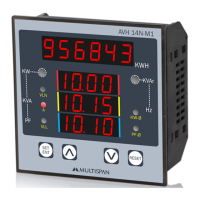
MULTISPAN AVH 14N-M1 - Modbus Parameter Selection; Modebus Menu Navigation; Modebus Communication Settings; CT Selection Procedure

MULTISPAN AVH 14N-M1
5 pages
Print Icon
To Next Page IconTo Next Page
To Previous Page IconTo Previous Page
Loading...
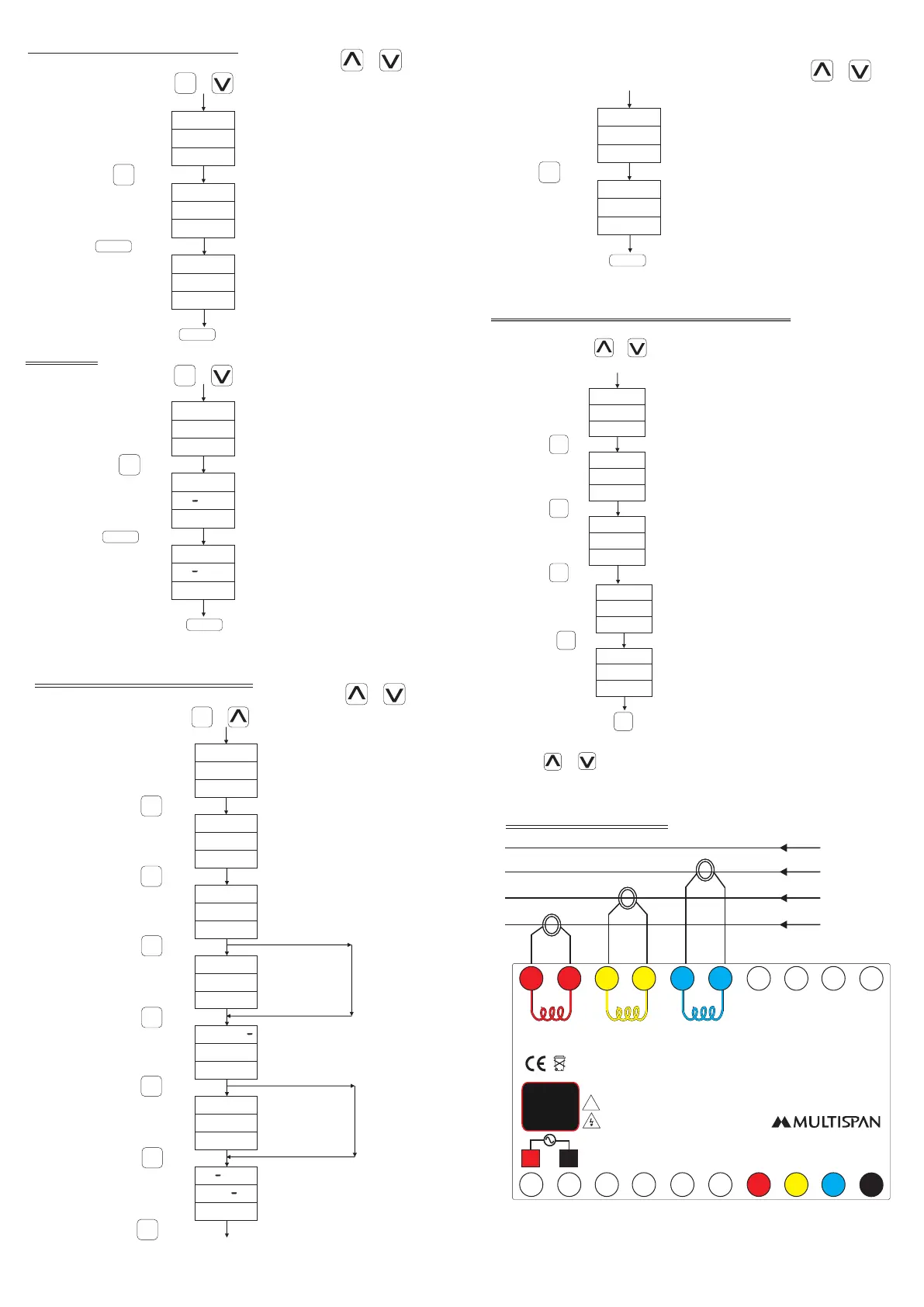
CT SELECTION PROCEDURE
R S T
R S T
D O N E
Press + key
(Kwh, KVAh, KVArh
Selectable)
(Kwh, KVAh, KVArh Done)
P A S S
Password
Reset
Reset
0 0 1 5
W H
h
W H
h
Password
Reset
Reset MD
Reset :- Kwh, KVAh, KVArh
SET
ENT
R S T
R S T
D O N E
P A S S
0 0 4 5
Press key to save & exit
RESET
Reset
Press key
RESET
Press key
SET
ENT
Press key to save & exit
RESET
Press + key
SET
ENT
L H R S
E N B
(Enable/Disable)
P A S S
Password
CT Ratio
Load Hour
0 0 1 0
0 0 0 5
(Range: Primary CT
5 to 6000 Selectable)
L O A D
0 0 0 5
R P M
P O L E
E N B
0 0 0 4
1 5
(Enable/Disable)
RPM
(If Disable)
(Range:
5 to 50%
as per CT Ratio)
P E R
(If Disable)
Range: 1 to 28
Range: 1 to 60
M D
M D
M D
T I M E
Press key
RESET
Press key
SET
ENT
Press + key
SET
ENT
Press key
SET
ENT
Press key
SET
ENT
Press key
SET
ENT
Press key
SET
ENT
Press key
SET
ENT
Press key
SET
ENT
Press key
SET
ENT
Change by & key
Change by & key
R S T
Reset
Reset
(Lhrs/Nhrs Selectable)
L H R S
R S T
L H R S
D O N E
Lhrs/Nhrs
Done
Press key
SET
ENT
Press key to save & exit
RESET
Change by & key
Connection Diagram:
R
Y
B
N
S1
S1
S1
S2
S2
S2
N
B
B
Y
Y
R
R
1 2 3 4
7
8 9
12
13
14
10
11
5
1617
181920
6
15
S1 S1 S1 S2S2S2
R
Y
B
Range:
Current: 50mA To 5A AC
Voltage (P-P) : 50-500V AC
(P-N) : 30-300V AC
System:
3Ph-4W/3Ph-3W
VR
VY
VB N
L N
!
Made in India
www.multispanindia.com
100
270V AC
~
50/60 Hz
4VA
CAT III
D+
MODBUS
D-
System : 3 Ph-4W,
3 Ph-3W
Accuracy Class: 0.5
TO SELECT MODEBUS PARAMETER
A D D R
(Address)
(Baud Rate)
0 0 0 1
9 6 0 0
Press + key for 3 Second to enter
into MODBUS menu
Press key
SET
ENT
Press key
SET
ENT
(1-128)
B A U D
(9600/4800/19.2K/38.4K)
(Parity)
n o n e
Press key
SET
ENT
P R T Y
(Even/odd/none)
d a t a
(Data)
(Read Function)
f l o t
0 x 0 3
Press key
SET
ENT
Press key to save & exit
SET
ENT
(Float/Long)
r d f c
(0x03,0x04)
Range of parameters can be change by
pressing & key.

Related product manuals