CONDUIT
®
IP67 BASE STATION
Conduit
®
Base Station IP67 Getting Started Guide for Versions 1.5 and 2.1 5
Chapter 1 – Conduit
®
IP67 Base Station
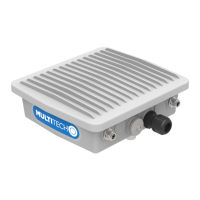
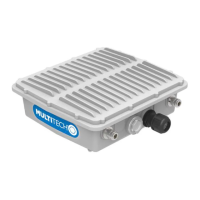
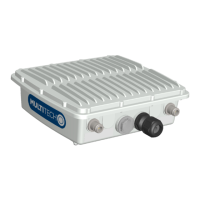
MultiTech's Conduit IP67 Base Station is a ruggedized IoT gateway solution, specifically designed for outdoor LoRa
®
public or private network deployments. The Conduit IP67 Base Station resists the harshest environmental factors
including moisture, dust, wind, rain, snow and extreme heat.
Getting Started - Related Documentation
Installing the Device
An installation guide ships with the MCDTIP and is also available at
https://www.multitech.com/documents/publications/installation-guides/82102802_onscreen.pdf.
Getting Started with mPower Models
Devices that ship with mPower have -266A or -267A in the model number.
(S00727) mPower
TM
Edge Intelligence Conduit AEP Software Guide includes steps for configuring your device
and provides details on the user interface.
http://www.multitech.net/developer/software/aep/ links to advanced information including getting started
with LoRa devices and creating custom apps.
Note: Some users may have mLinux models converted to mPower. These will have mLinux model numbers.
Getting Started with mLinux Models
Devices that ship with mLinux have -266L, -267L, -270L, or -275L in the model number.
Getting Started with mLinux models information is available on the multitech.net developer website.
http://www.multitech.net/developer/software/mlinux/ links to details about using mLinux
LoRa References
http://www.multitech.net/developer/software/lora/ links to LoRa information.
AT Command References
For models with cellular radio, the following AT Command Reference Guides are available at
https://www.multitech.com/brands/multiconnect-conduit-ip67 . Click your model, then select Manuals to find the
AT Command Guide for your device.
Radio AT Command Reference Guide
L4E1/L4N1 Telit LE910Cx AT Commands Reference 80502ST10950A
LAT1 Telit LE910 AT Commands Reference Guide 80421ST10585A
LVW2 Telit LE 910 AT Commands Reference Guide 80407ST10116A
LEU1 Telit LE910 AT Commands Reference Guide 80421ST10585A


 To Next Page