Chapter 2 - Installation
22 Multi-Tech Systems, Inc. MT9234ZPX User Guide
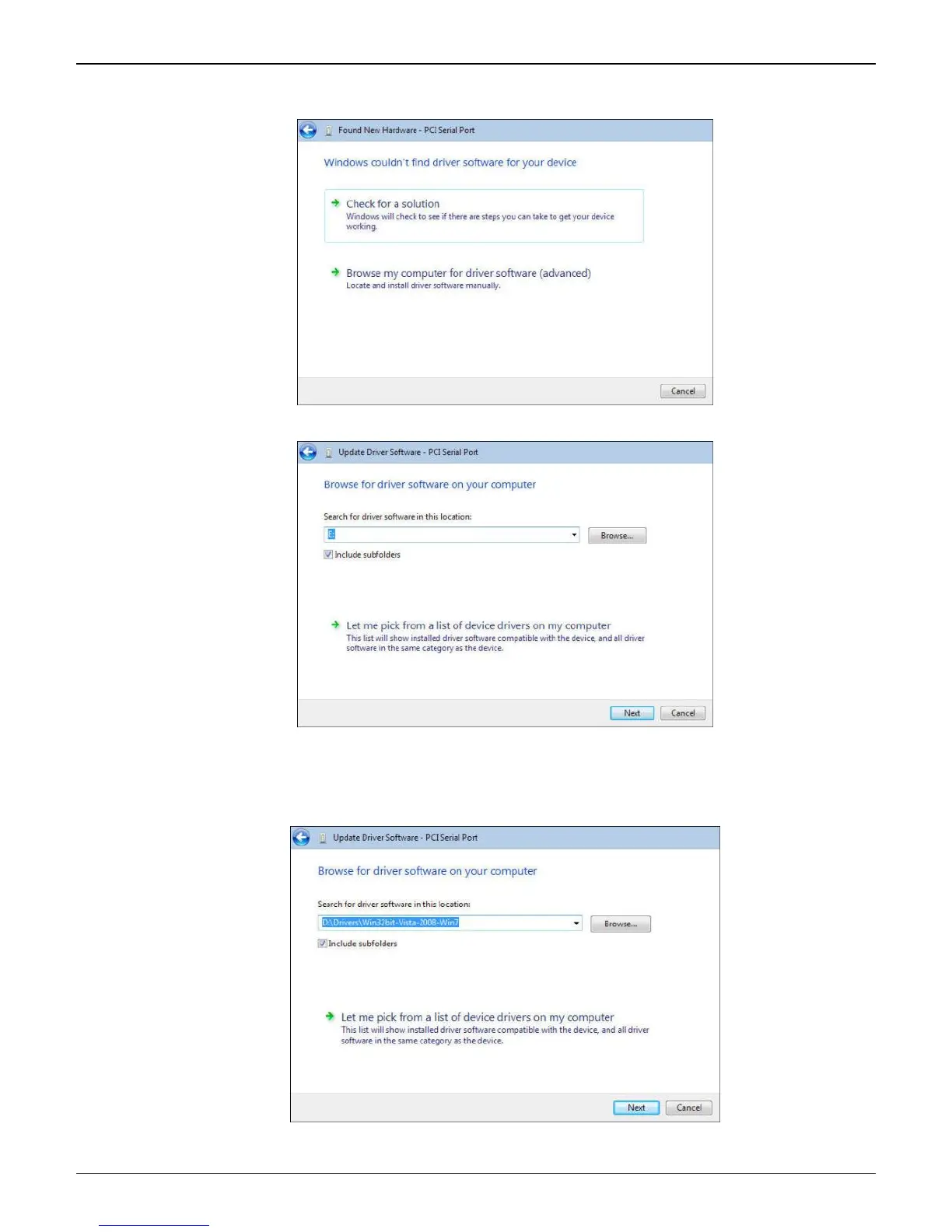
6. Windows couldn’t find driver software for your device screen appears. Choose Browse my computer
for driver software (advanced).
7. At the Browse for driver software on your computer screen.
Click Browse. Browse to the Drivers folder on your MultiModem ZPX product CD and select the Drivers
folder. Within the Drivers folder, select Win32bit-Vista-Win7 folder for a Windows 32-bit Operating
System.
If you are installing drivers on a Windows 64-bit Operating System, select Win64bit-Vista-Win7 folder.
Click Next.















 To Next Page