Page12of78
ITPP047 Thermal Printer Windows Software Manual
Version 2.00
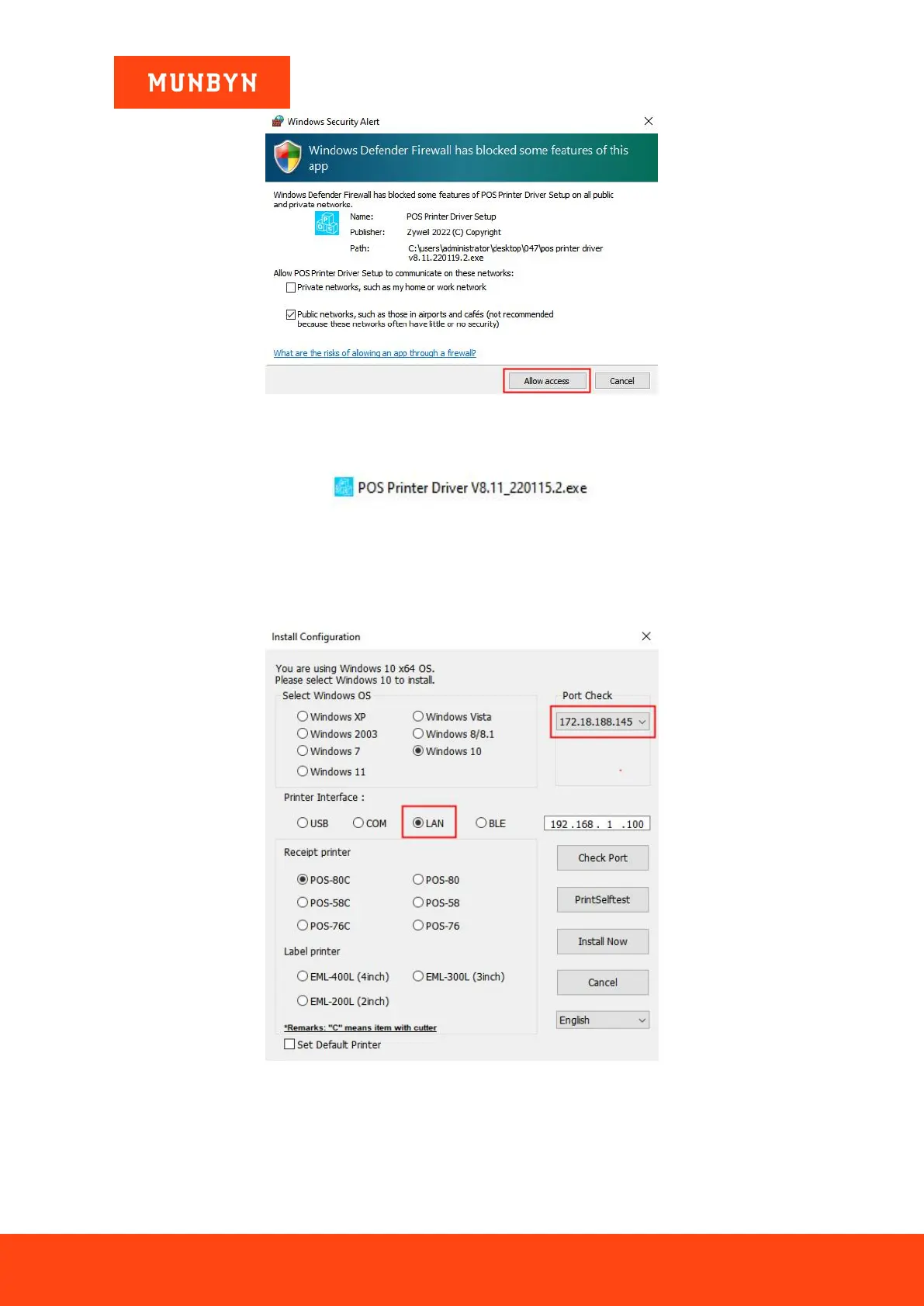
Figure 2- 10 Windows Security Alert
1) Double click "POS Printer Driver V8.xx.exe".
Figure 2- 11 Installation Package
2) Select "LAN" and wait about 10 seconds, then the printer IP address will be displayed in "Port Check".
Note: If you cannot find your printer's IP address, please check whether your network connection between the
printer and your computer is correct. Close and reopen the program and restart the printer.
Figure 2- 12 Driver Installation Interface
3) Click the IP address displayed by the "Port Check", the IP displayed in the white box is the same as the IP
address you selected above, then click the "Install Now".


 To Next Page