Page50of78
ITPP047 Thermal Printer Windows Software Manual
Version 2.00
4.0. Uninstallation
4.1. Delete Print Pool Job
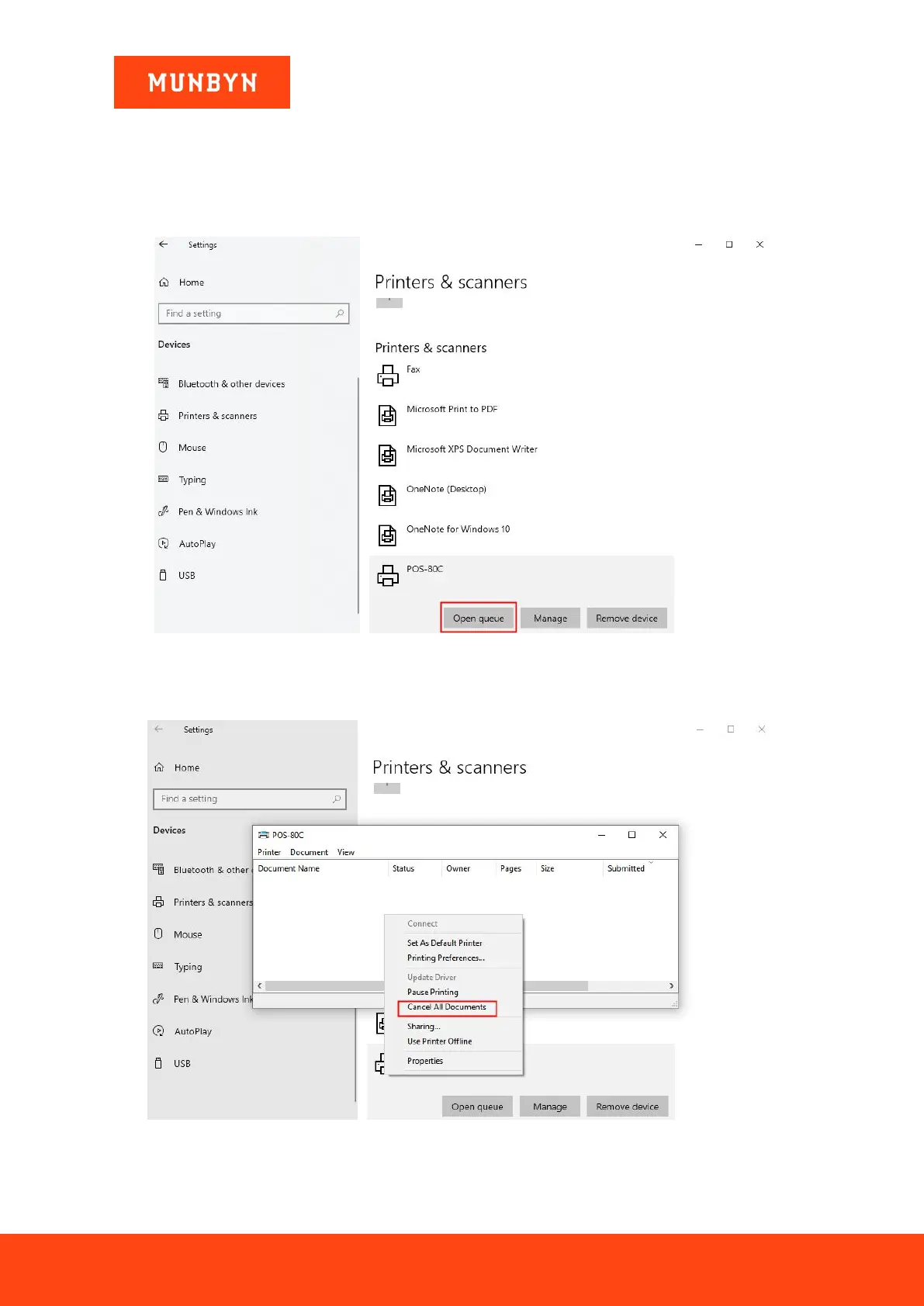
1) Click "POS-80C" and choose "Open queue".
Figure 4- 1 Control Panel
2) Check the printer for print jobs. If not, continue to the next step. If so, right-click in the print pool and click
the "Cancel all Documents" to delete jobs.
Figure 4- 2 Control Panel



 To Next Page