Page51of78
ITPP047 Thermal Printer Windows Software Manual
Version 2.00
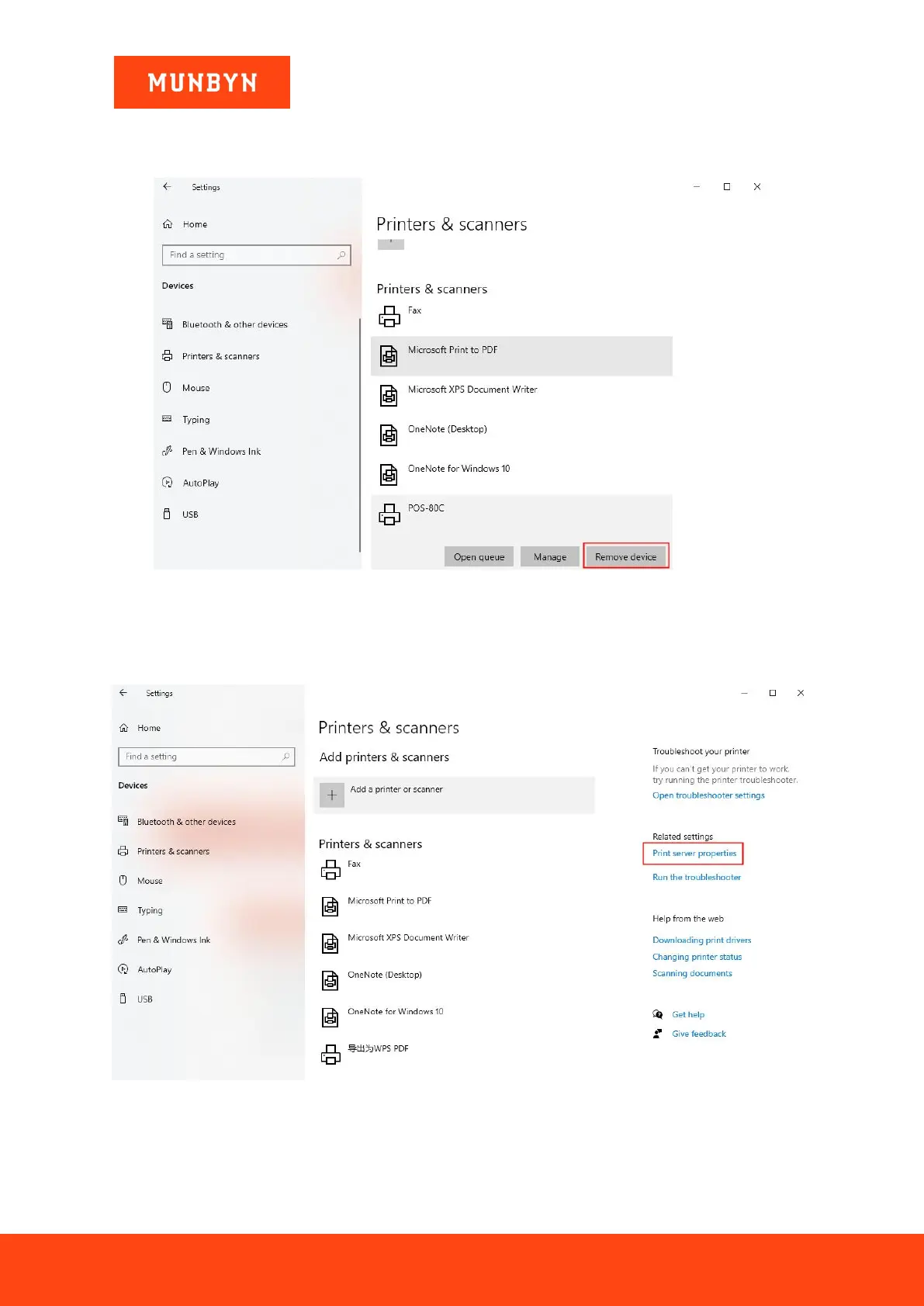
4.2. Delete Printer
1) Click "POS-80C" and choose "Remove device".
Figure 4- 3 Control Panel
4.3. Uninstall Driver
1) Click "Print server properties".
Figure 4- 4 Control Panel
2) Select "POS-80C", then click "Remove".


 To Next Page