Page27of78
ITPP047 Thermal Printer Windows Software Manual
Version 2.00
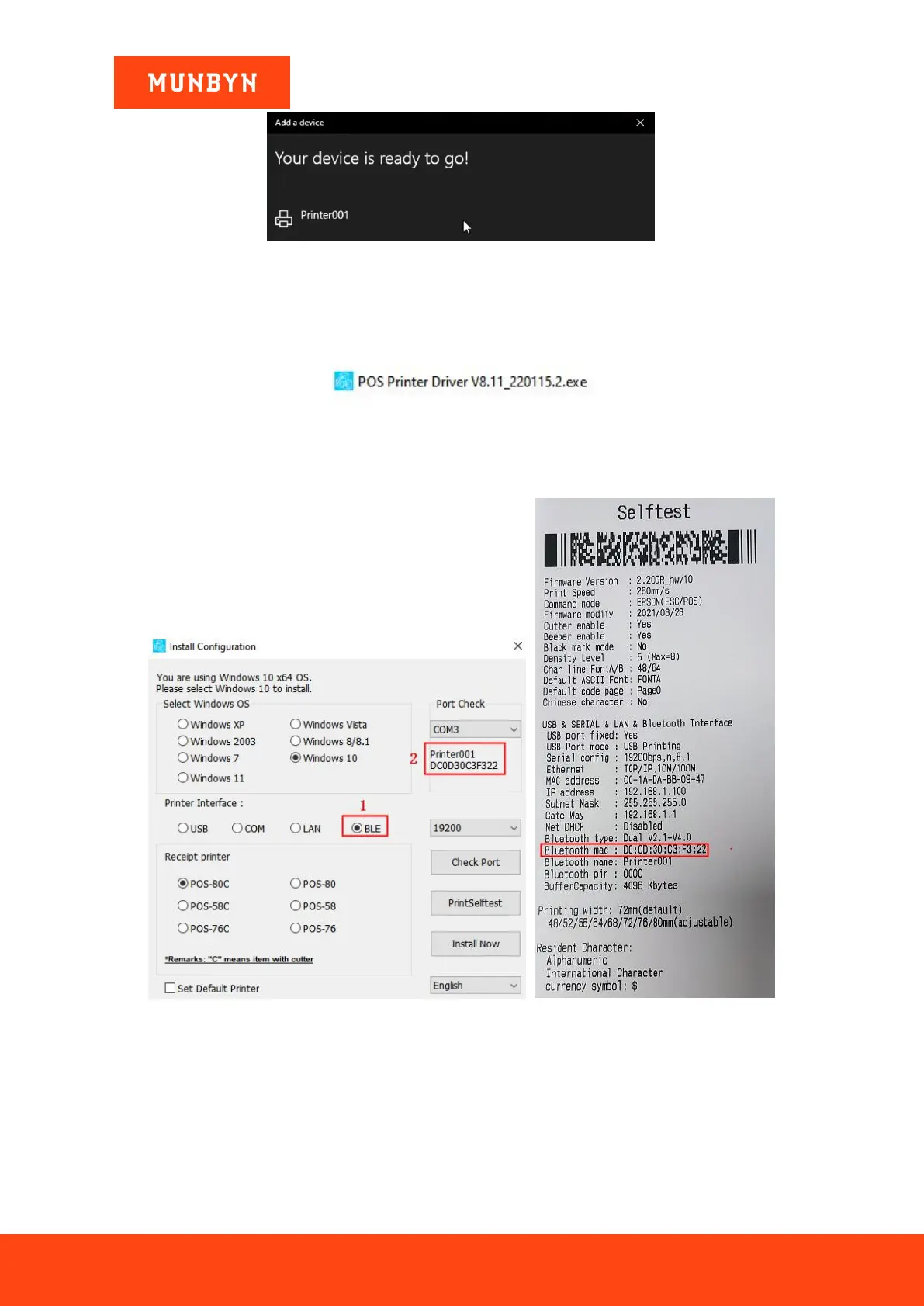
Figure 2- 44 Successful connection interface
2.4.2. Install a Bluetooth Printer
1) Double click "POS Printer Driver V8.xx.exe".
Figure 2- 45 Installation Package
2) Select "BLE" and your printer's Bluetooth mac address will be displayed on the "Port Check".
Note: You can print the self-test page and check the Bluetooth mac address of the printer.
Figure 2- 46 Driver Installation Interface Figure 2- 47 Self Test Page
3) Click "Install Now", the printer will automatically print out a Bluetooth port detection ticket.



 To Next Page