Page26of78
ITPP047 Thermal Printer Windows Software Manual
Version 2.00
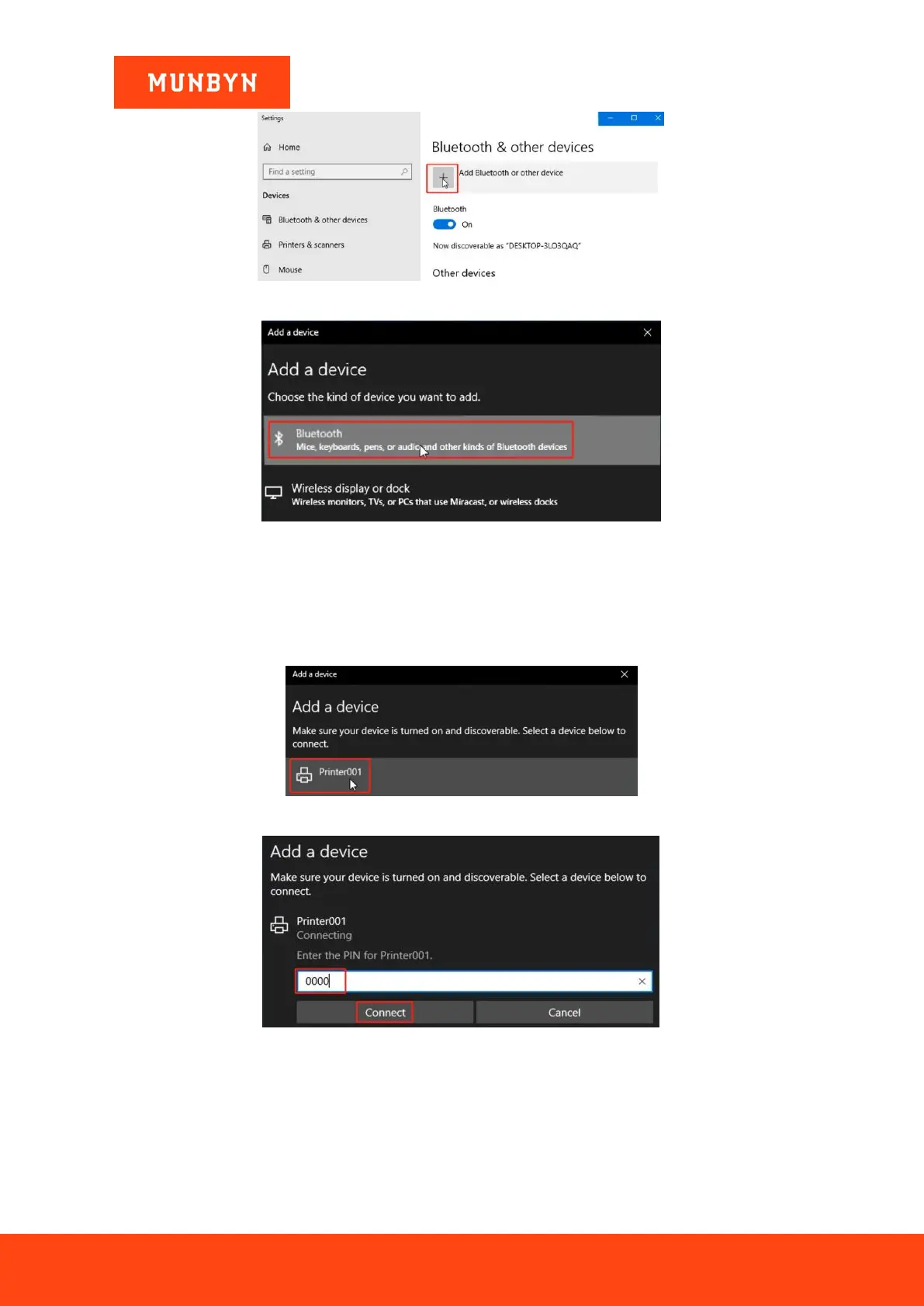
Figure 2- 40 Bluetooth Settings
Figure 2- 41 Bluetooth Settings
c. Choose "Printer001" and enter the PIN code "0000".
Note: If you have changed the Bluetooth name or password, you can print the self-test page to view the
Bluetooth information. Refer to Section 2.2.3, step 2 for how to print the Bluetooth printer page.
Figure 2- 42
Figure 2- 43 PIN Code "0000"
d. The Bluetooth connection is successfully.



 To Next Page