Page7of78
ITPP047 Thermal Printer Windows Software Manual
Version 2.00
2.0. Installation
Note: To use the ITPP047 in a Windows environment, you need to install this printer driver in advance.
1) Get the Windows driver from the link: http://u.pc.cd/mcictalK or the provided USB Flash Drive.
2) If your system is updated, please uninstall the driver before installing it. Please refer to section 4.0 for
detailed driver uninstallation.
2.1. Install Printer via USB
2.1.1. Before Installing USB Printer
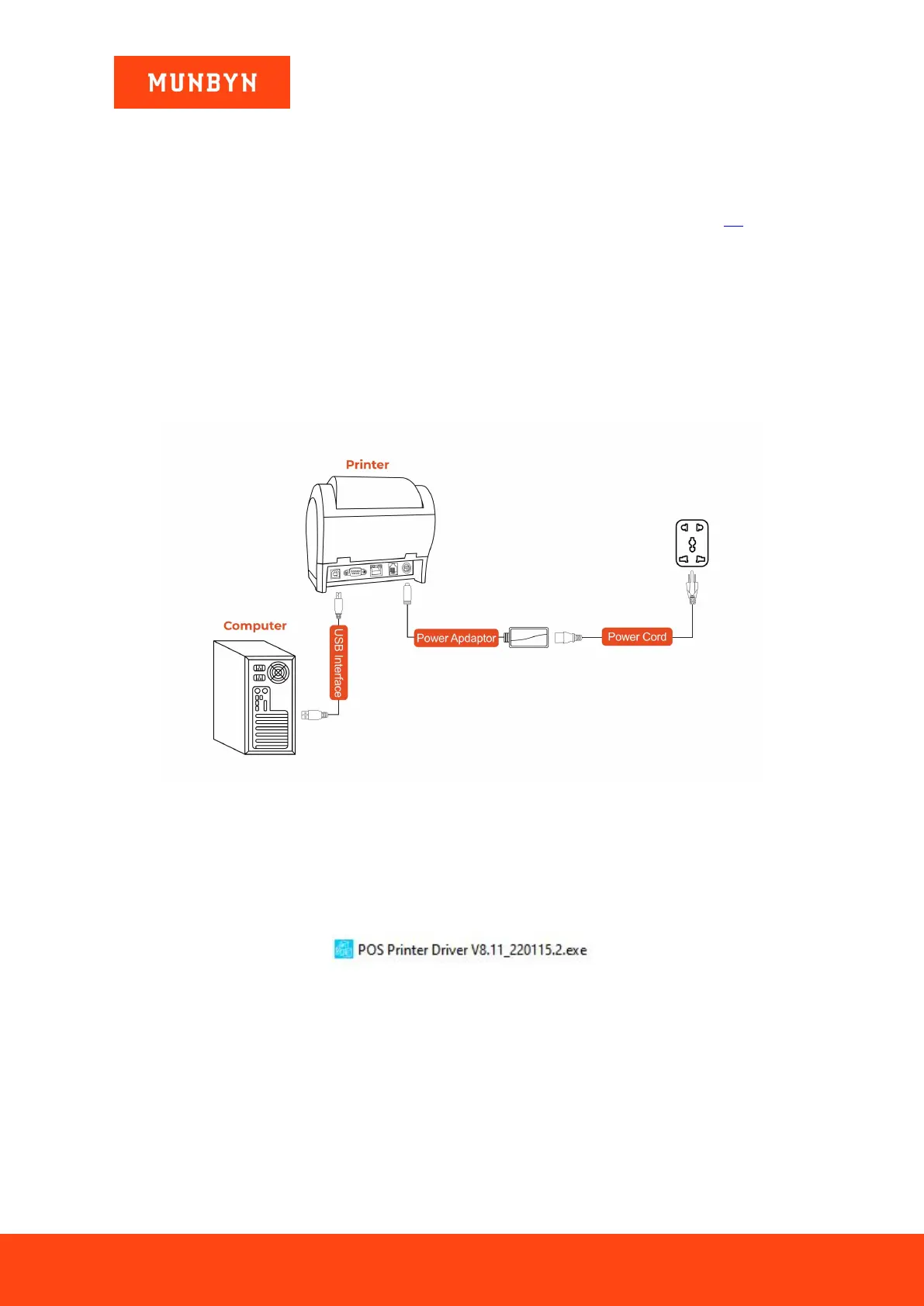
1) Connect the printer to the power outlet via the power cord.
2) Connect the printer to your Windows computer via USB.
3) Place the thermal paper into the printer and power it on.
Figure 2- 1 Connection Diagram
Demo video: http://u.pc.cd/BIqrtalK
2.1.2. Install a USB Printer
1) Double click "POS Printer Driver V8.xx.exe".
Figure 2- 2 Installation Package
2) Click "Install now", the printer will automatically print out a USB port detection ticket.



 To Next Page