Page16of78
ITPP047 Thermal Printer Windows Software Manual
Version 2.00
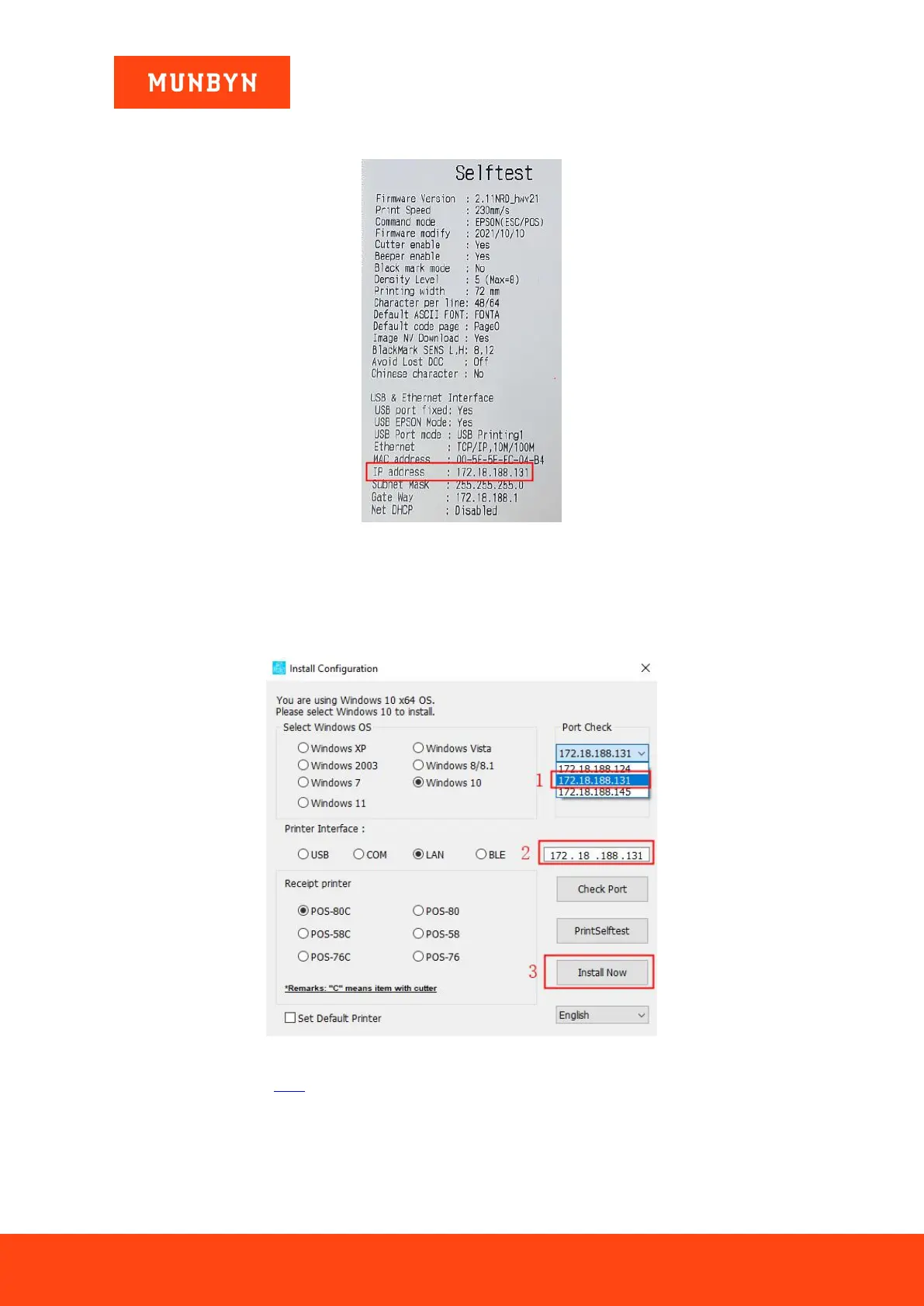
beep. The printer will automatically print a self-test page on which you can then check the IP address of the
printer.
Figure 2- 19 Printer Test Page
3) Click the IP address the same as the test page displayed by the "Port Check", the IP displayed in the white
box is the same as the IP address you selected above, then click the "Install Now".
Note: If you cannot find your printer's IP address, please check whether your network connection between the
printer and your computer is correct. Close and reopen the program and restart the printer.
Figure 2- 20 IP Detection
4) Please refer to section 2.2.2, step 5.
Demo video: http://u.pc.cd/07X7



 To Next Page