Page22of78
ITPP047 Thermal Printer Windows Software Manual
Version 2.00
Note: If you have changed the Wi-Fi name or password, you can print the self-test page to view the Wi-Fi
information. Refer to Section 2.2.3, step 2 for how to print the Wi-Fi printer page.
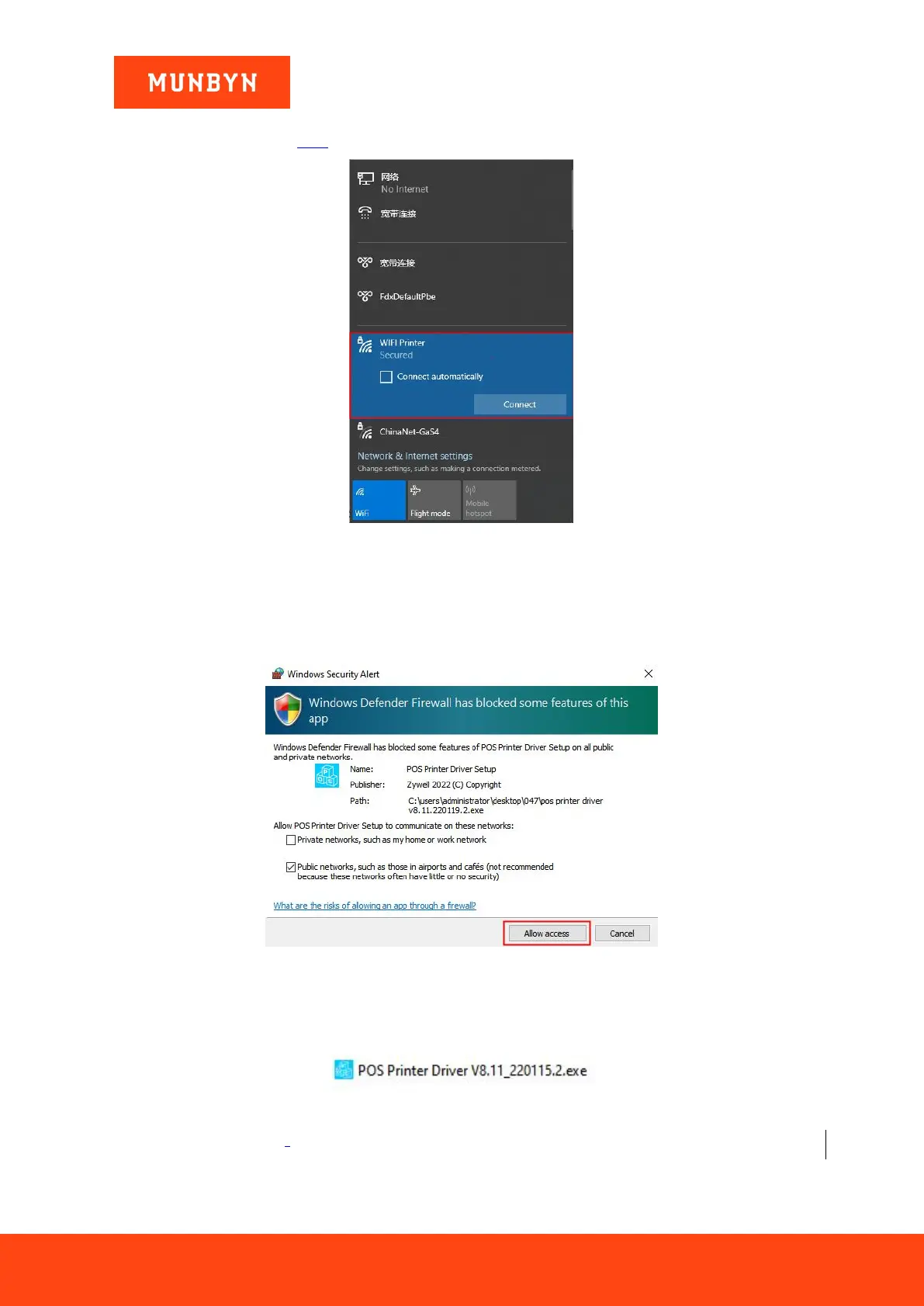
Figure 2- 31 Connect the Wi-Fi
2.3.2.2. Install a Printer in AP Mode
Note: During installation, a Windows Security Alert may pop up, showing that Windows Defender Firewall has
blocked some features of this app. Please click "Allow access". This driver has been fully tested on all current
versions of Windows.
Figure 2- 32 Windows Security Alert
1) Double click "POS Printer Driver V8.xx.exe".
Figure 2- 33 Installation Package
2) Select "LAN" and enter [10.10.100.254] in the white box.



 To Next Page