Page39of78
ITPP047 Thermal Printer Windows Software Manual
Version 2.00
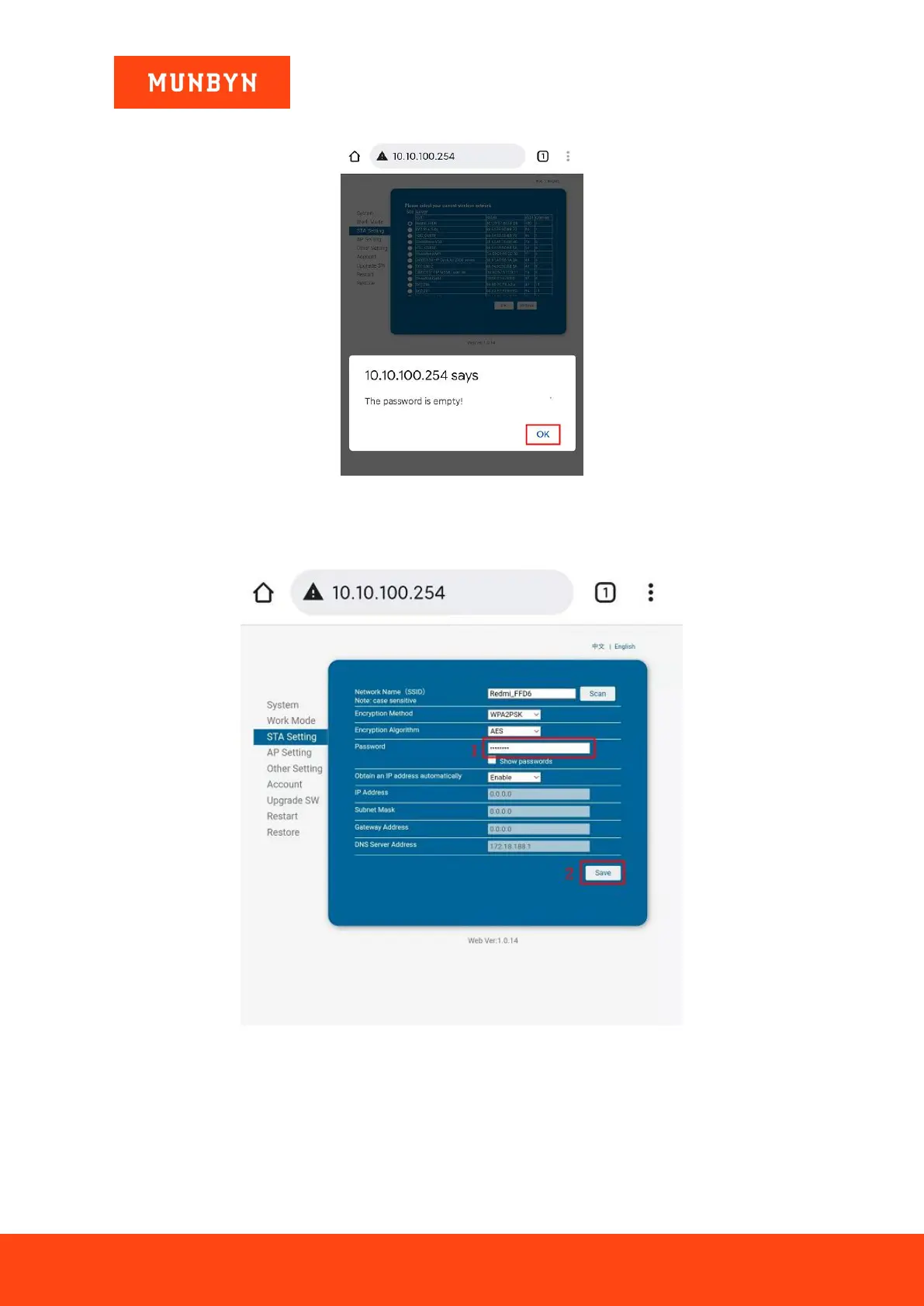
6) The prompt interface pops up "The password is empty!". Click "OK".
Figure 3- 13 Prompt Interface
7) Once you are automatically redirected to the "STA Setting" interface, enter the password of your chosen
wireless network and click "Save".
Figure 3- 14 Wi-Fi Setting
8) The interface "Saved Successfully!" pops up automatically. Click "Restart".



 To Next Page