Page68of78
ITPP047 Thermal Printer Windows Software Manual
Version 2.00
6.1.9.2. Net Setting
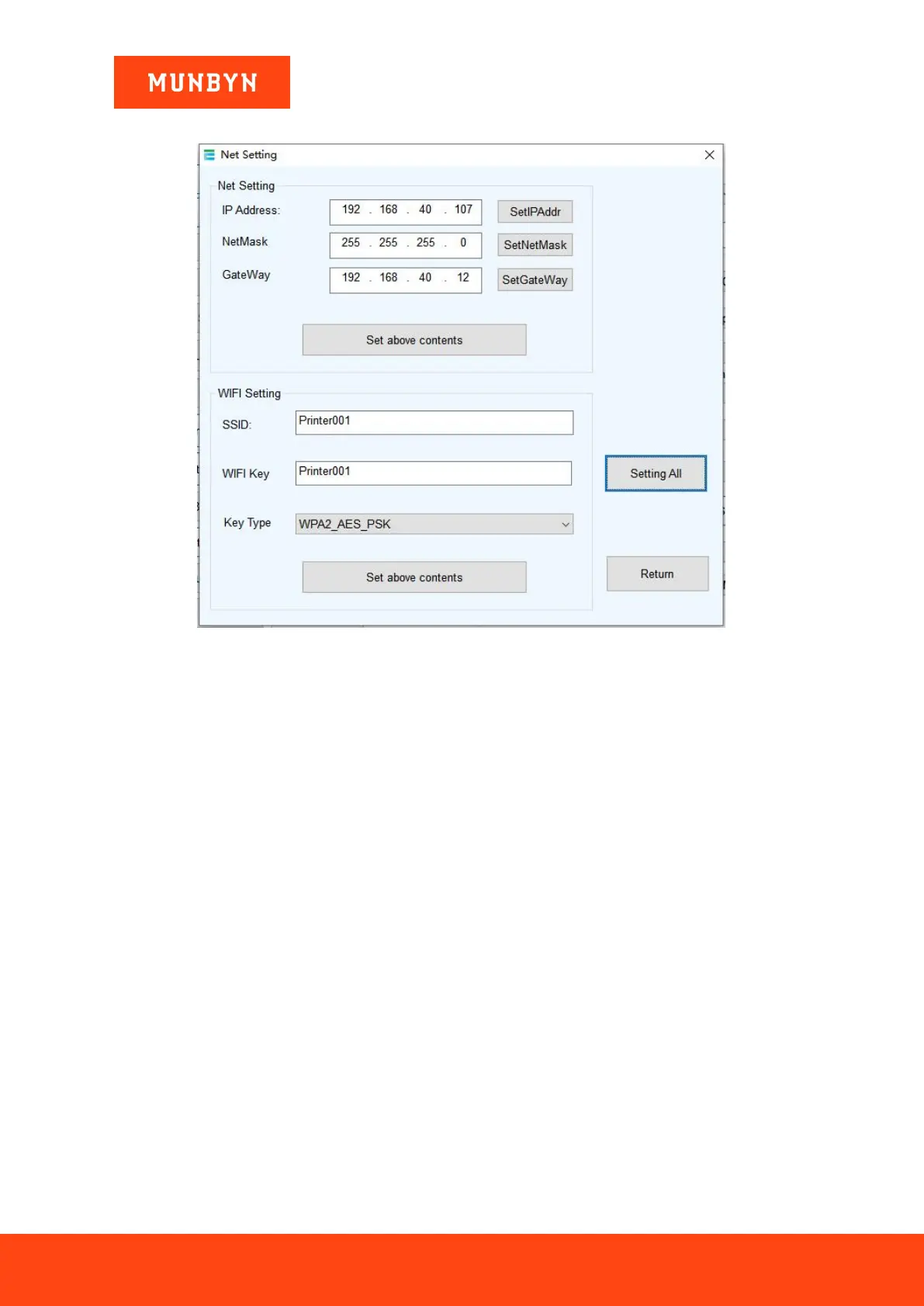
Figure 6- 14 Net Setting
a) Set up the printer IP address.
b) Set up the Subnet Mask.
c) Set up the Gateway.
d) WI-FI SSID address settings.
Note: the SSID address is the name of your Wireless Router .
e) WI-FI password settings.
Note: the password of the Wireless Router.
f) Encryption type of WI-FI SSID settings.
Note: the encryption type of the Wireless Router. For example, if the encryption type of the Router (SSID) is:
WPA_TKIP_AES_PSK, then this information should be selected in the tab of "SSID Encryption type".
g) After filling in the above information, click on the "Setting All" option. The printer will make a "BEEP"
sound indication. Then restart the printer.



 To Next Page