Page9of78
ITPP047 Thermal Printer Windows Software Manual
Version 2.00
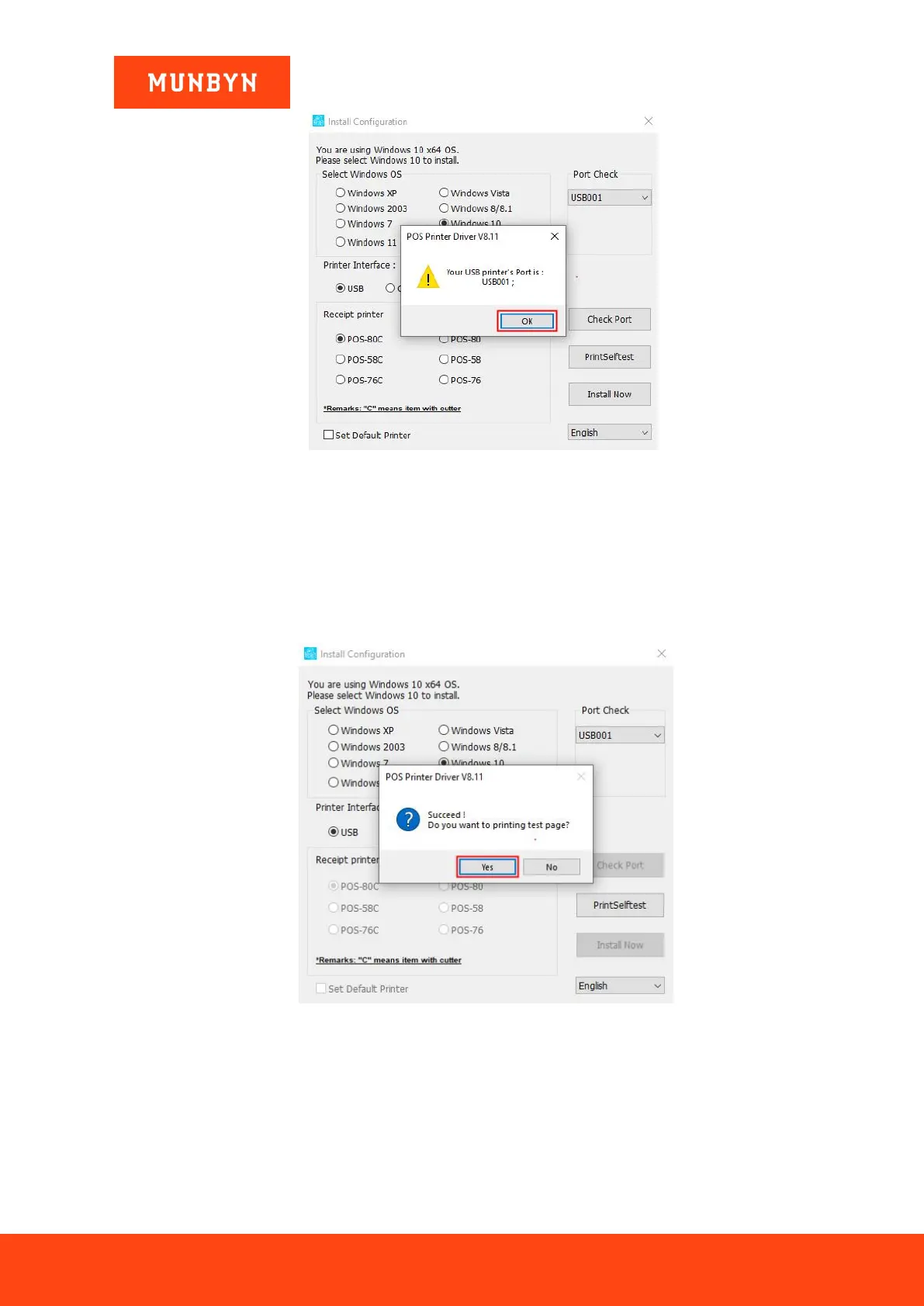
Figure 2- 5 Display USB Port
4) The driver will automatically pop up a small window. Click "Yes", the printer will print out a "POS Printer"
test page, indicating that the printer is ready.
Note: After the installation, the computer will automatically open an FQA document. If you encounter any
problems during use, you can read the FAQ document first.
Figure 2- 6 Successful Installation



 To Next Page