ITPP941 prints exactly what you see on your screen in the same orientation. So if the label looks
side-ways on your screen or if it has a lot of white space around the label, ITPP941 will print it
side-ways and with the same amount of white space.
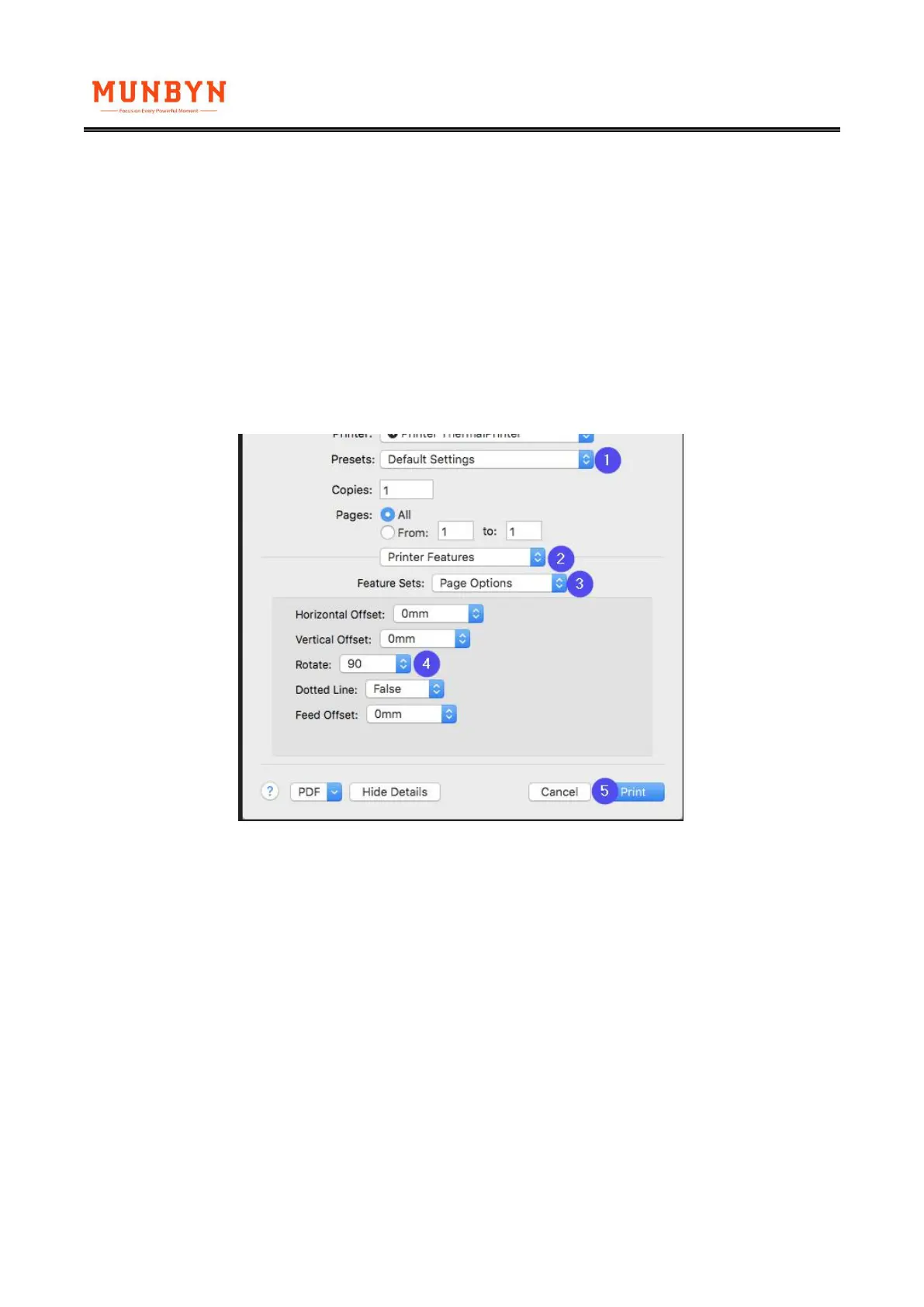
If your label is 4 x 6 but just provided sideways, you can setup ITPP941 to rotate it for you
automatically:
(1)On Mac
During the print prompt, select your label size under Presets, then navigate to Printer Features ->
Page Options and Select 90 under "Rotate."
(2)On Windows
Go to Control Panel -> Devices and Printers -> Right click on ‘Munbyn ITPP941’ -> Printer
preferences -> Go to Page Setup -> Under Orientation choose Landscape and Click Apply / Ok.



 To Next Page