8. Q: Why the printer’s red light is flashing?
A: Red light is an indication that ITPP941 has a problem with your label.
Most likely, ITPP941 needs to re-learn your label.
Please ensure there are multiple labels available to ITPP941 and then run the automatic label
identification. Simply press and hold the top button on ITPP941 until you hear one beep. ITPP941
will then move labels back and forth to learn the gap and other properties of your labels.
If automatic label identification does not work or red light remain, please turn off ITPP941 by using
the power switch on the back and turn the unit back on.
9. Q: Why the printer print extra blank labels after printing?
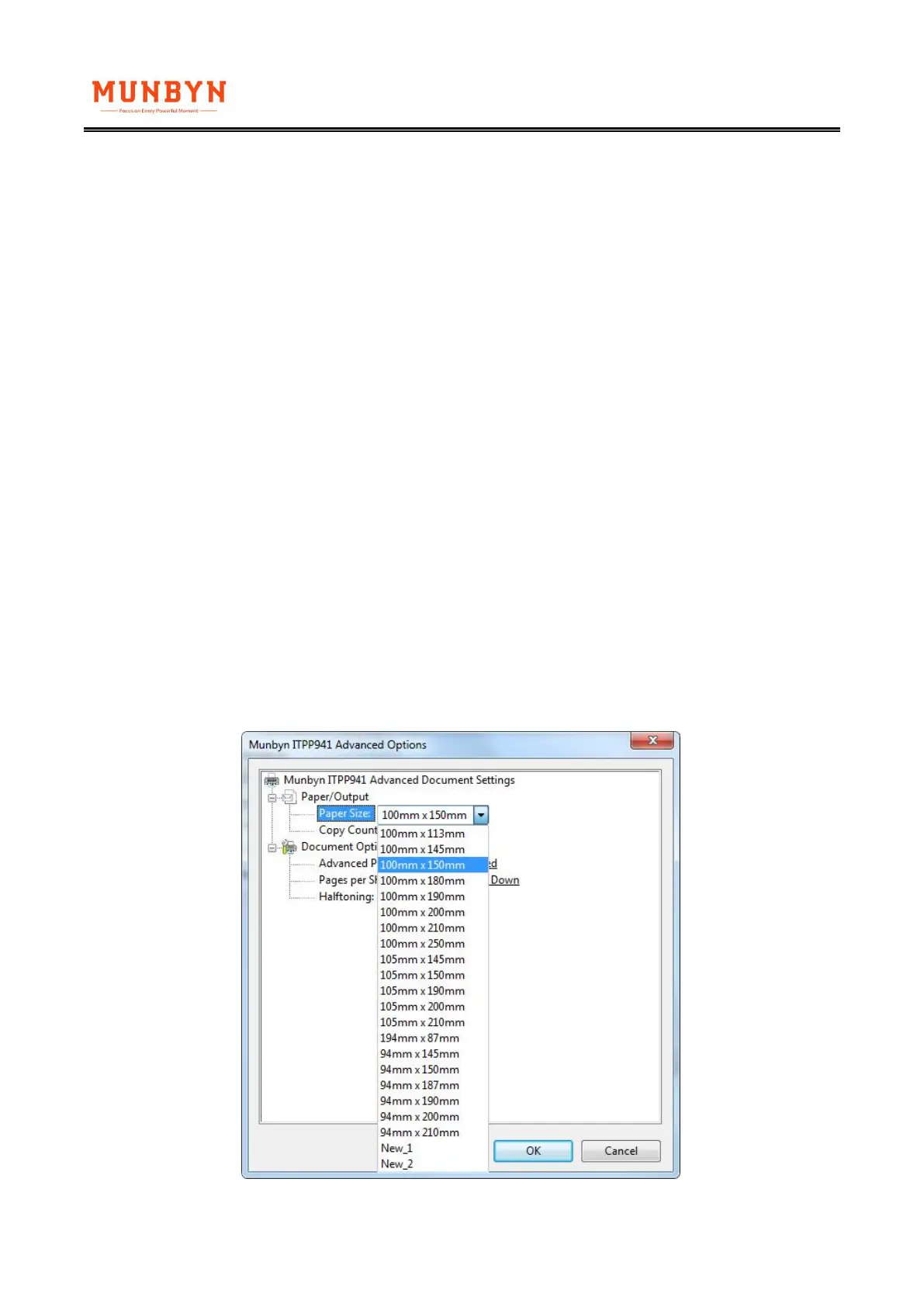
A: 1. Please check if the page size set in the driver matched the size of the labels that using in the
printer.
①Windows: Go to the ‘printer preferences’ ---> ‘advanced’ ---> ‘paper size’, select the correct size
for the printer(If you are using 4x6 paper, please select the 100*150mm)



 To Next Page